
To update billing information for your Juvo account, follow the steps below:
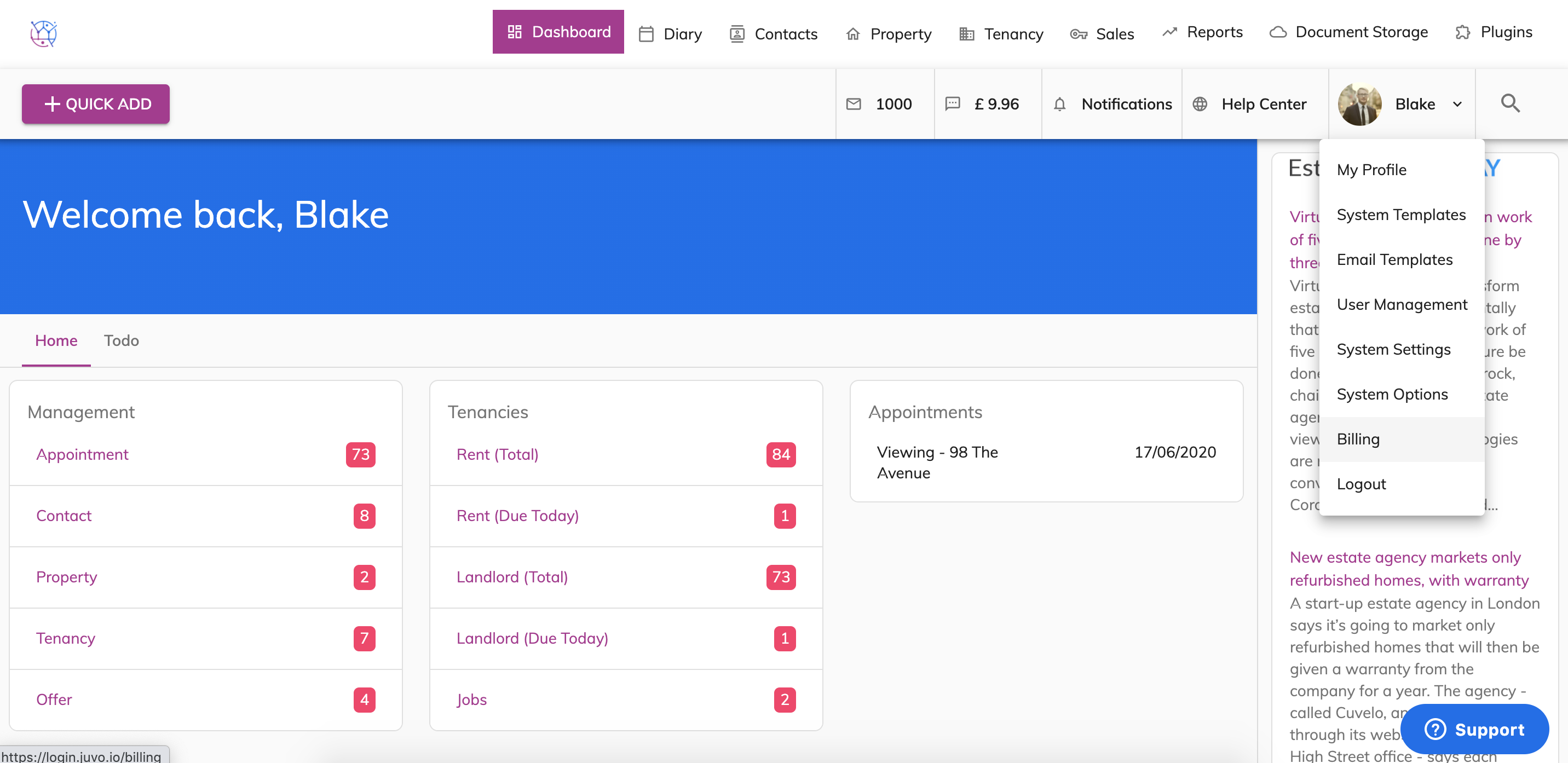
1) Go into Admin section by clicking on the user icon & name and select Billing from the dropdown.
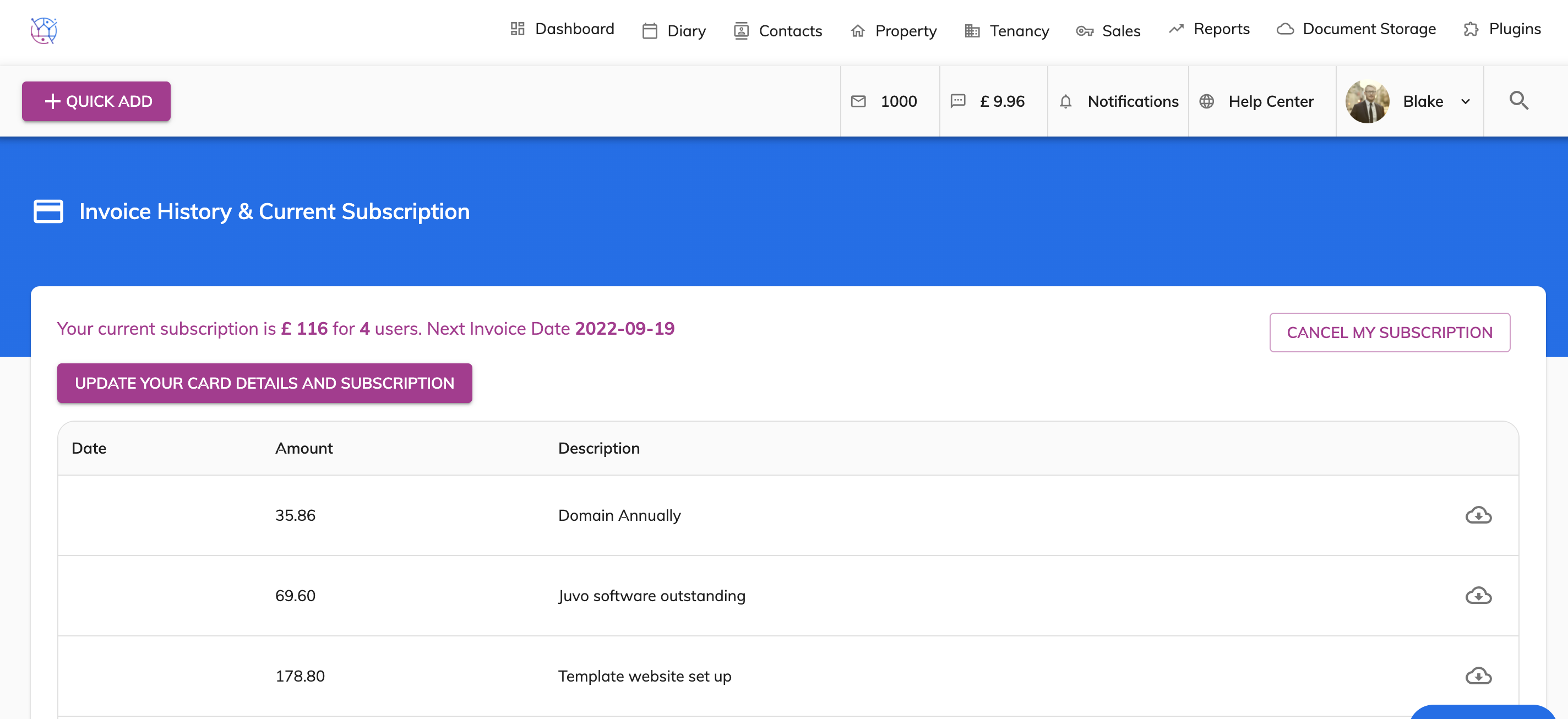
2) Click on Update your card details and subscription.
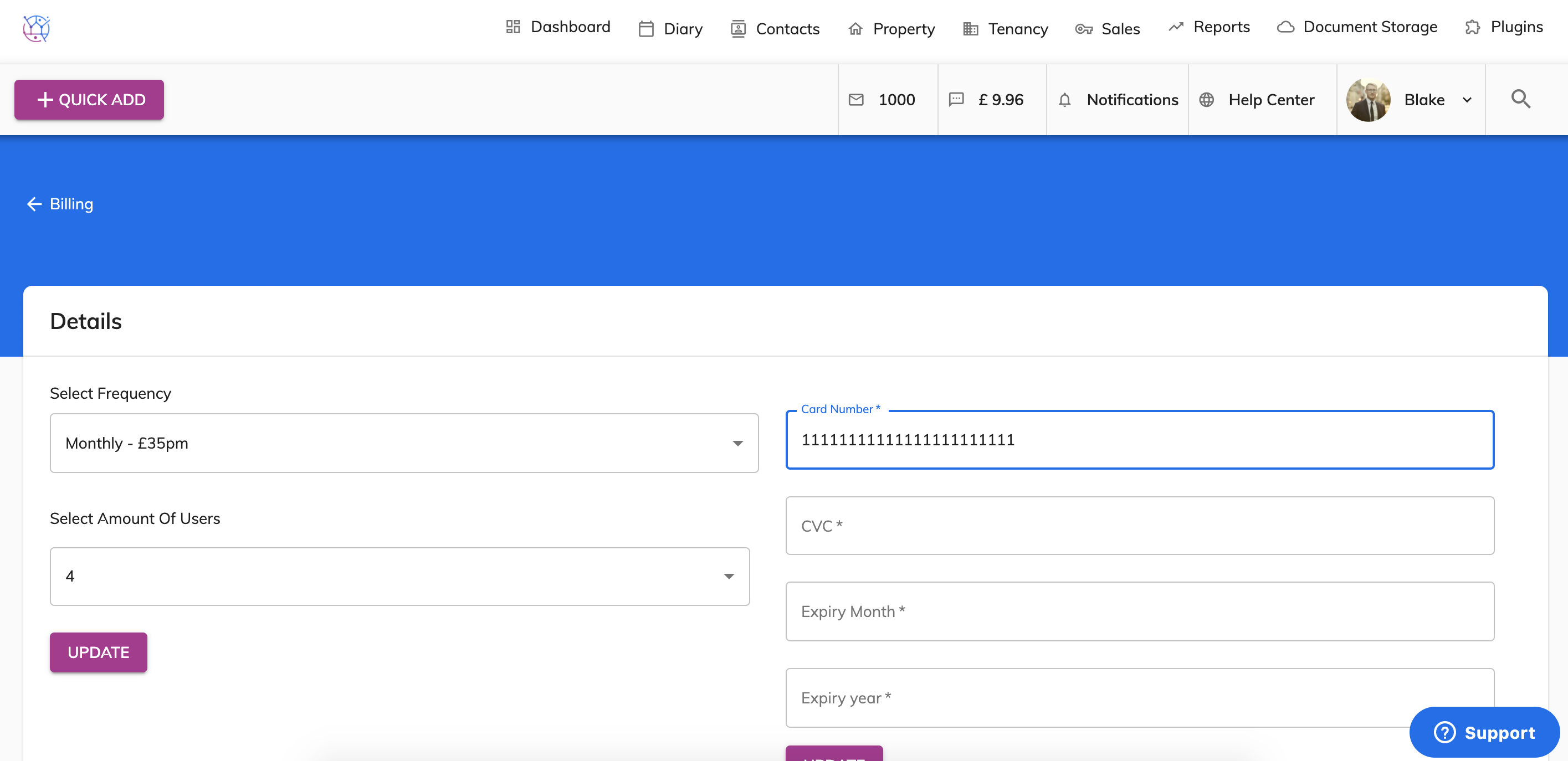
3) Enter long card number from your credit or debit card.
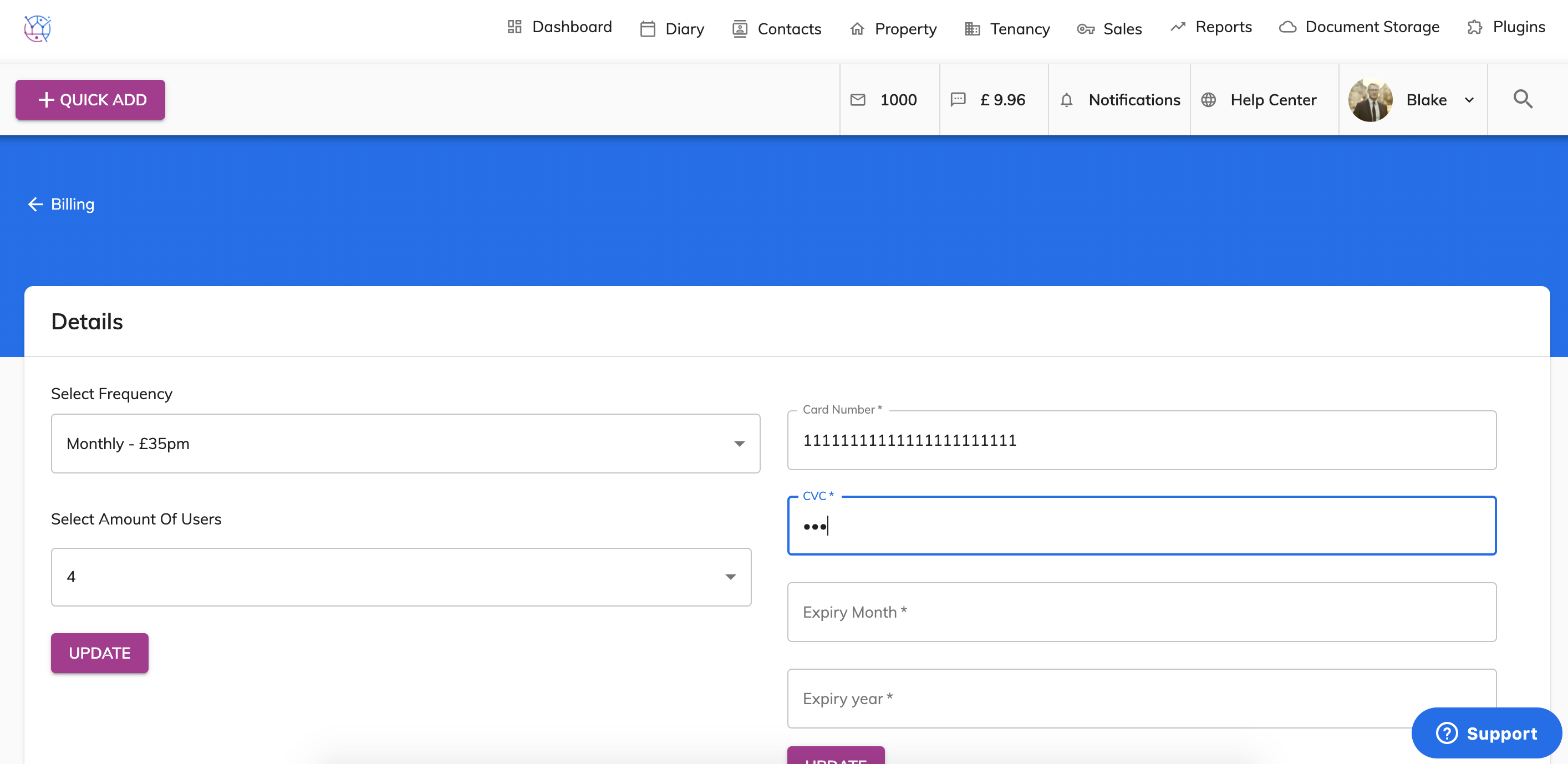
4) Enter the 3 digit CVC number from the back of your credit/debit card.
5) Enter the expiry month from your debit or credit card. For example March. Enter as 03
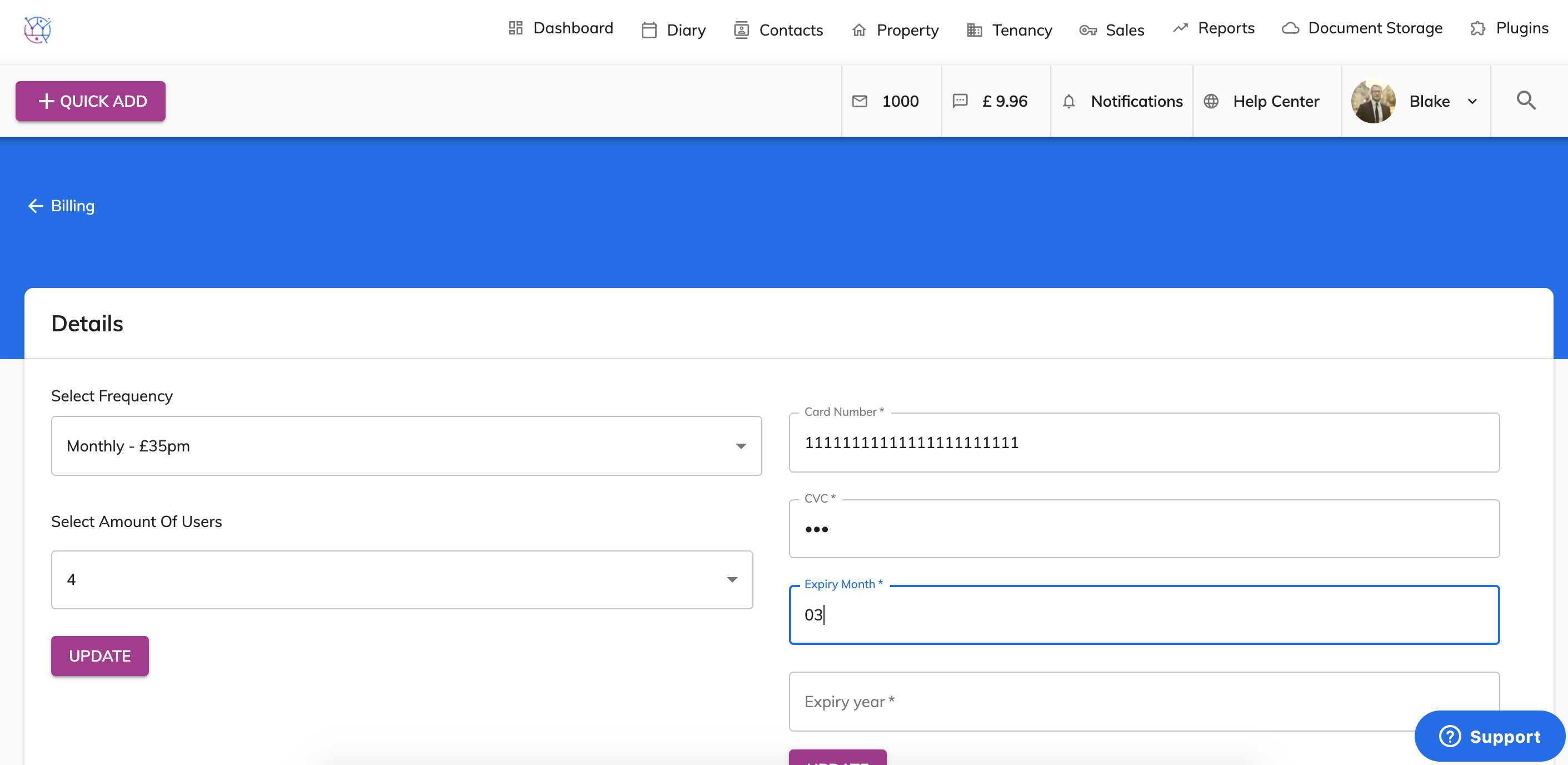
6) Enter the expiry month from your credit or debit card. For example 2022. Enter 2022.
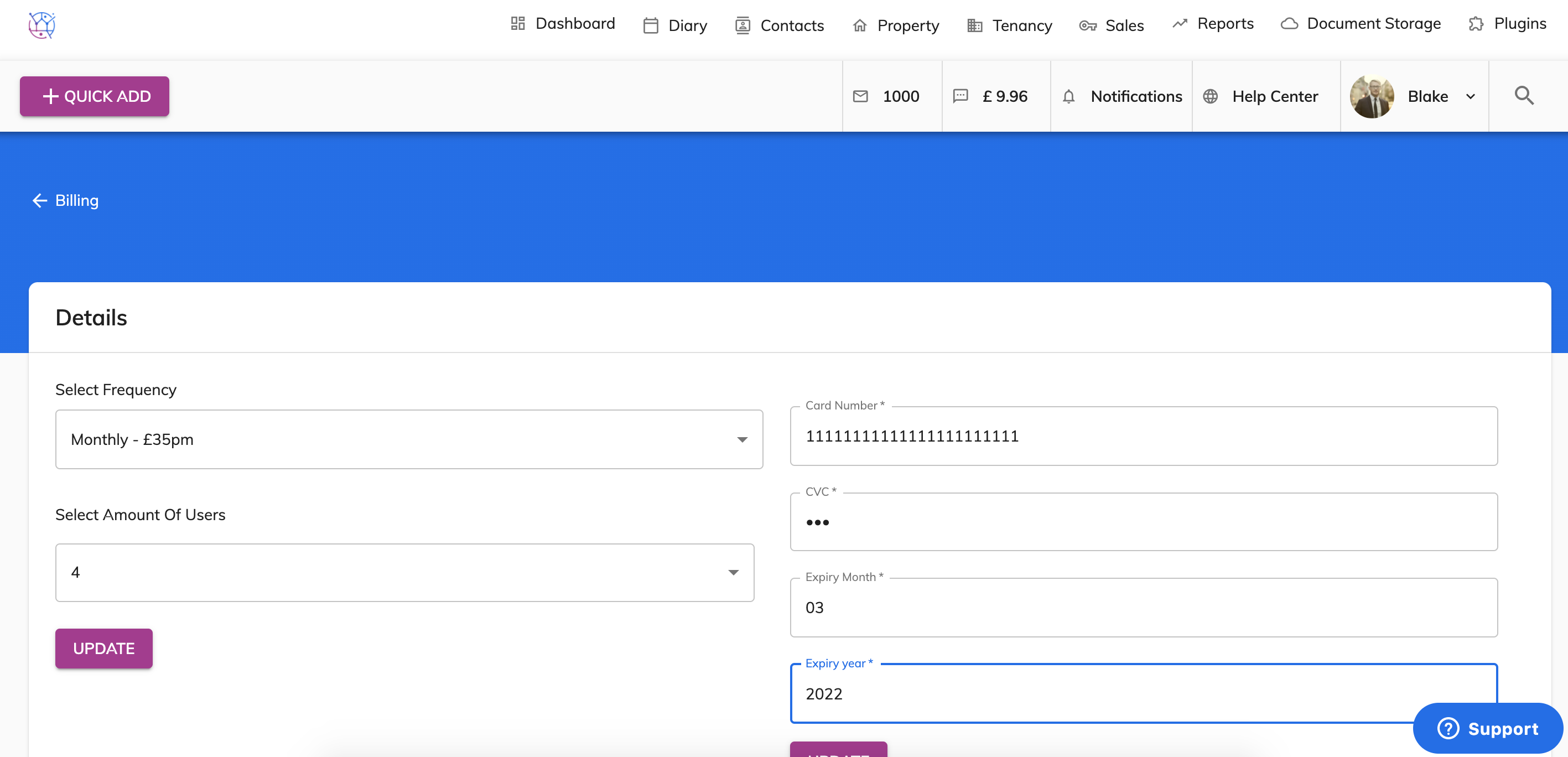
7) Check the information you have entered is correct and press the Update button. You will now be able to see the update card details at the top of the page and all future payments will be taken from that card.