To edit a user, follow the steps below.
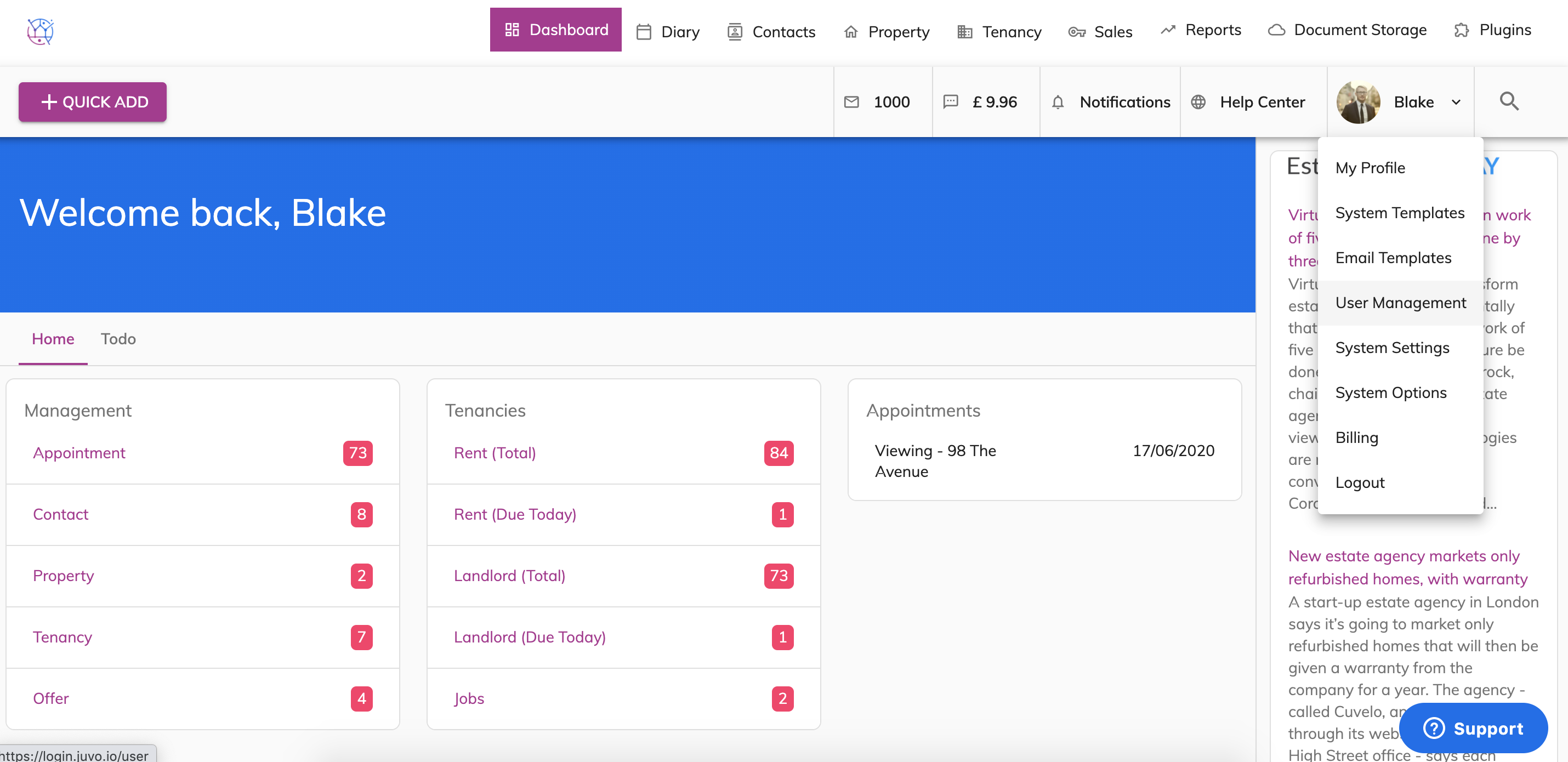
1) Go into Admin section by clicking on user picture and name & selecting user management.
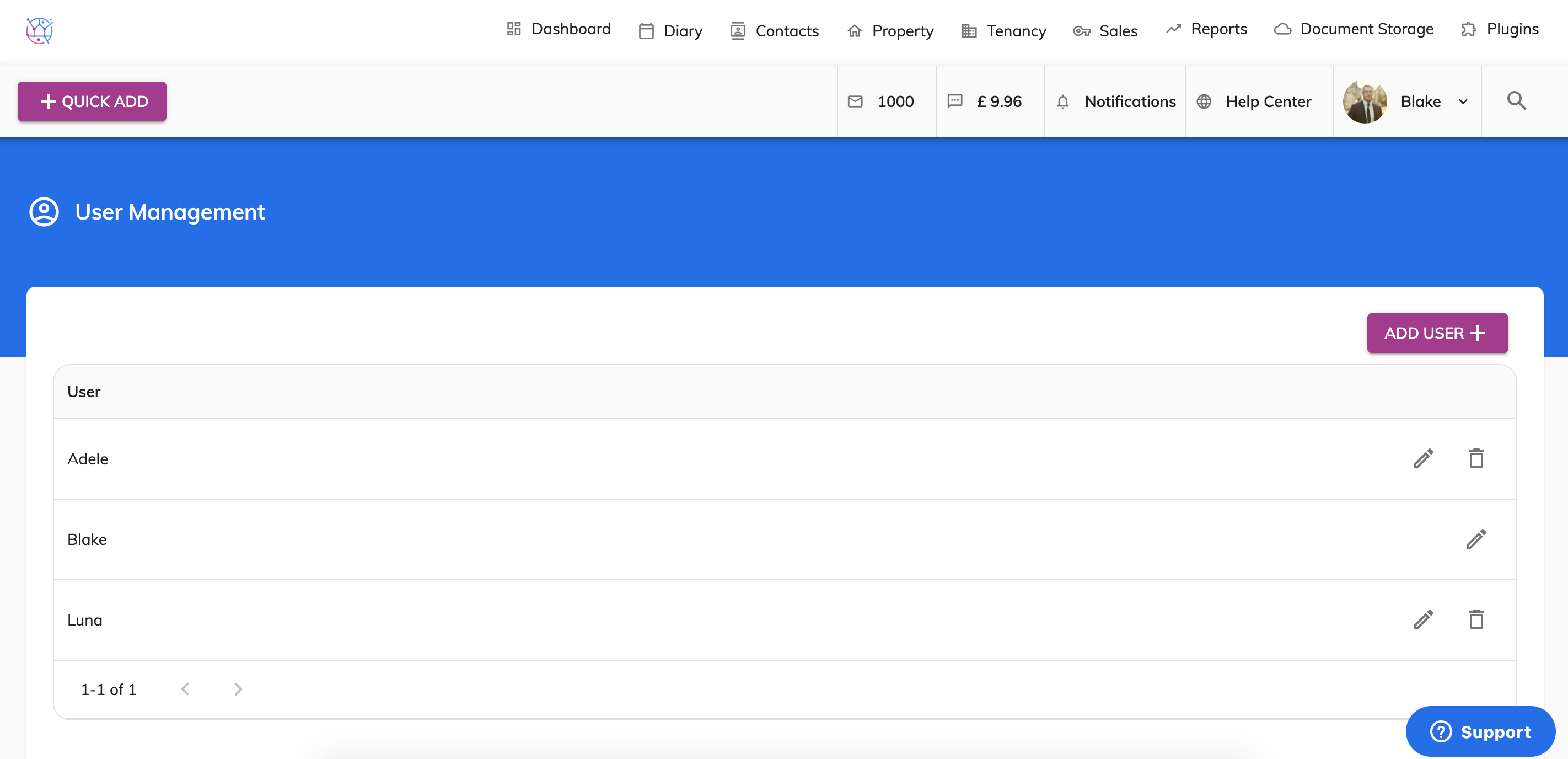
2) Find user you would like to edit. Click on the pencil icon found on the right hand side of the users name.
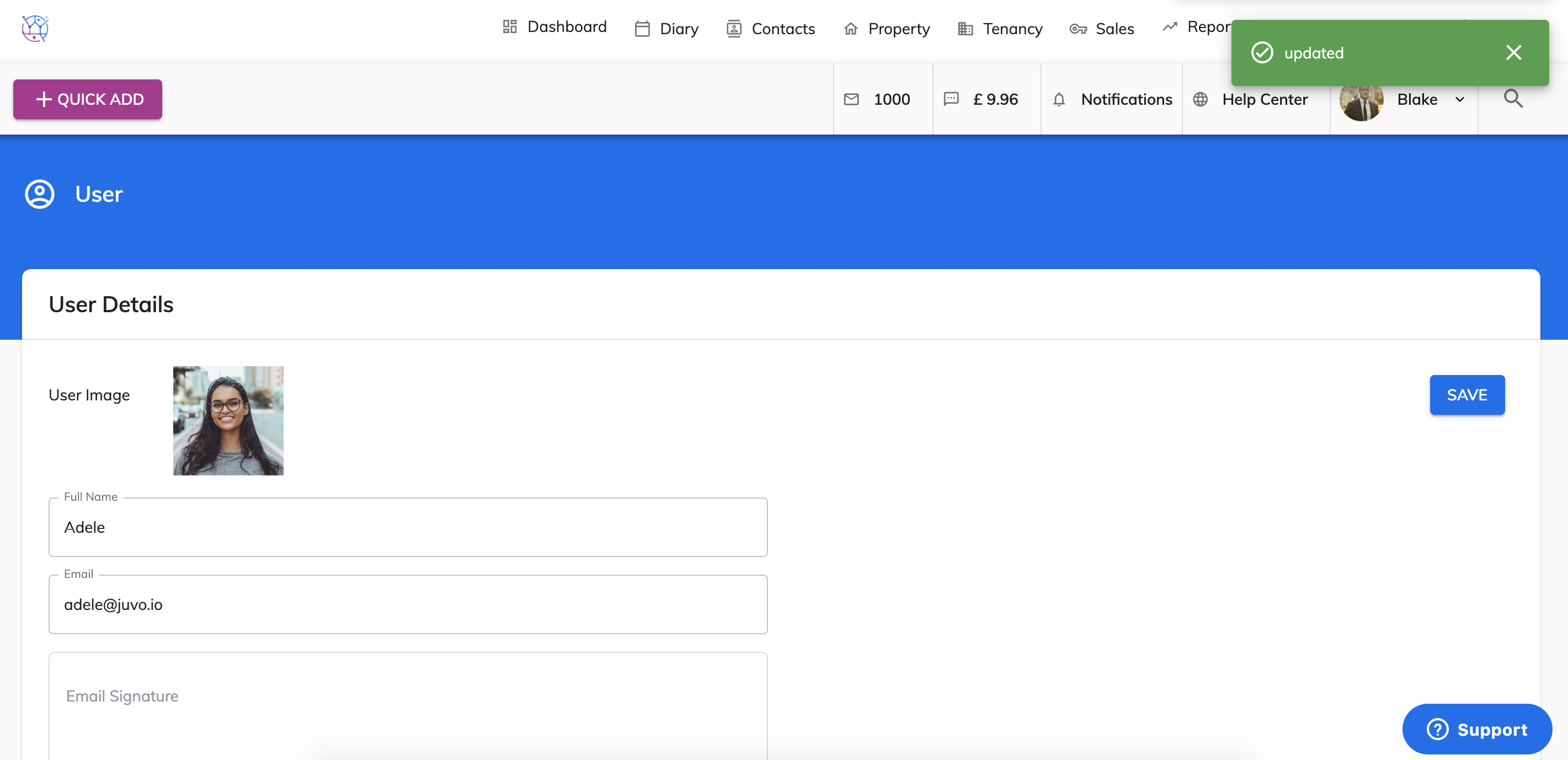
3) Make the amends to the user form including password, email address, name, mobile number etc & press Save.