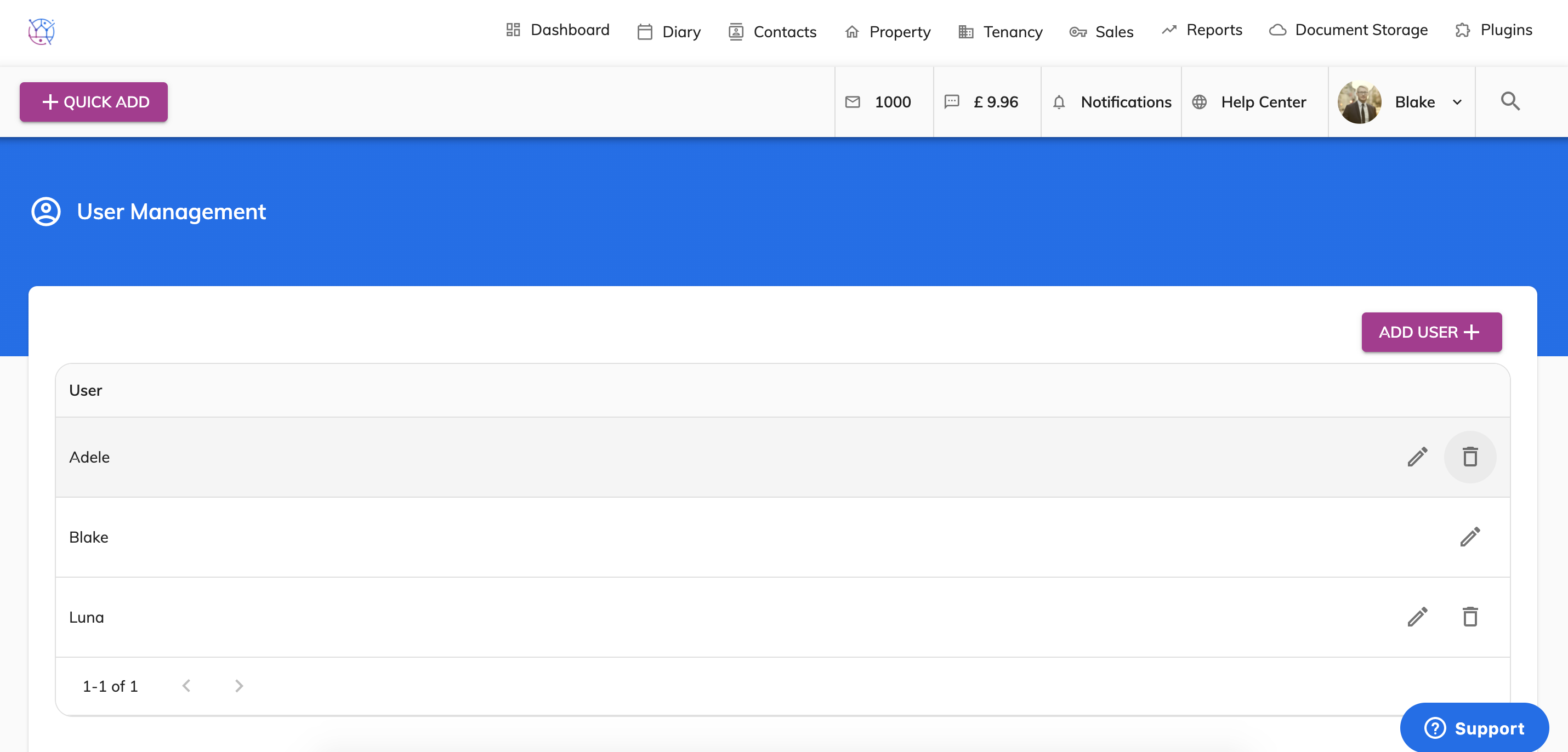
You have complete control over which users have access to your Juvo account, follow the steps below to remove a user:
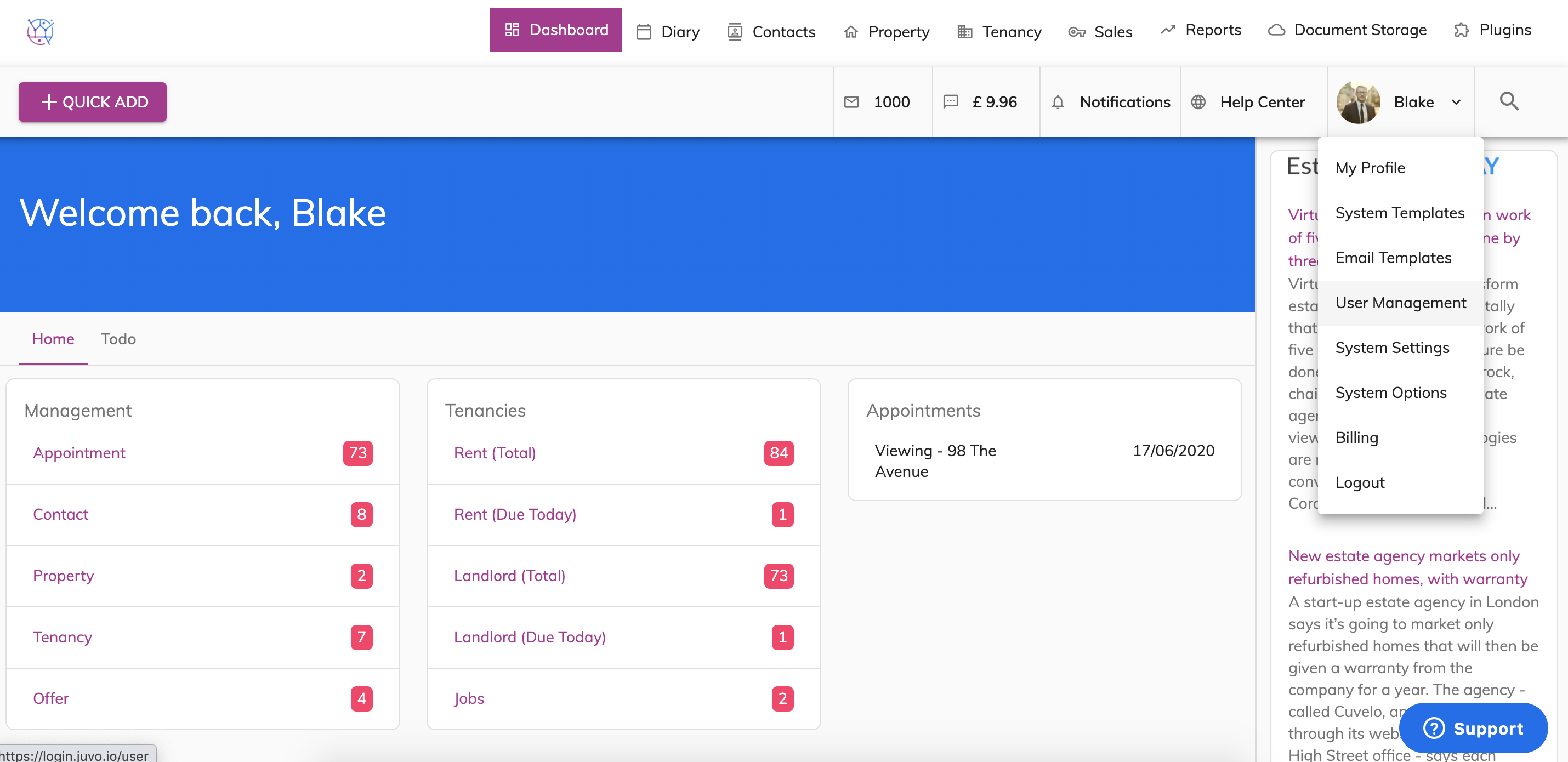
1) Go into Admin section by clicking on the user icon and name and select User Management from the dropdown.
2) Locate the user in the dropdown and press the Bin Icon. This will delete the user from your Juvo account and prevent them having access immediately.