
To add locations to use for mailing list matching, follow steps below:
1) Go to Admin in the top right-hand corner.
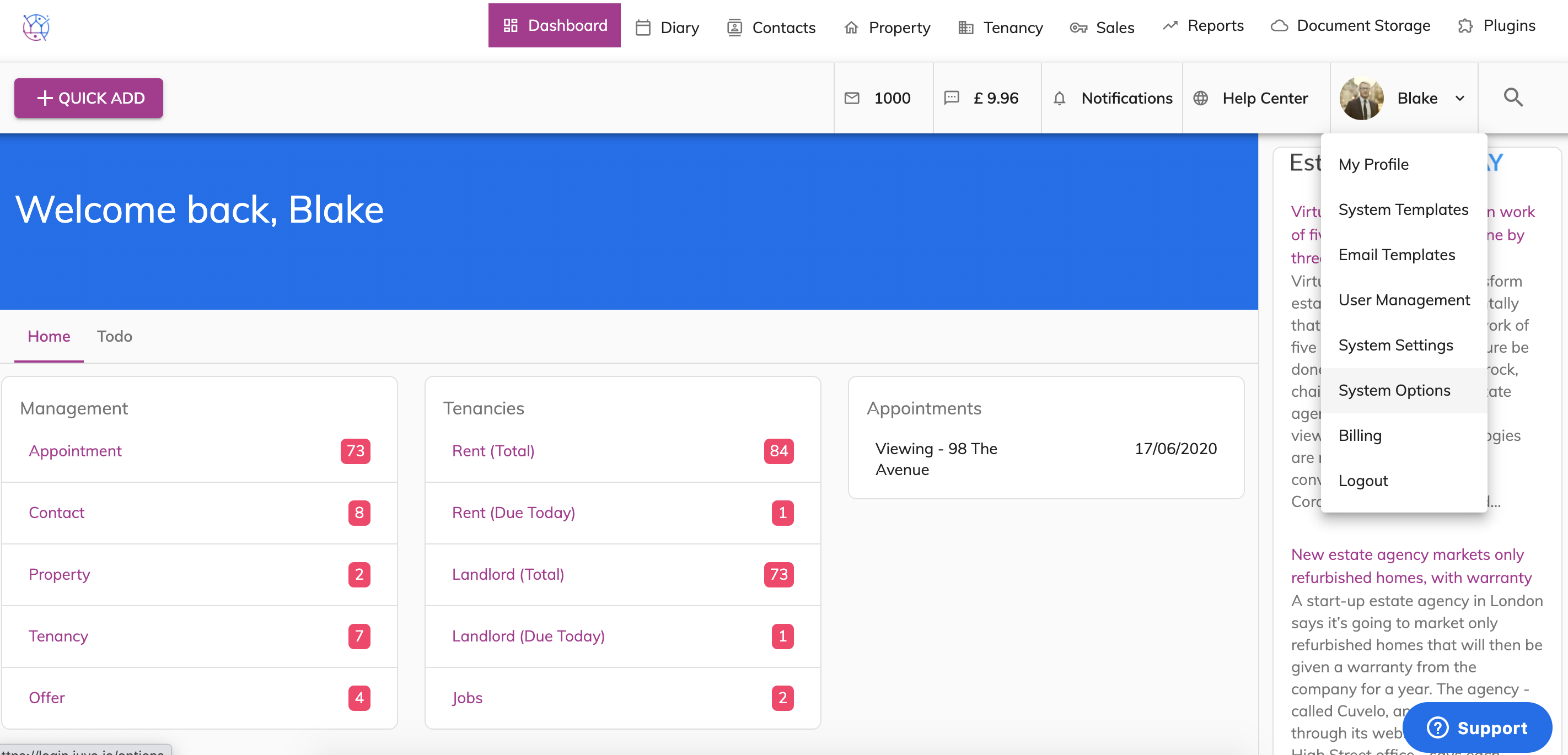
2) Select System Options.
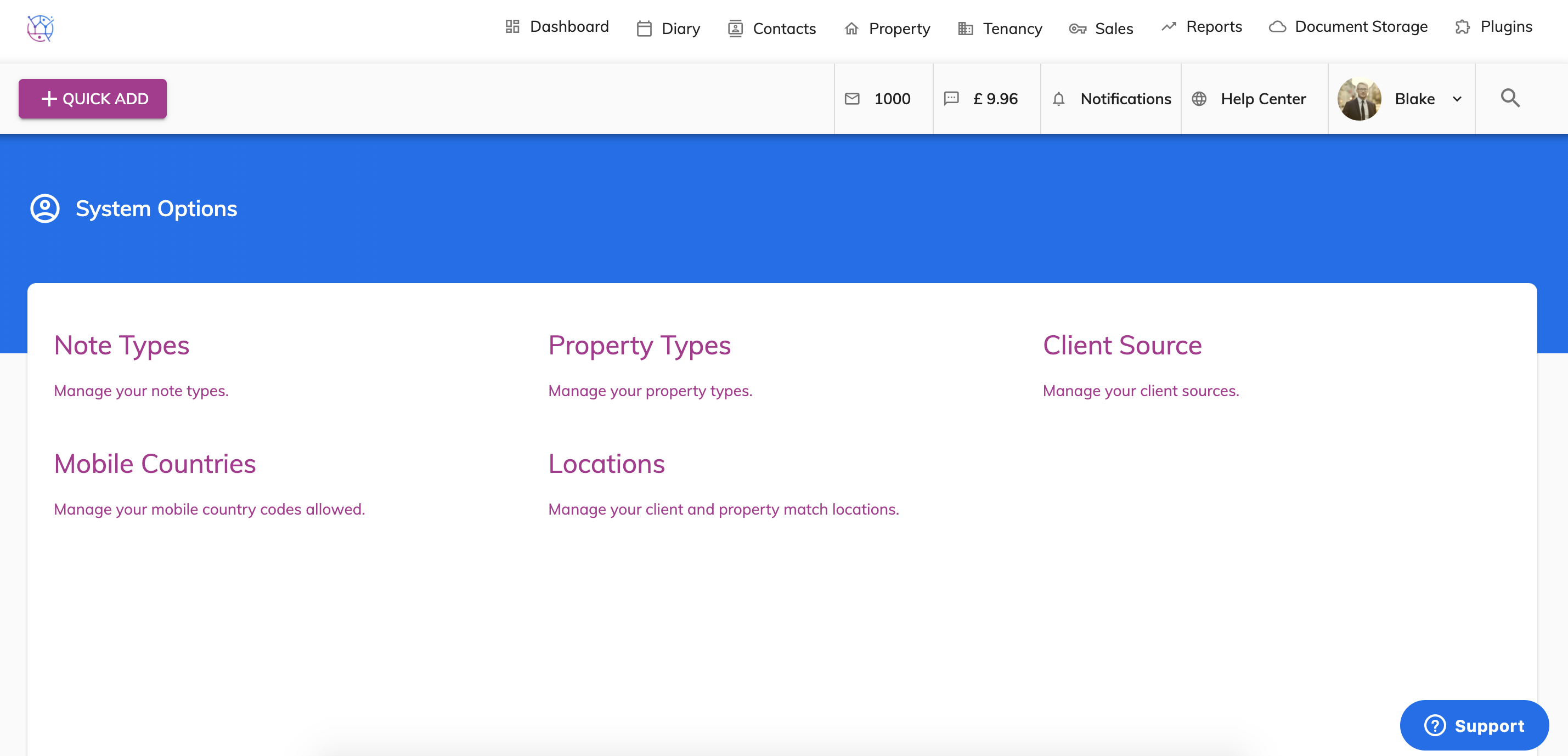
3) Select Locations.
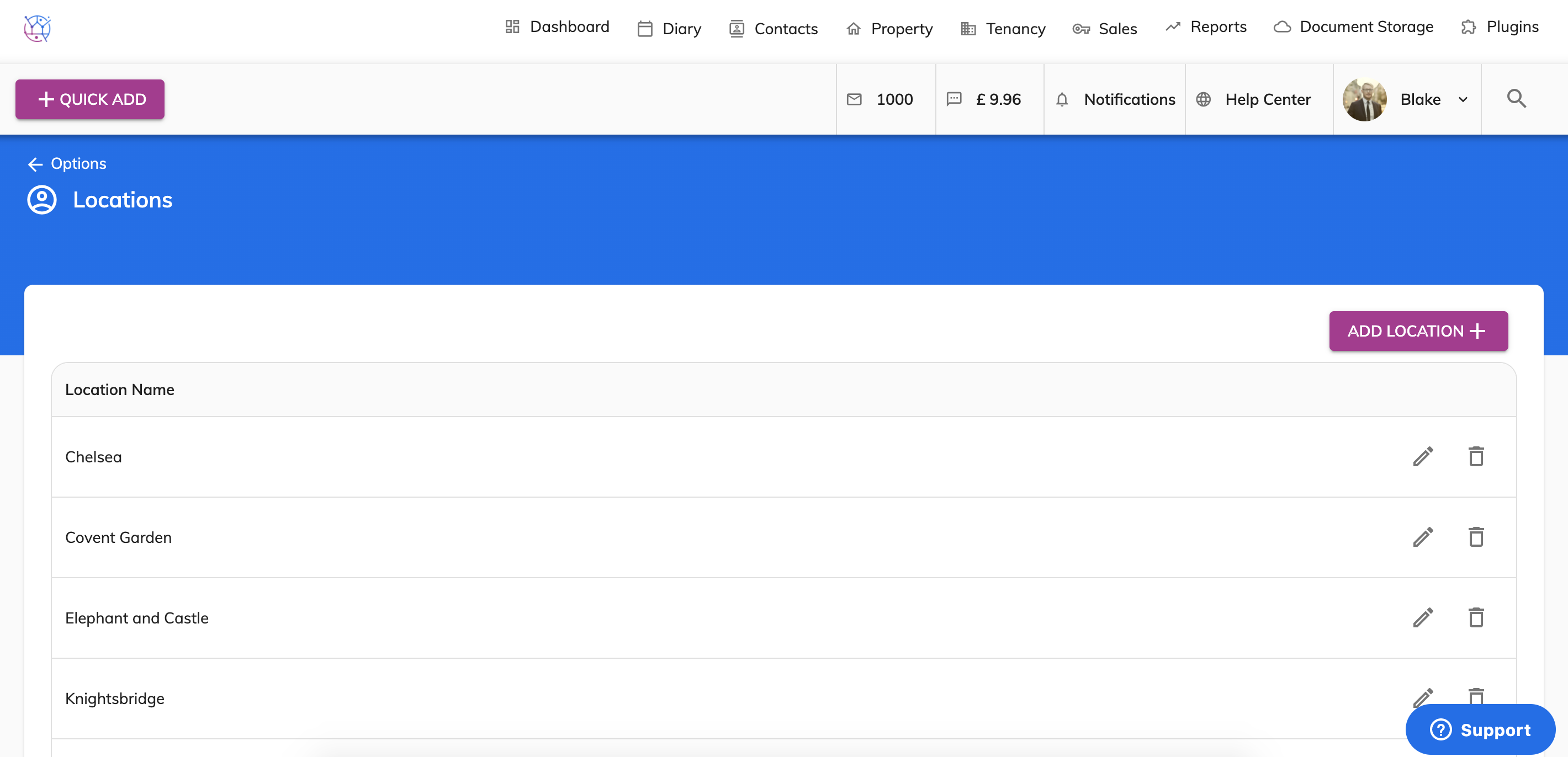
4) Press the add Location button & enter the new location.
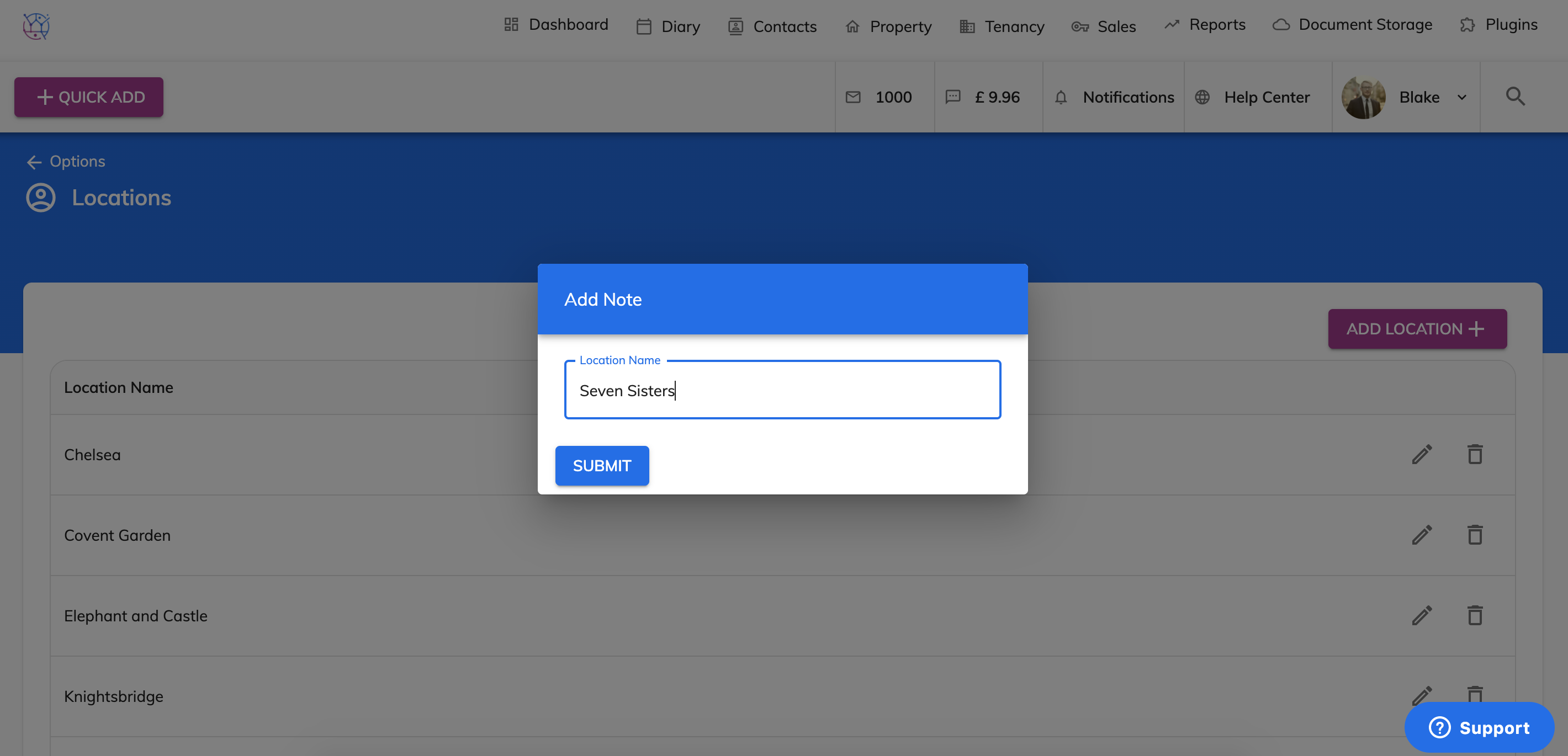
5) Press the Submit button
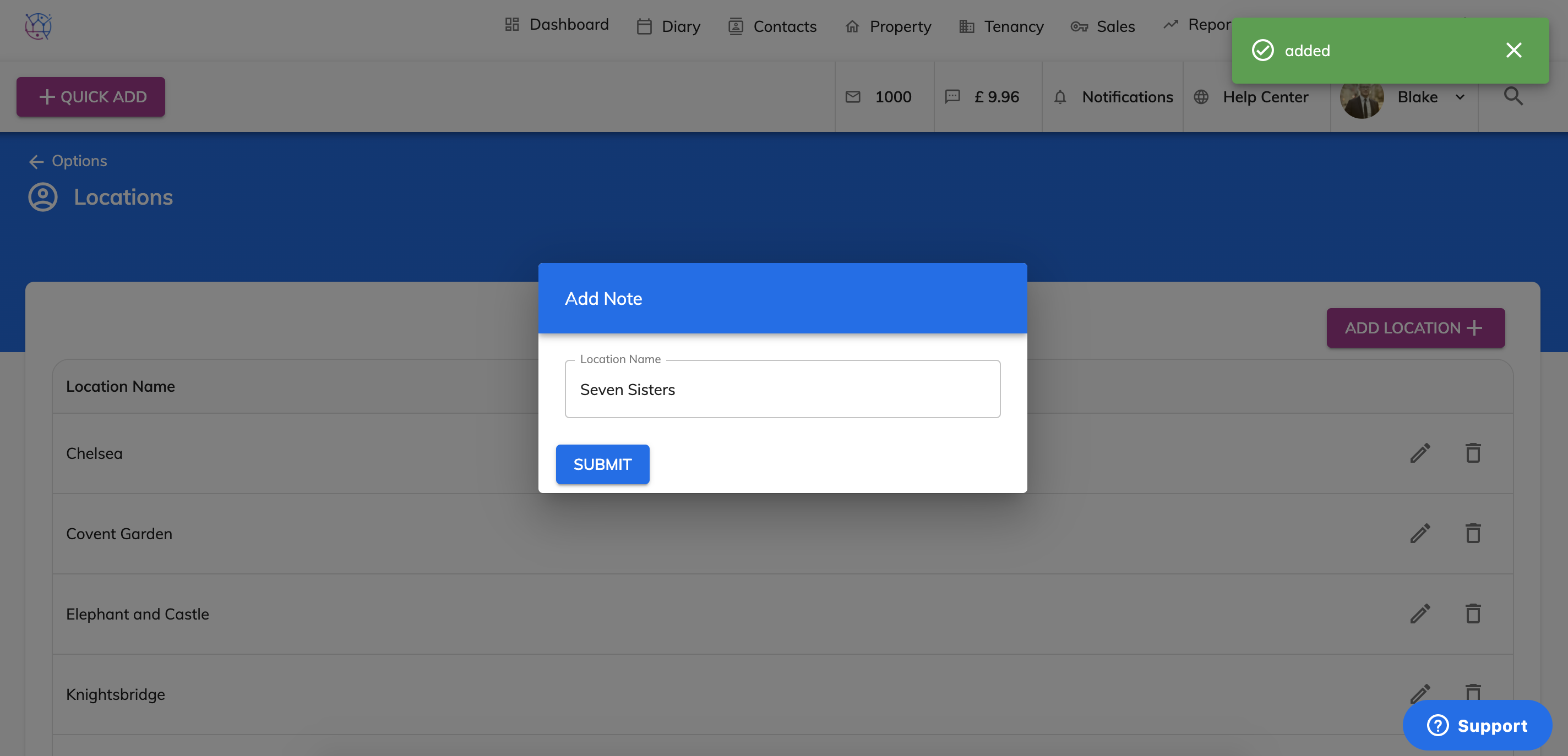
These locations will now be added to the list below and appear against the Client and Property for you to select.