
To know who much to pay to the landlord for each tenancy, follow the instructions below:
1) Click the Tenancy tab. Using the tenancy search at the top of the page, enter key words, tenancy type or tenancy status. Press Search.
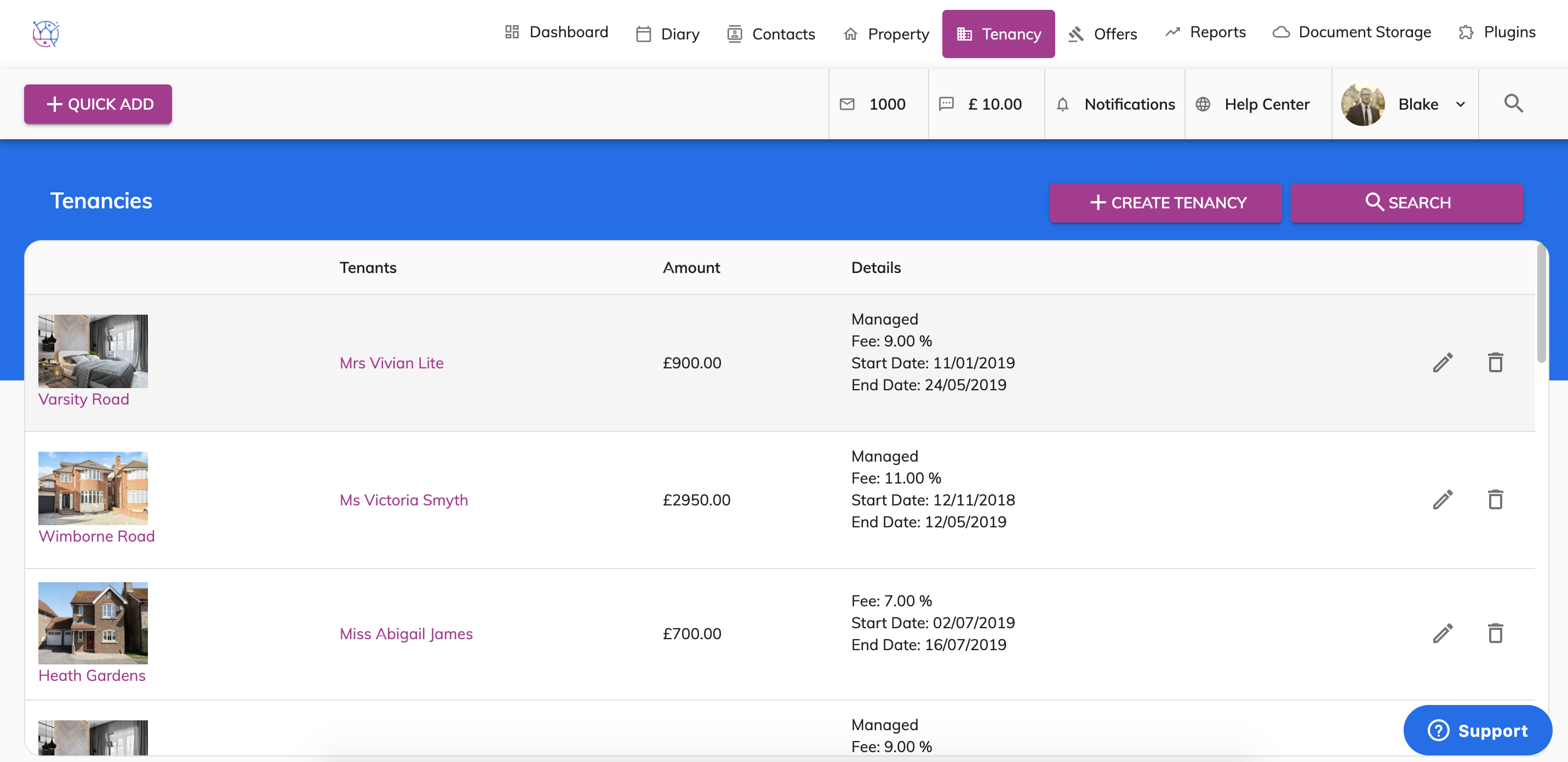
2) Click on the pencil icon on the right hand side of the tenancy.
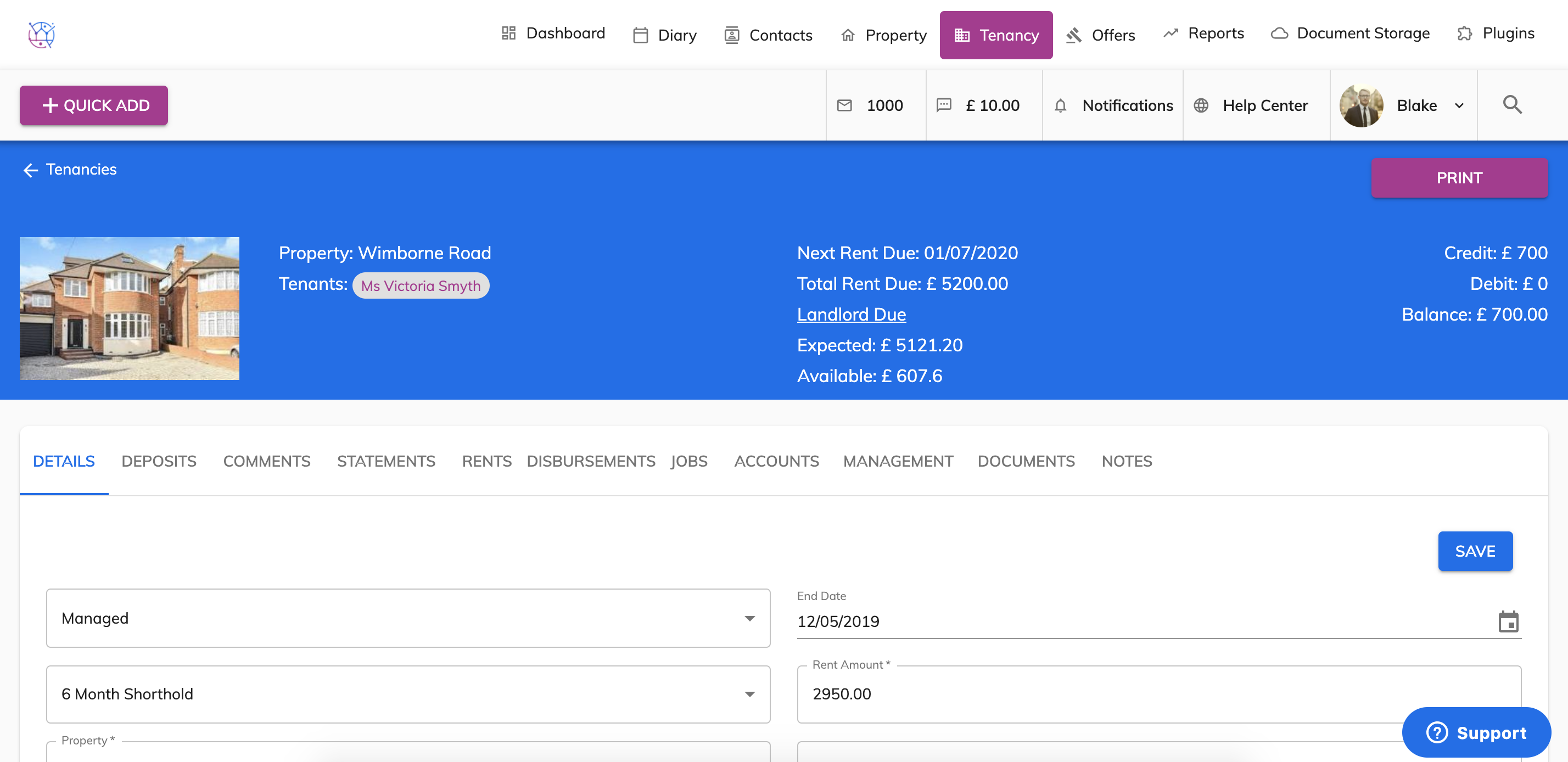
3) Click on the Rents tab from the menu.
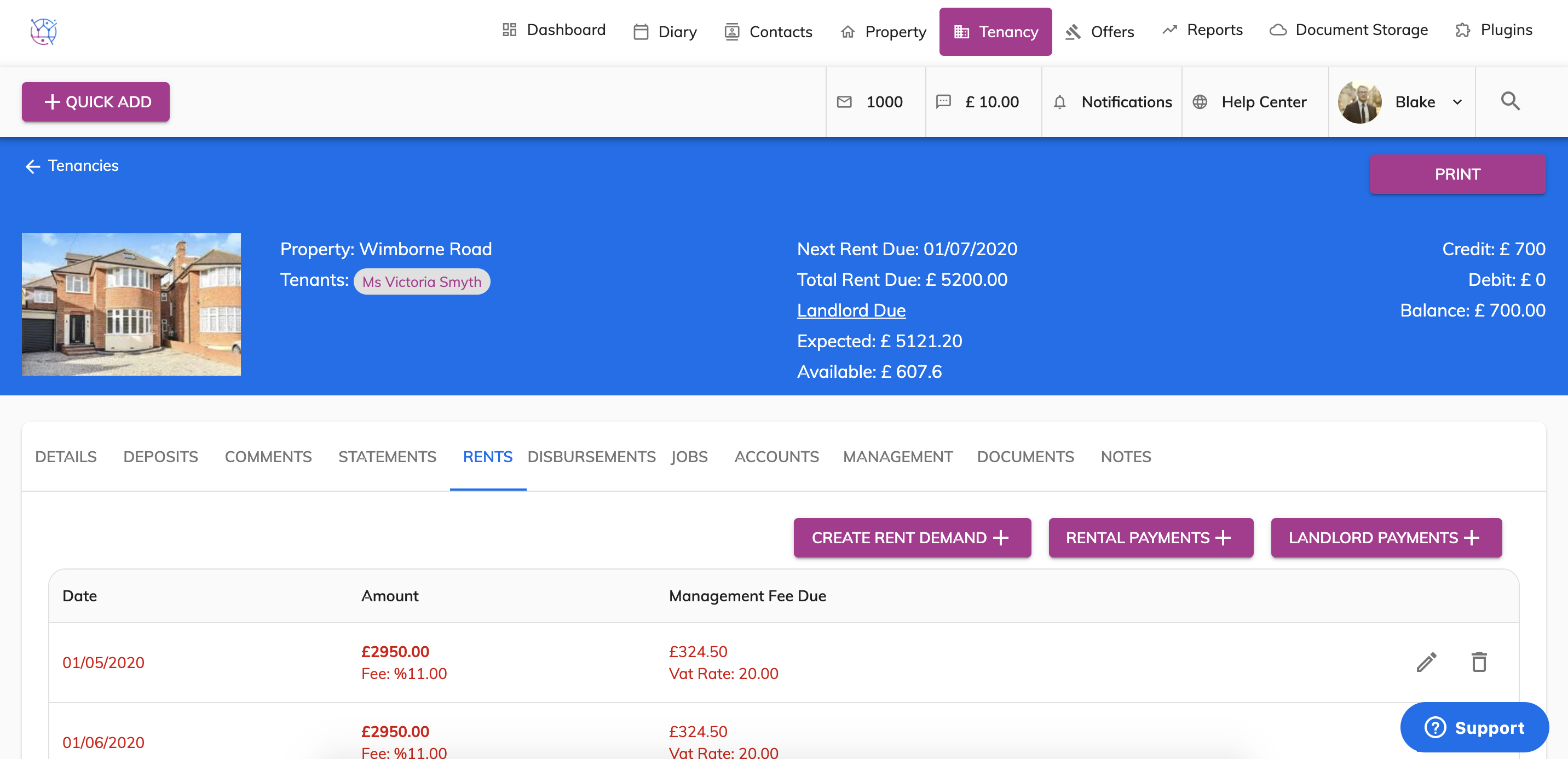
4) Click on the Landlord Payments button.
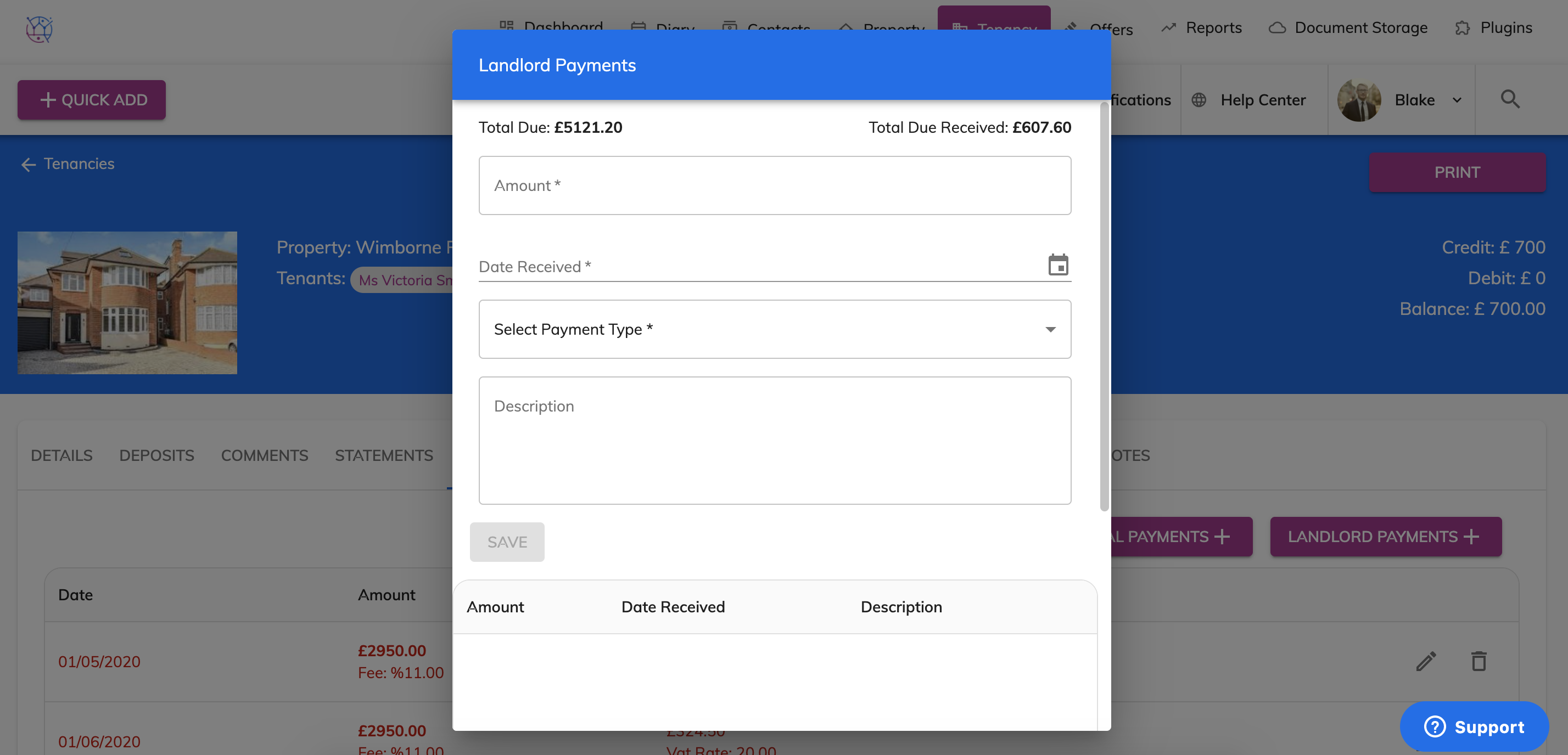
5) The total due figure, is the total amount due to the landlord to date. This figure calculates the exact amount due to the landlord including the rent due to date and any deductions for commissions/management fee or disbursements.
The total due received figure, is the total amount due to the landlord based on the amount of rent paid by the tenant.
This figure calculates the exact amount due to the landlord including the rent paid to date and any deductions for commissions/management fee or disbursements.
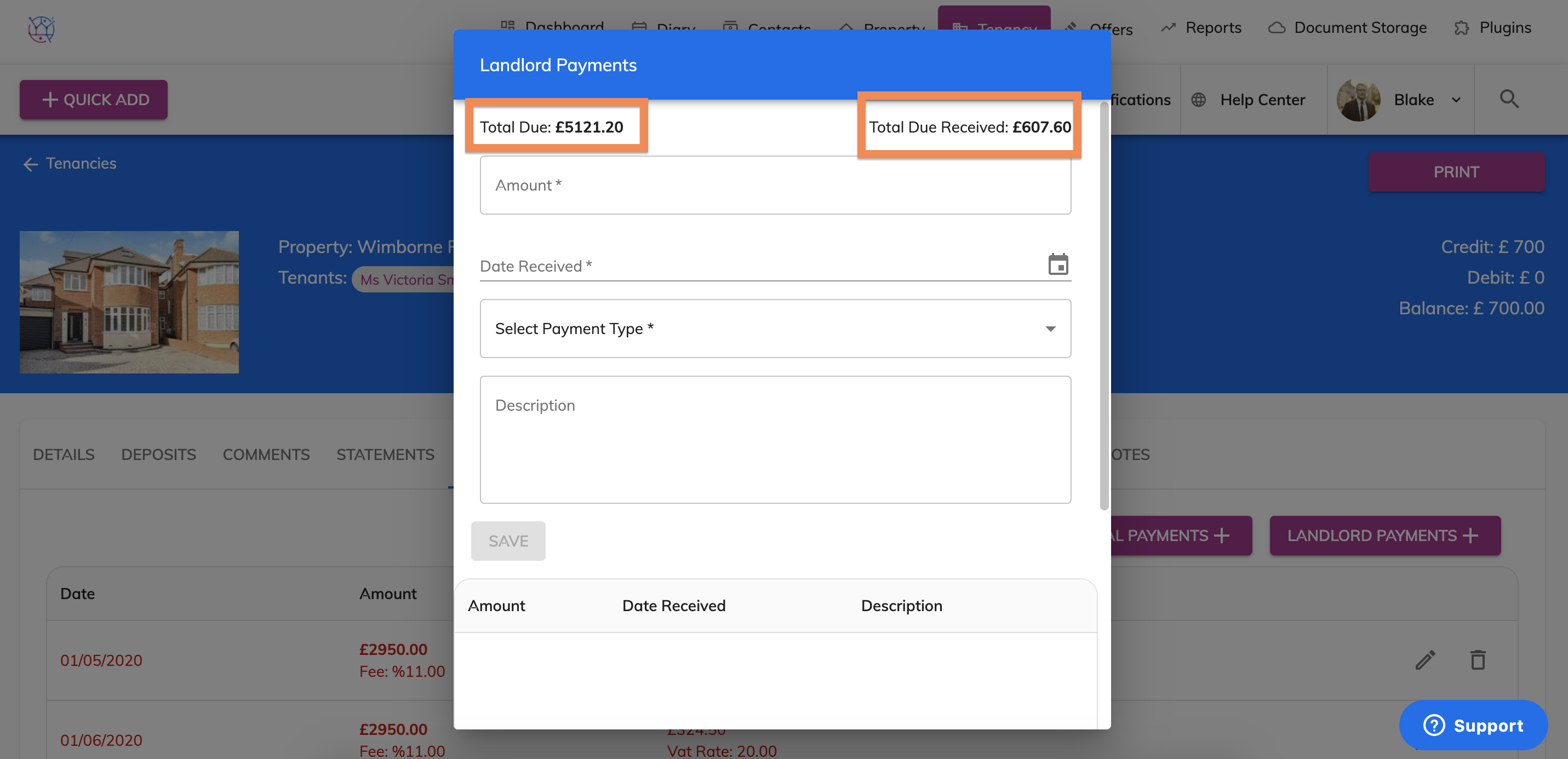
6) Next step is to record how much I have paid the landlord and when. Complete the form, including the amount, the date, payment type and description if applicable.
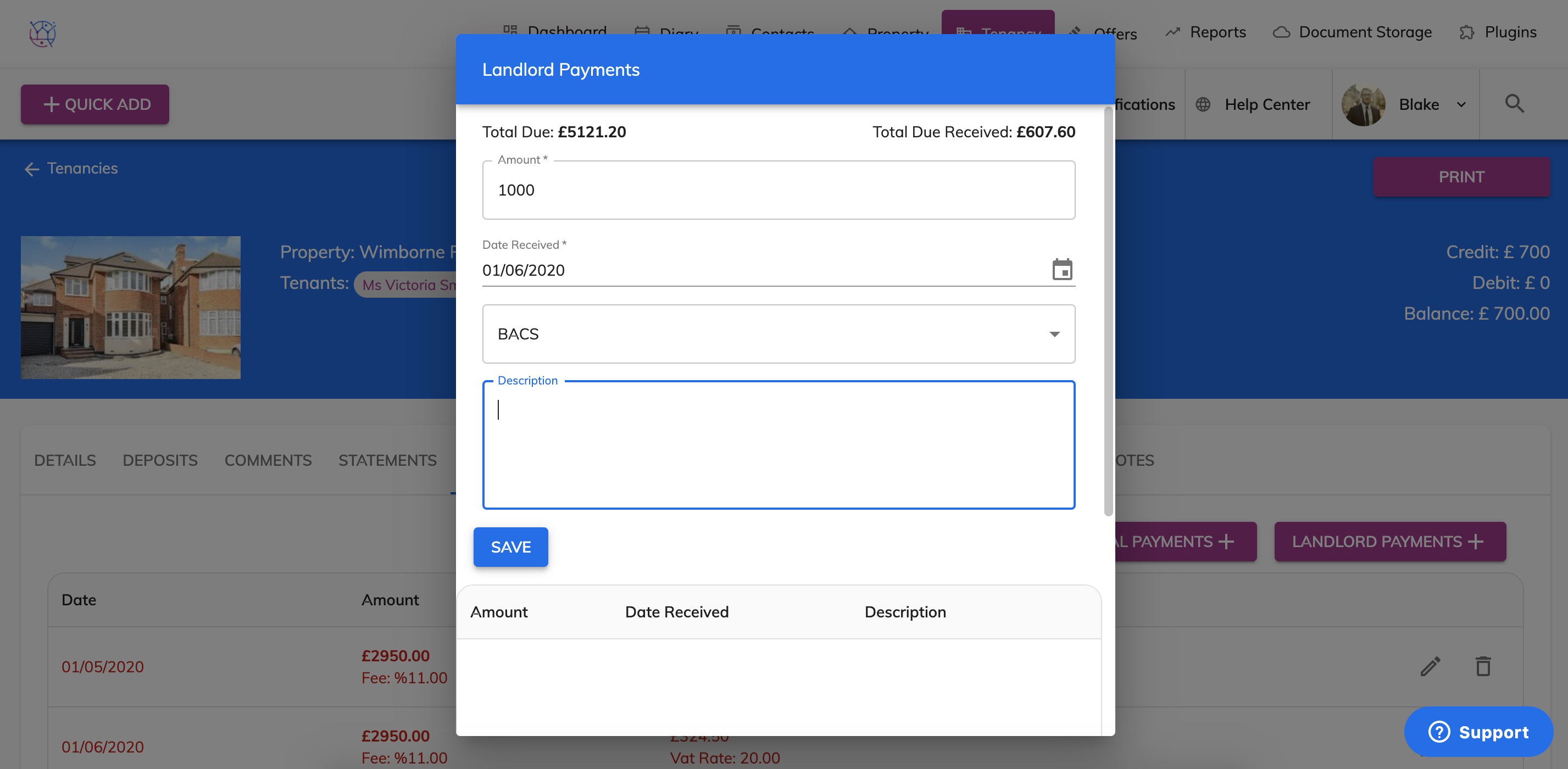
7) Once you have filled in the form. Press the Save button.
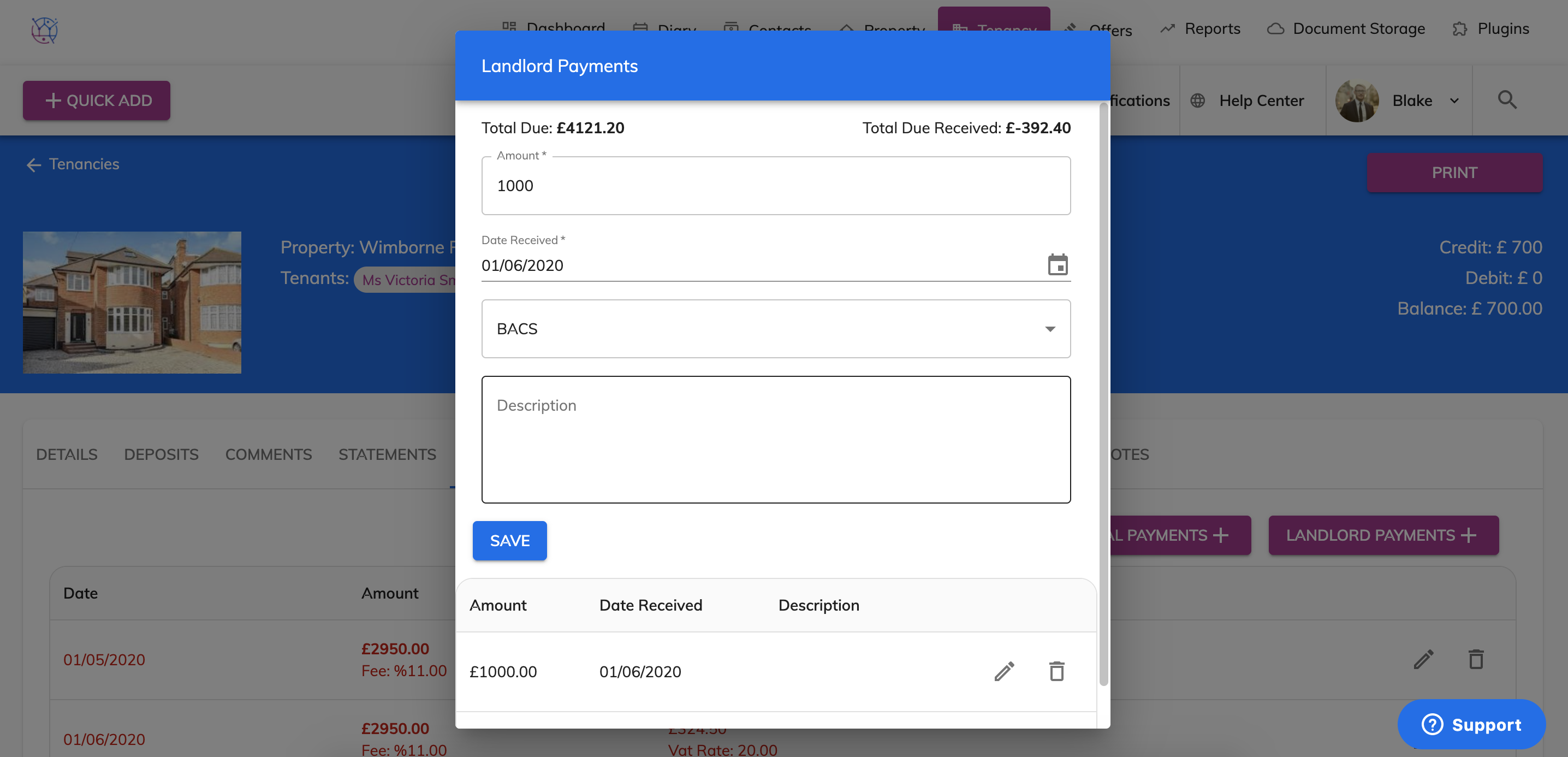
If you have paid the landlord the full amount, the landlord Total Due will now show as £0. A record of all payments made to the landlord will be listed below.