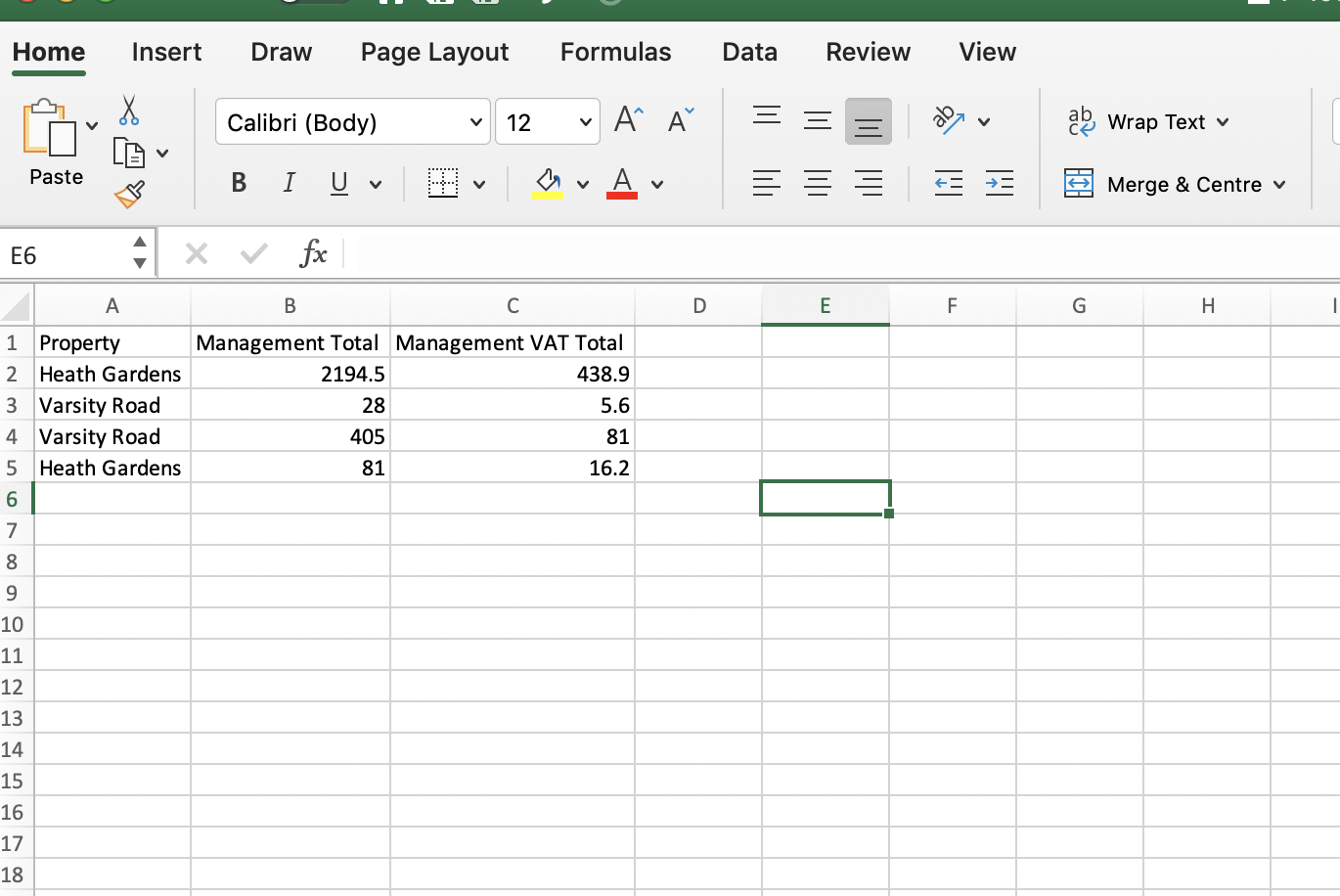
To find the commission of your tenancies, you can use the accounts page to search date range and export tenancy fees to excel.
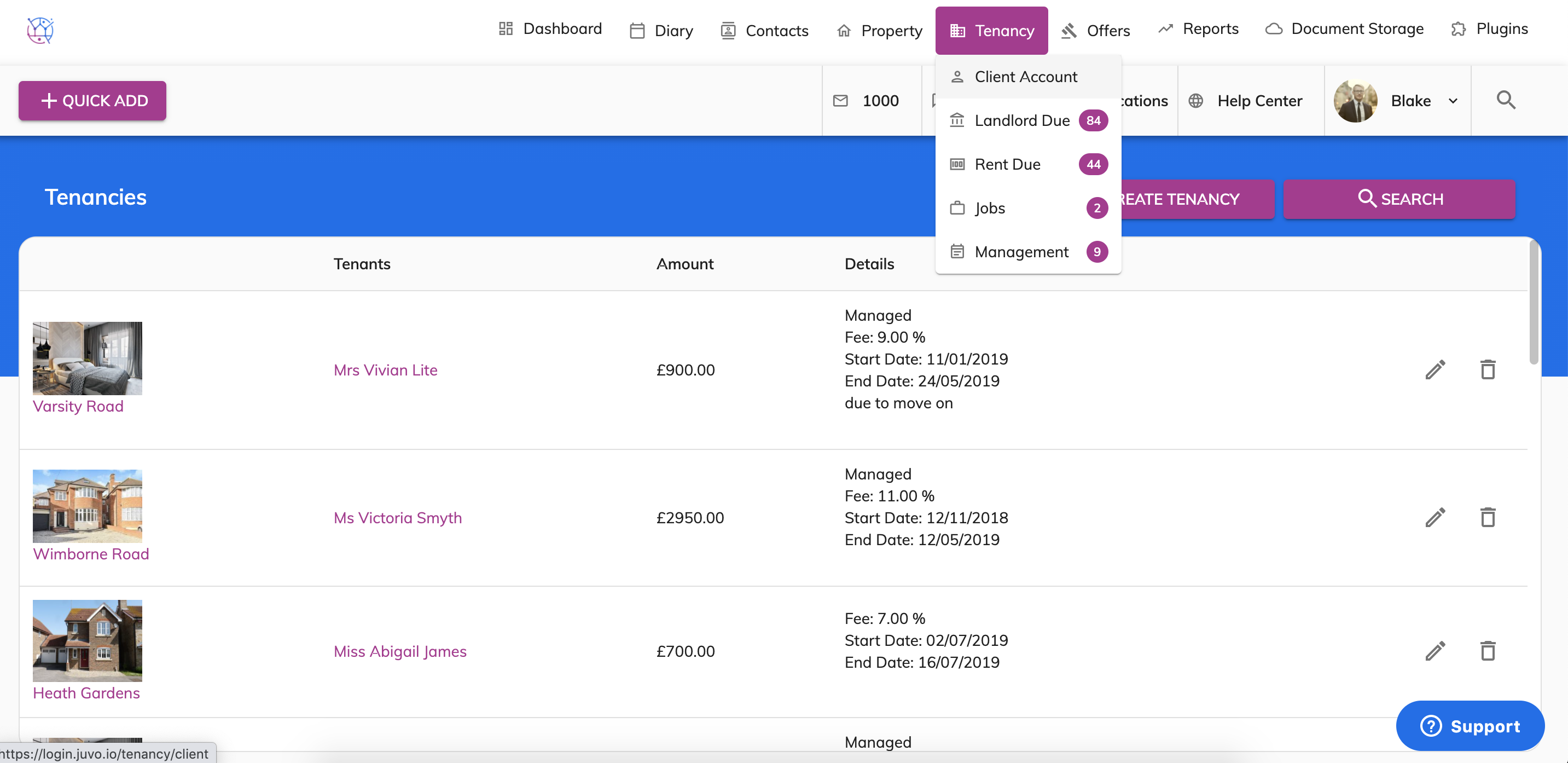
1) Hover over the tenancy tab and select Client Account from the dropdown.
2) At the top of the page you will be able to see 'Management Fee List Export', select the from and to dates.
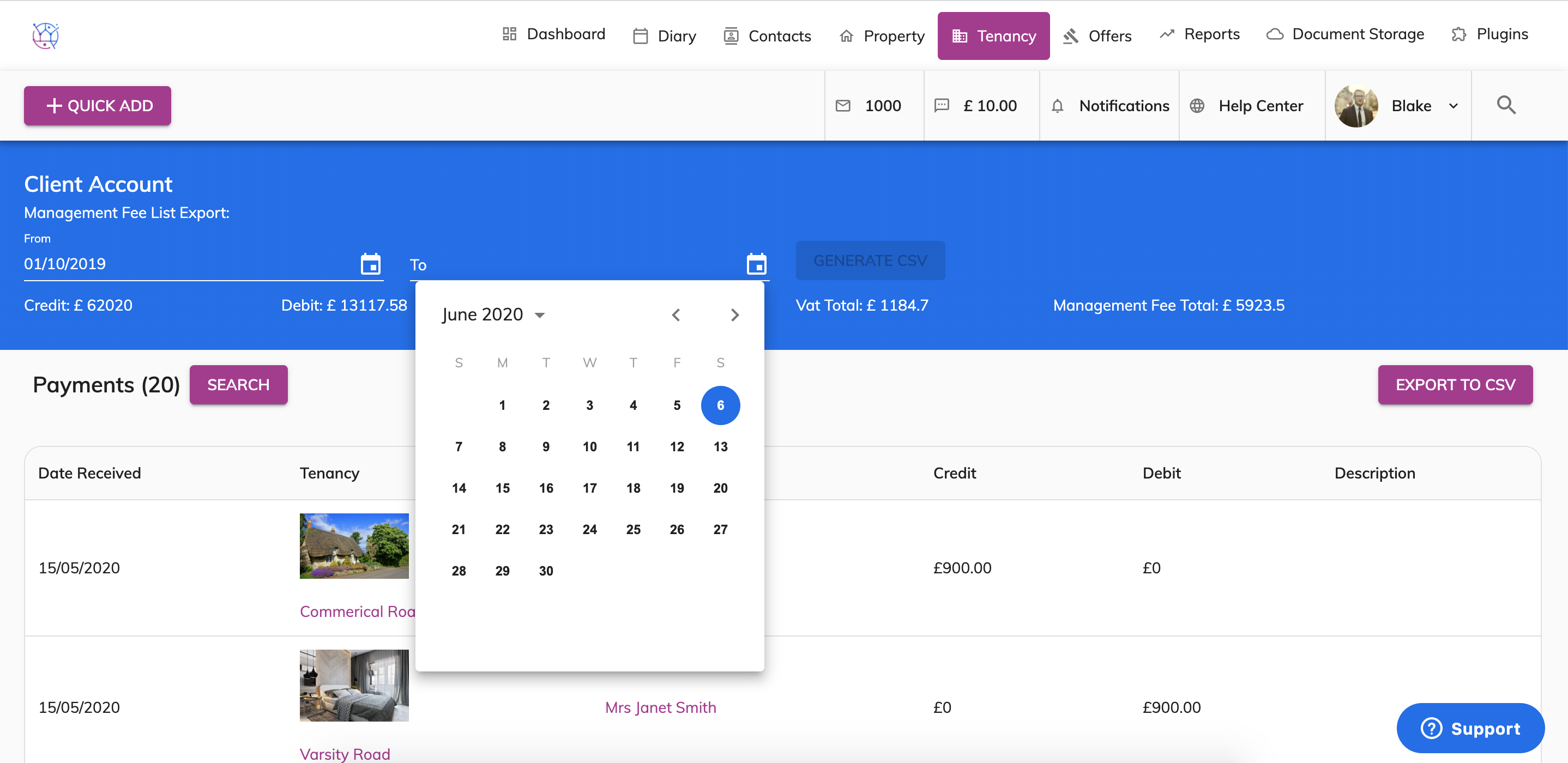
3) Press the Generate CSV button
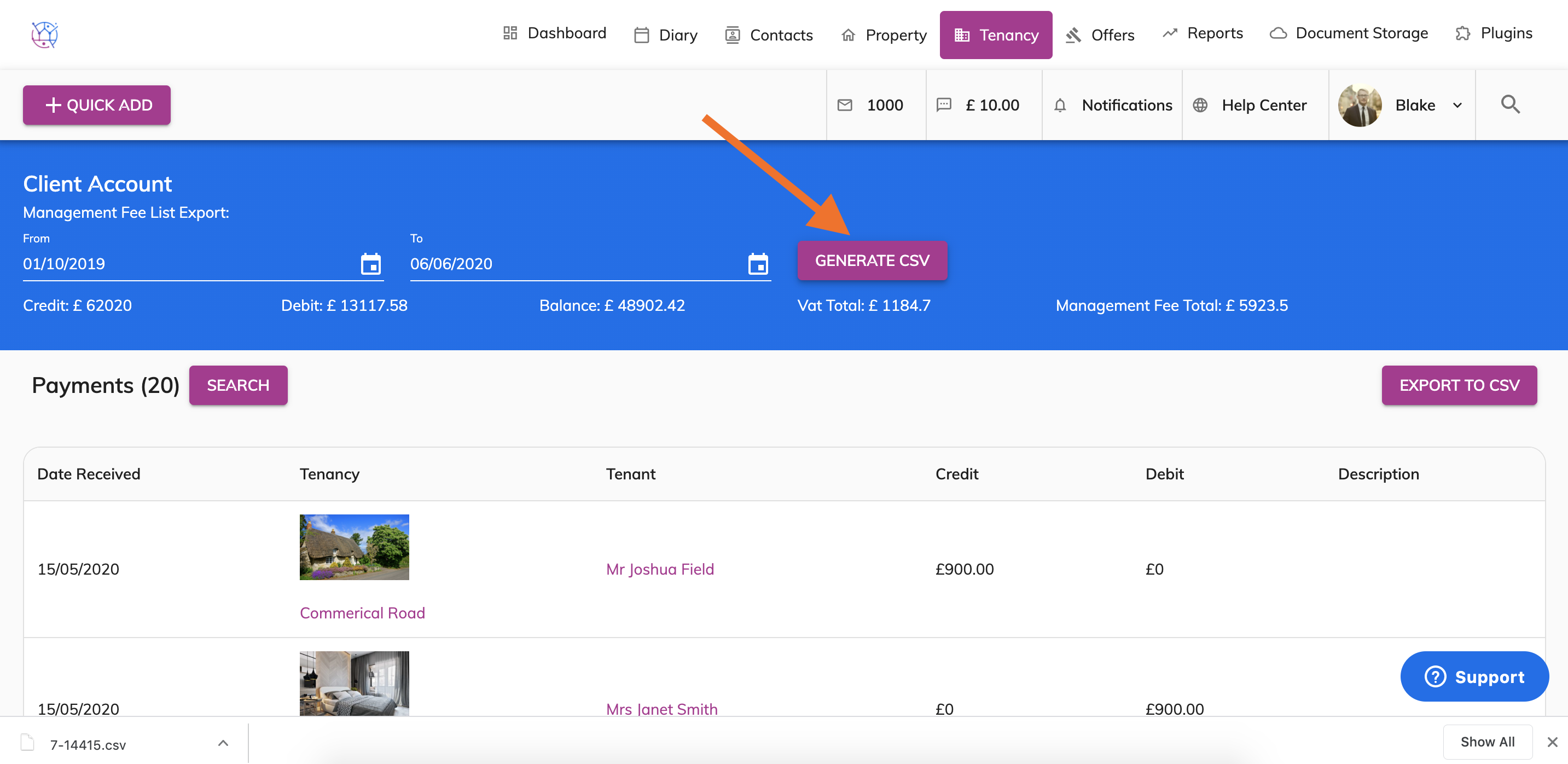
4) The CSV will download on to your computer in the downloads folder. Double click to open up the spreadsheet. You can then use the Auto Sum formula to calculate the totals for both the Management Fee and the Management Fee VAT Total during the date period you selected.