
To add rent payments made by tenants whilst viewing rent demands for all the tenancies, follow the steps below:
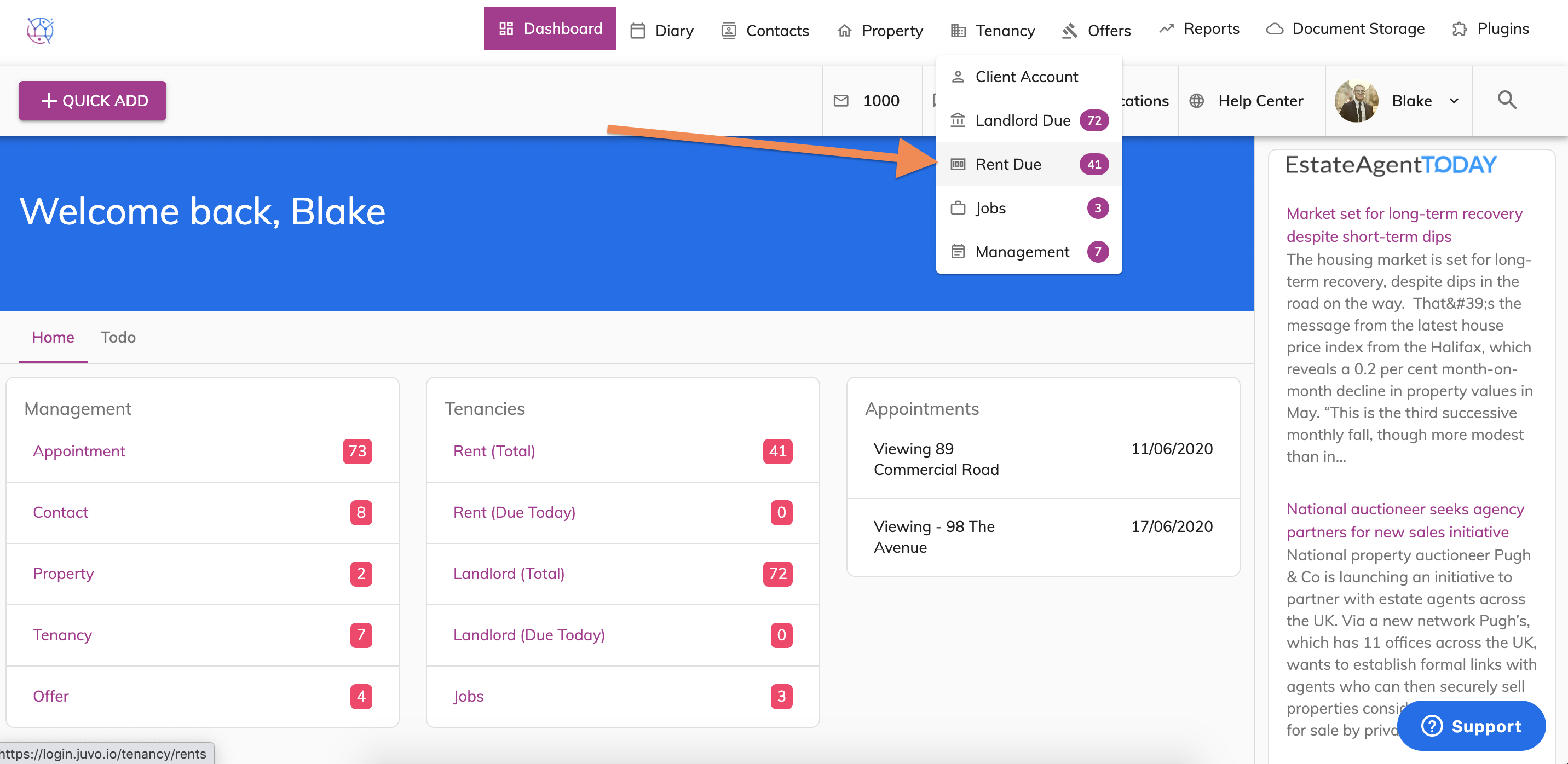
1) Hover over the tenancy tab and select Rent due from the dropdown.
This will show all the rent demands for all the tenancies.
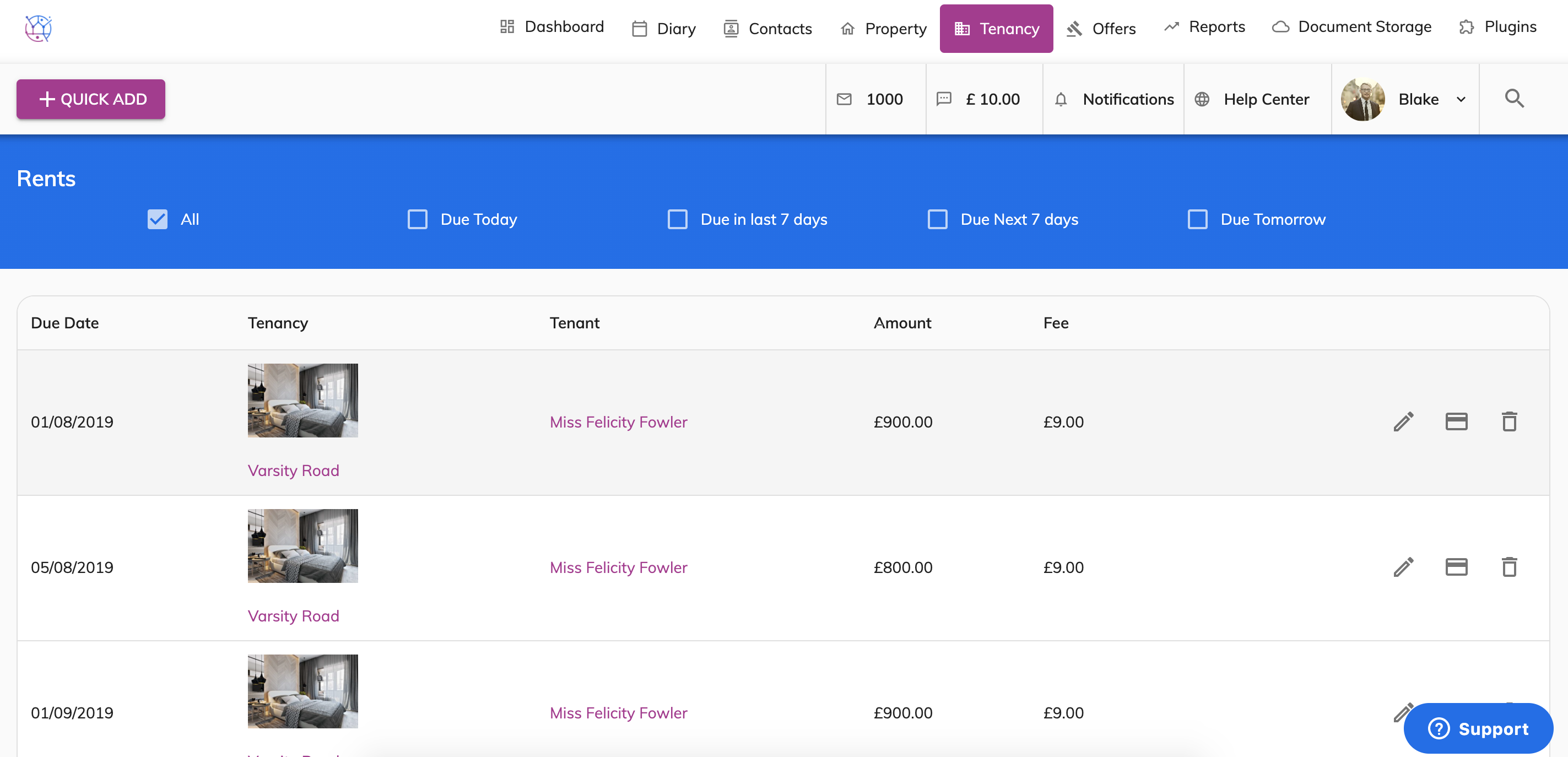
2) Click the card icon on the right-hand side of the rent demand.
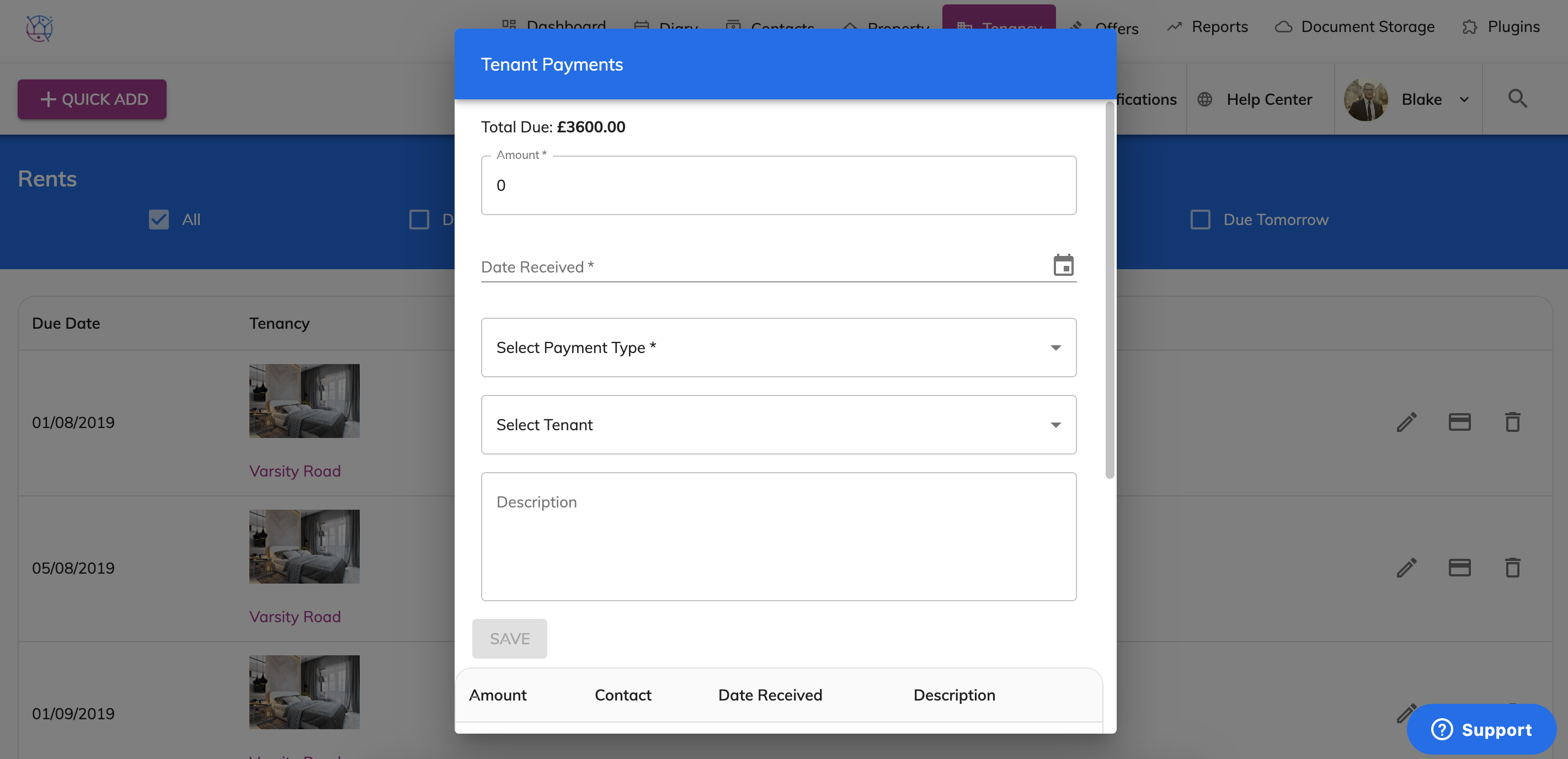
3) A Tenants Payment pop up box will appear. At the top of the box you can see how much rent is owed to date from the tenancy. Enter the amount paid to you from the tenant and the date received.
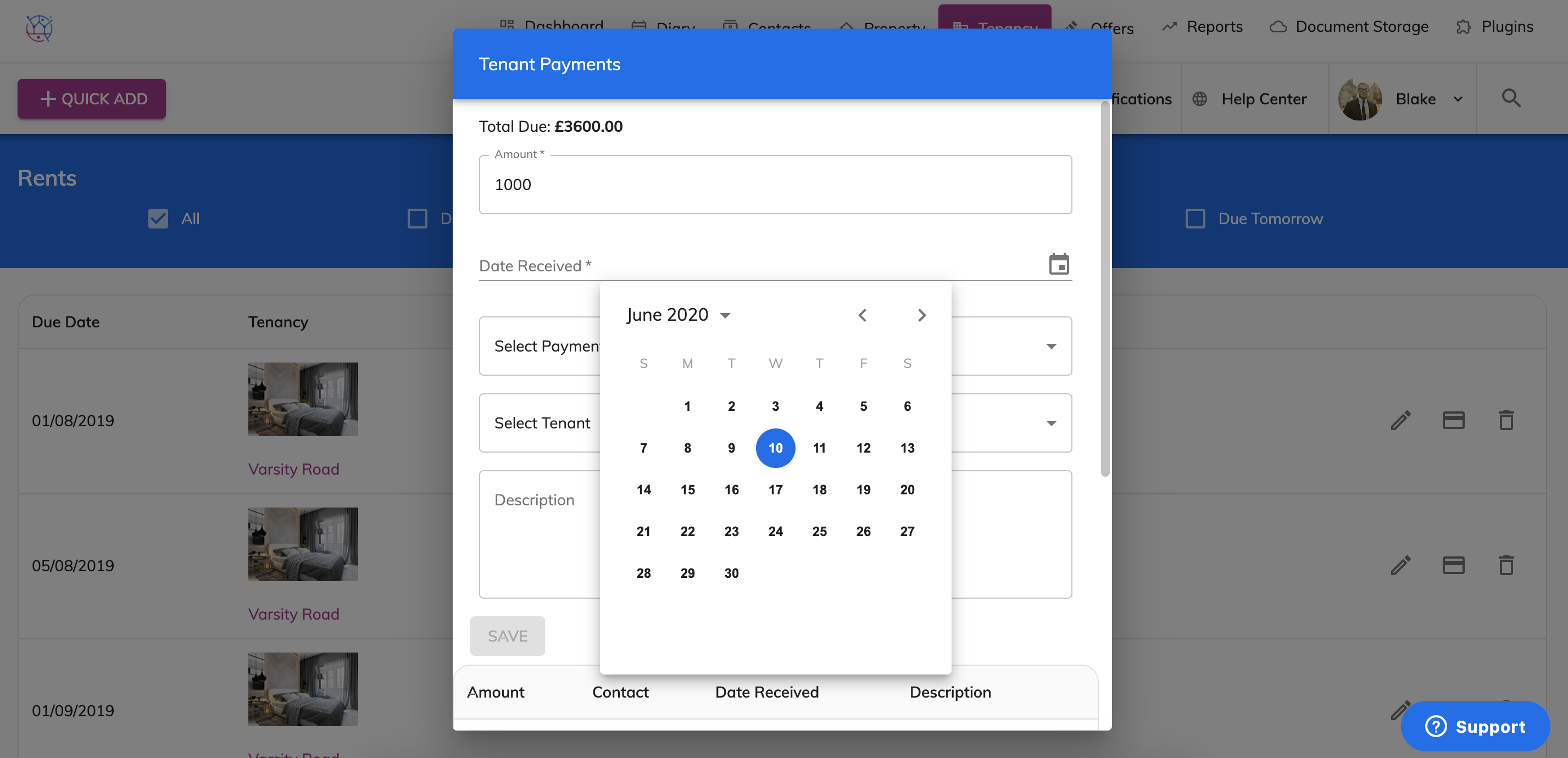
4) Select payment method and the tenants name.
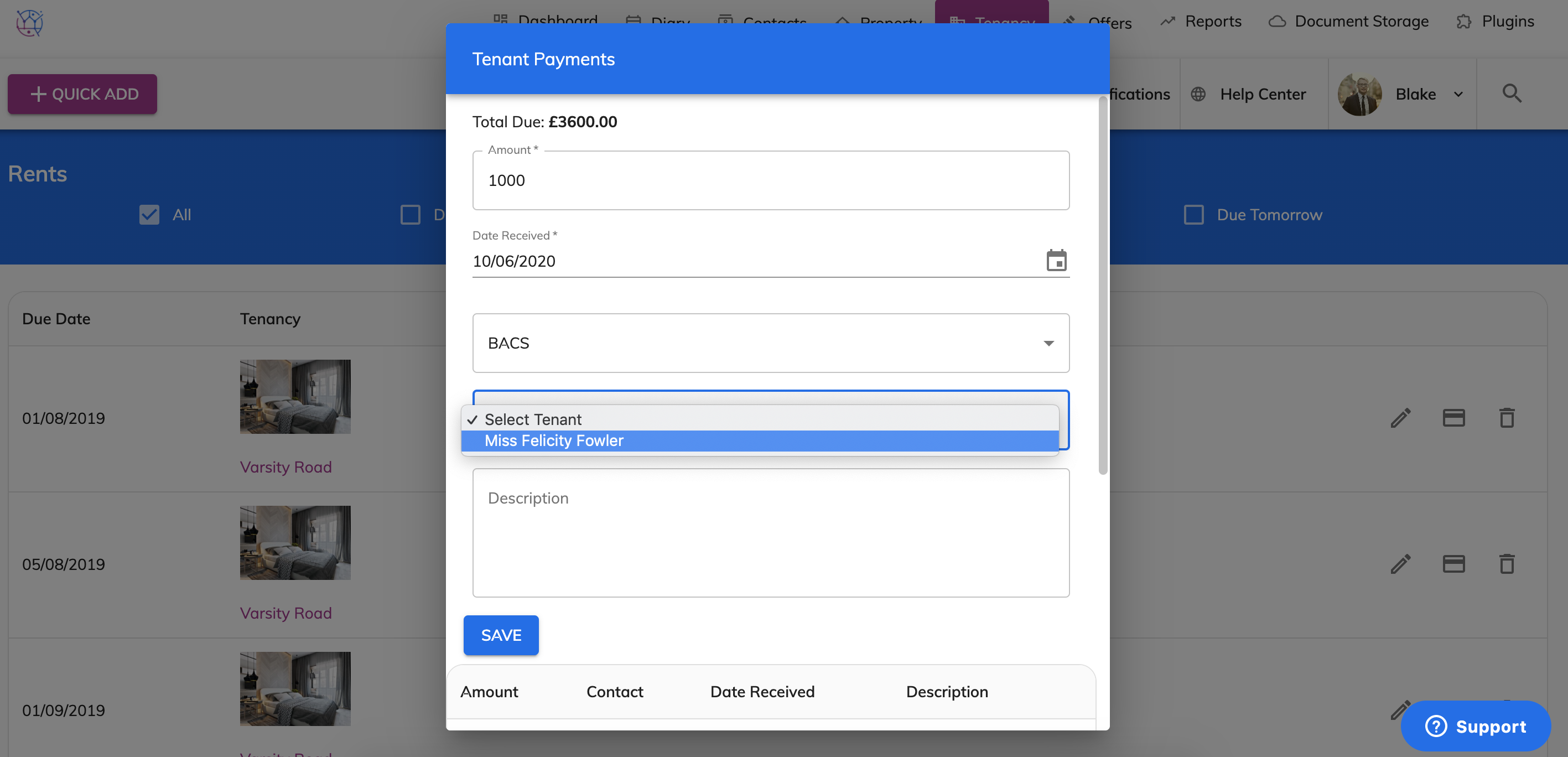
5) Once complete, press Save.
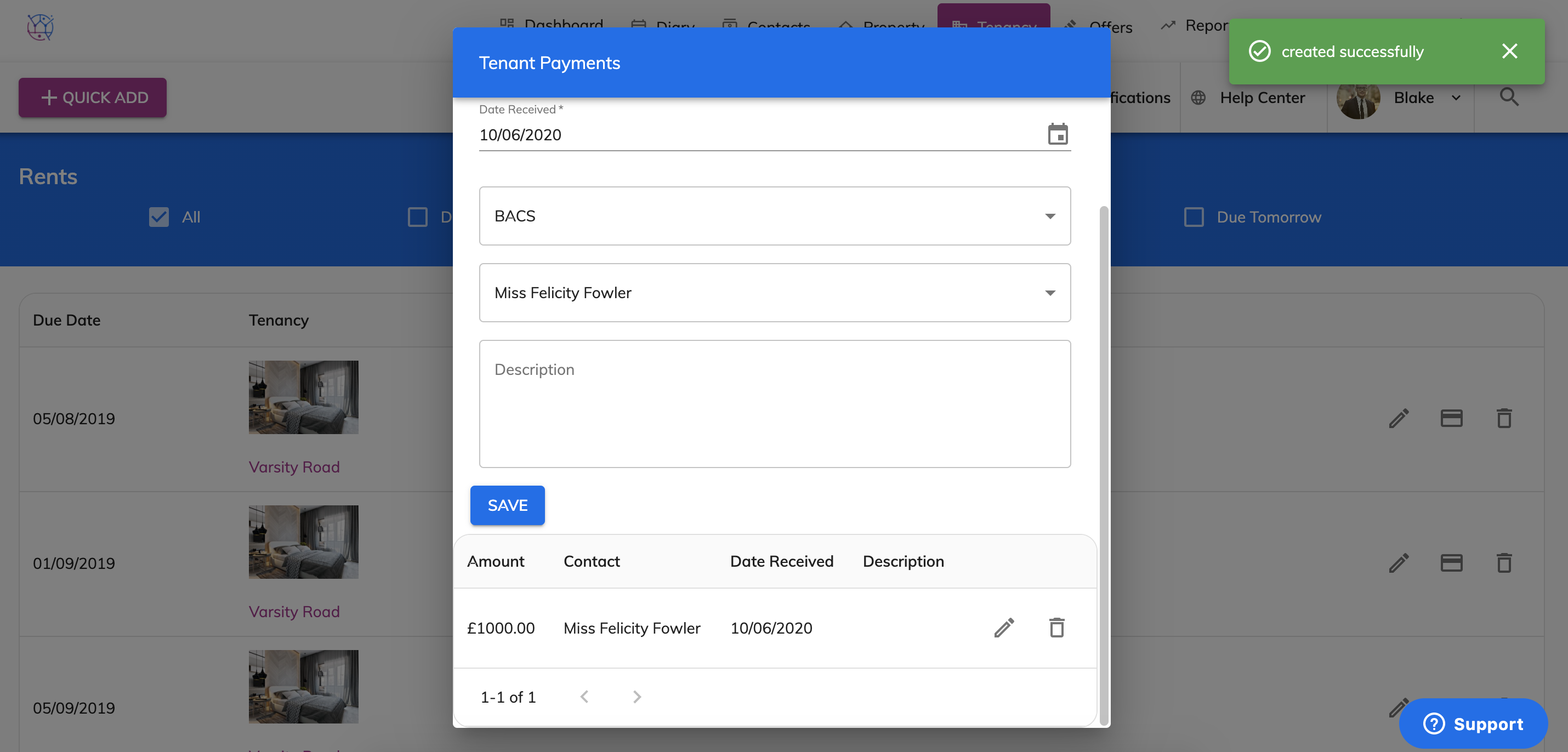
This will add the payment on to the tenancy. The payment will show as the top payment in the list of payment below box and will be deducted from the Total Due.