
To add ad hoc rent demands to a tenancy, follow the steps below:
1) Click the Tenancy tab from the menu at the top of Juvo.
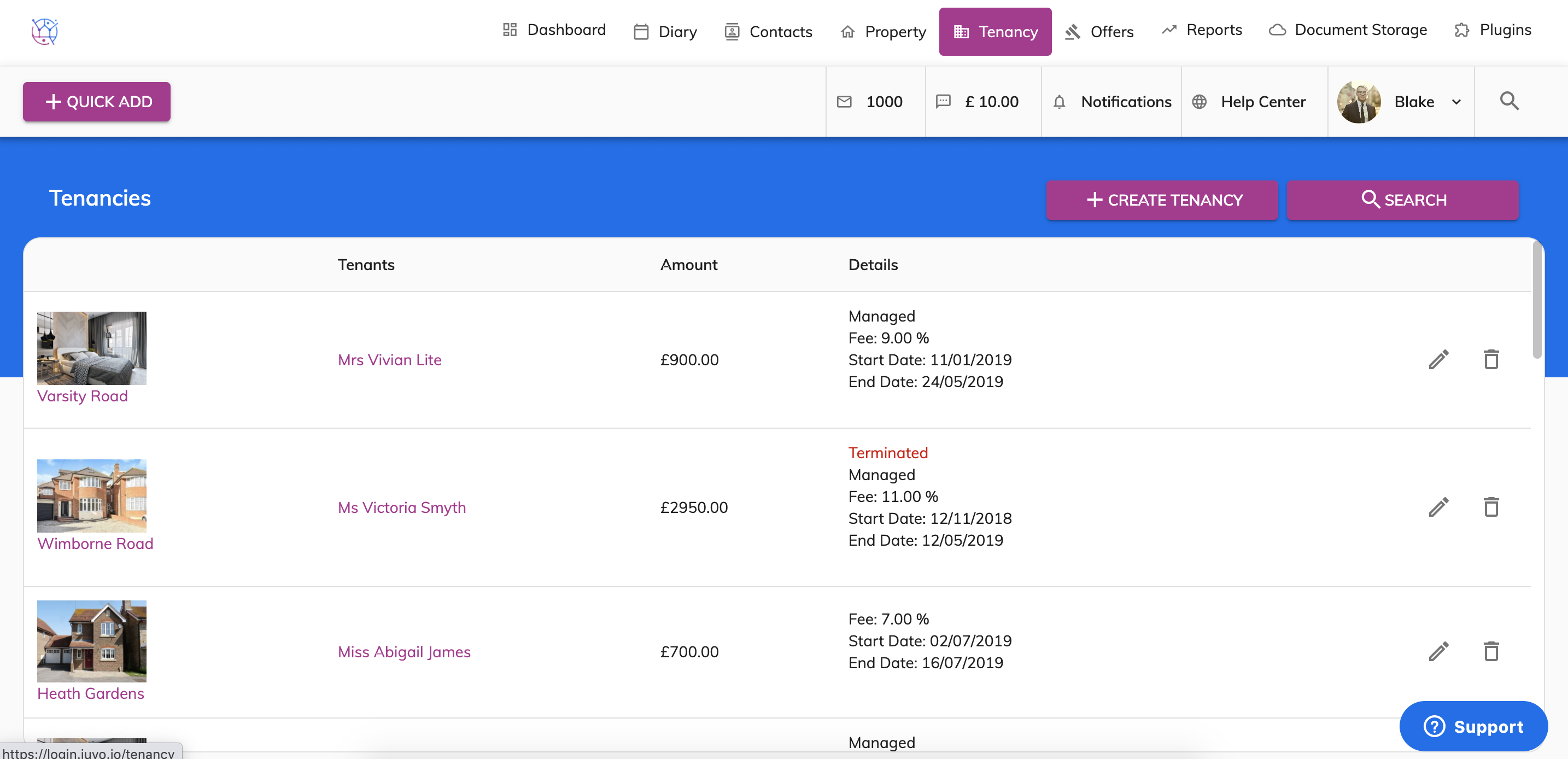
2) Find the relevant tenancy and press the pencil icon to edit the tenancy.
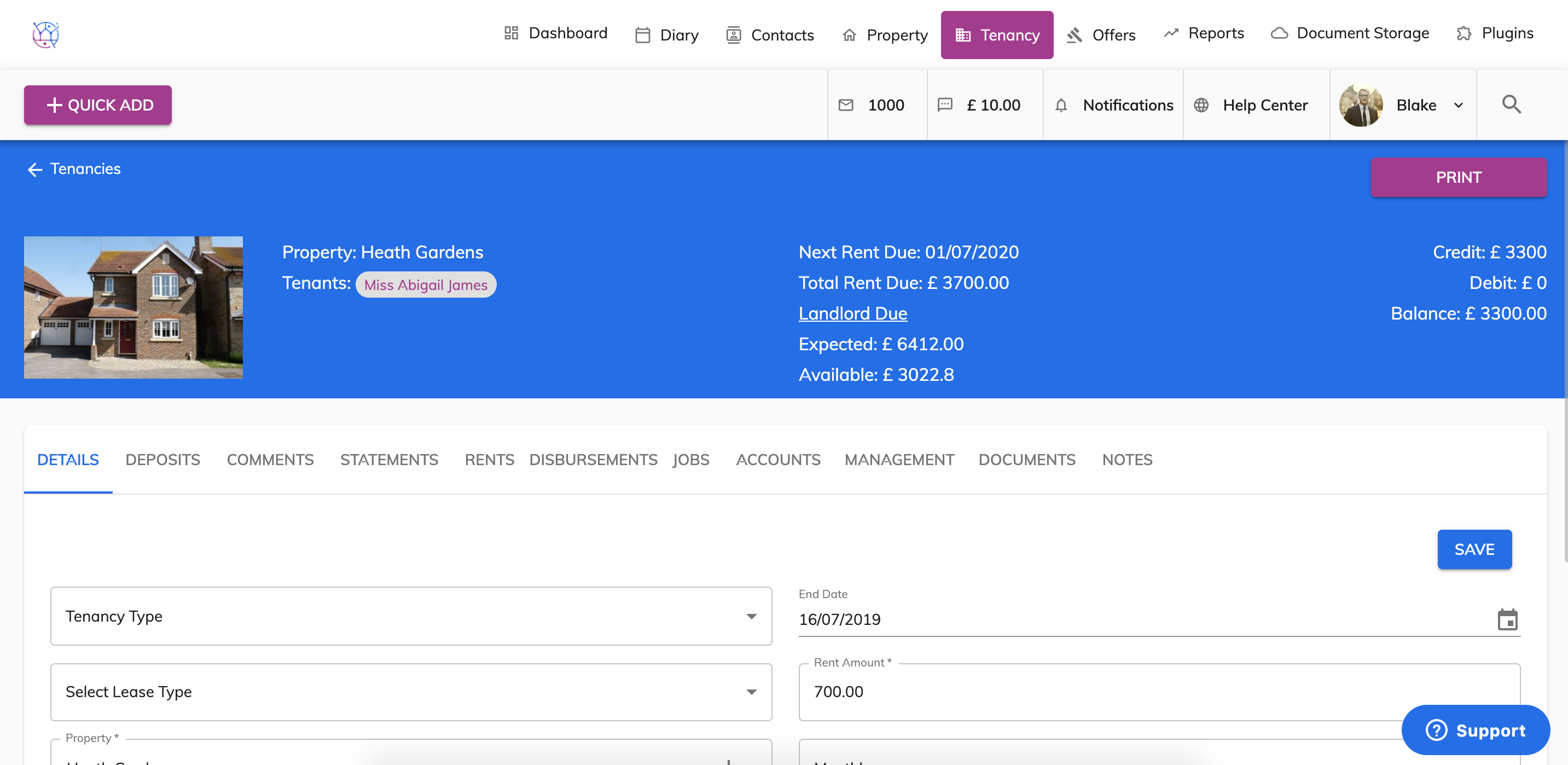
3) Select the Rents tab from the menu.
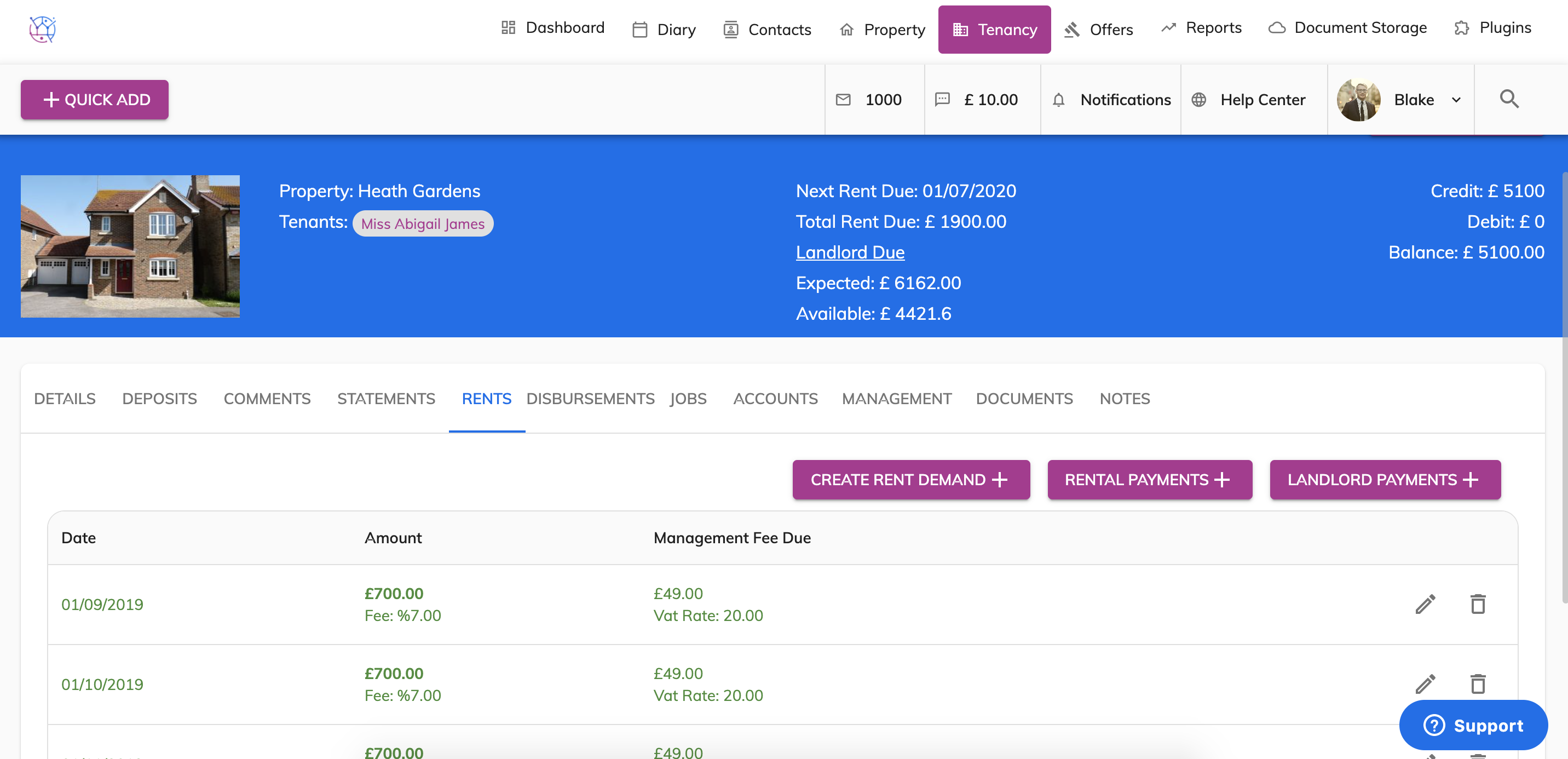
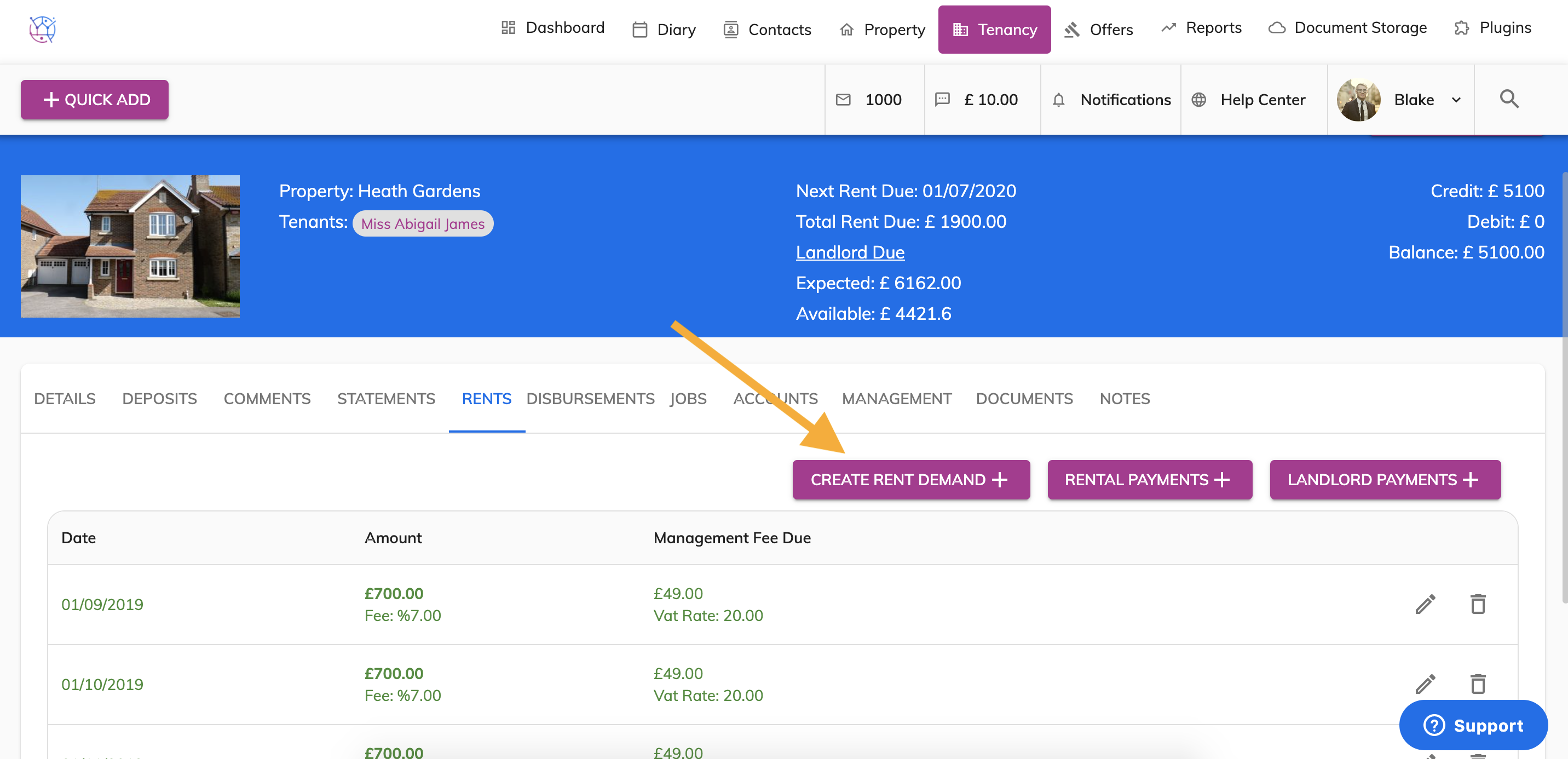
4) Click on the Create Rent Demand button.
5) Add in the information for the additional rent demand, including the due date, rental amount, your management fee, fee type (fixed or percentage), VAT if applicable.
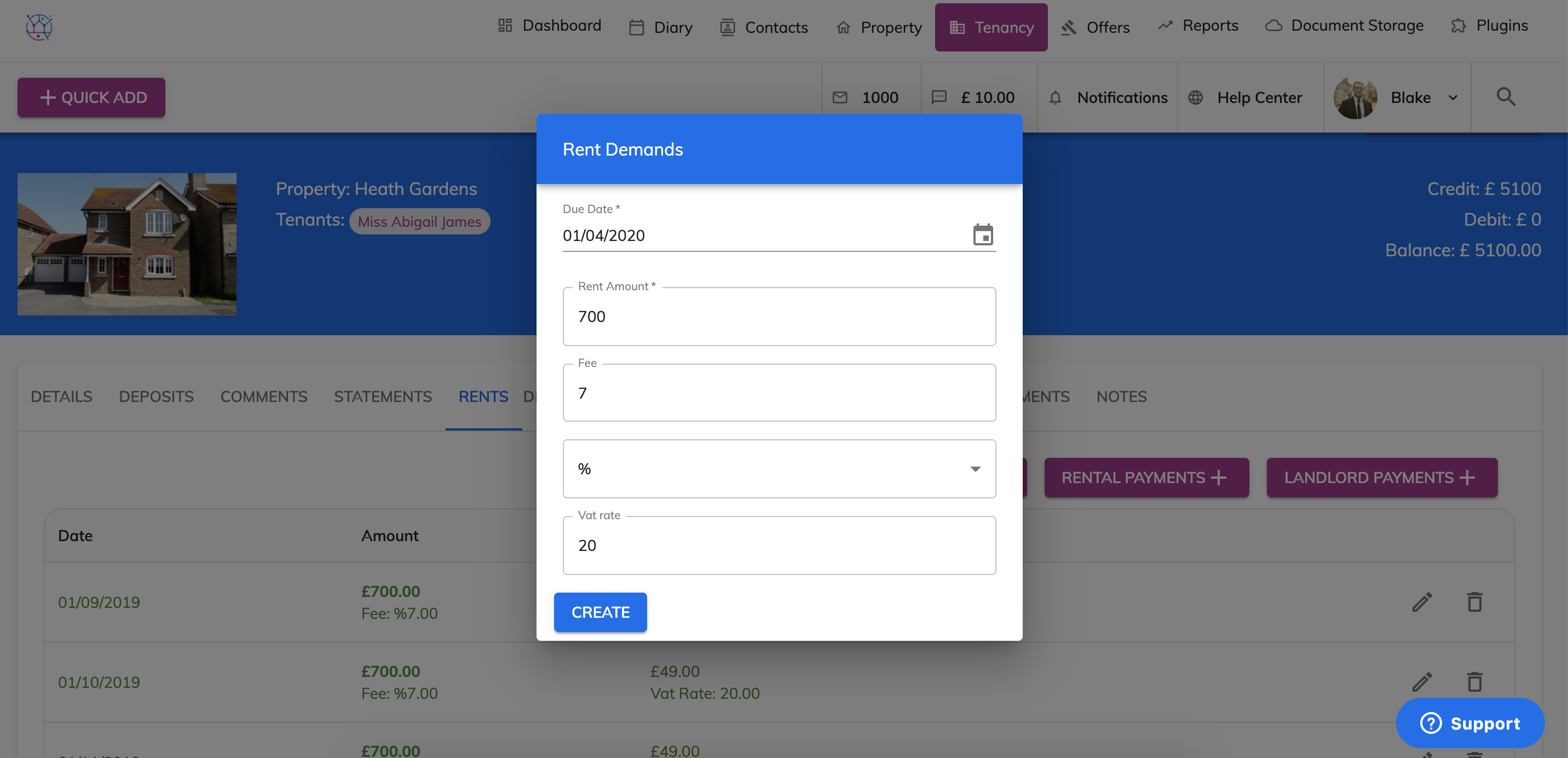
6) Press the Create button to add the new rent demand to the list of rent reminders to that tenancy.
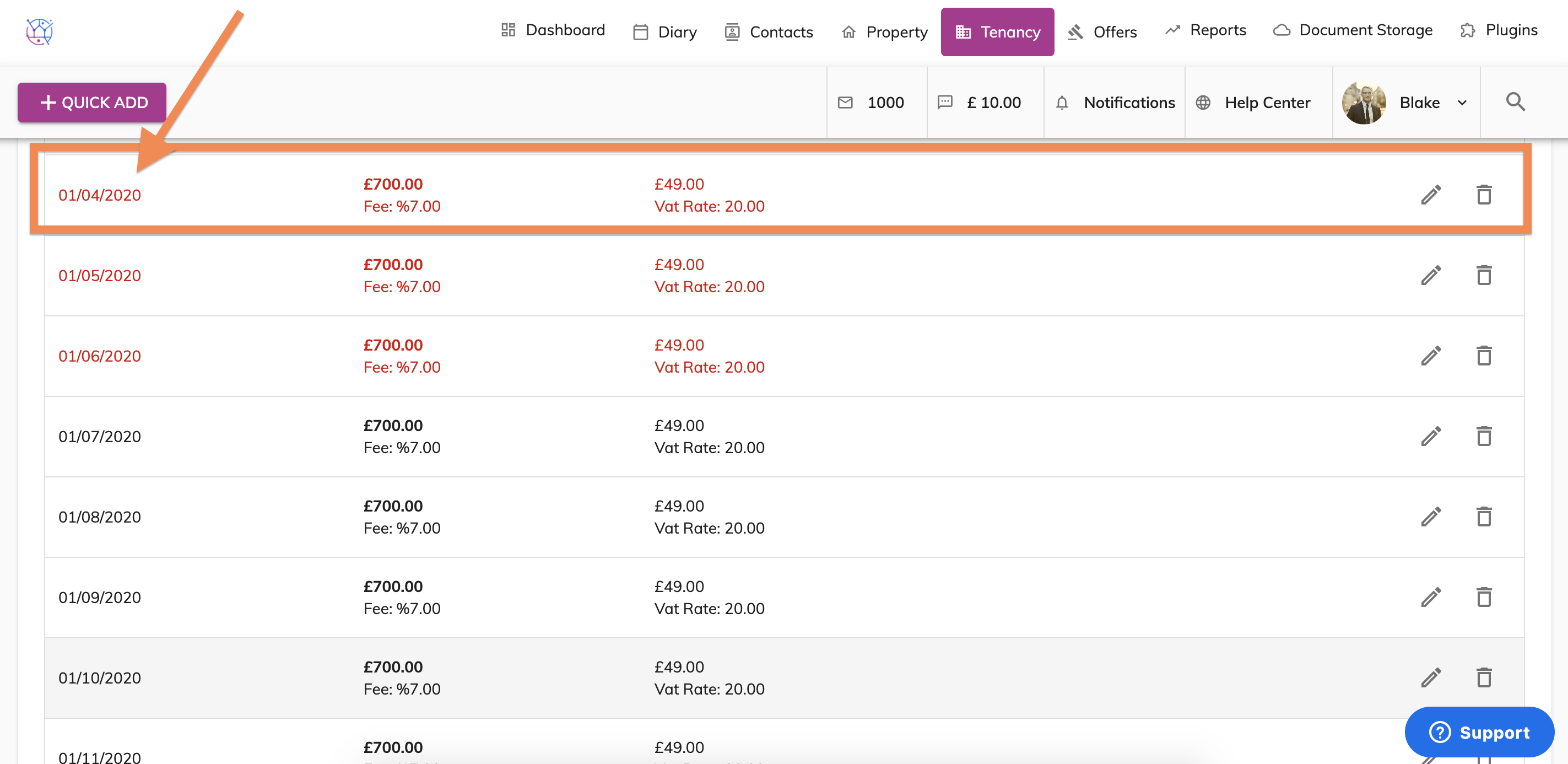
Rent demands in red are over due.