
Juvo has a postcode look up in built when adding both the contact and the property. Simply enter the property postcode and select the full address from the dropdown. Saving your team tons of time!
The best part, this feature is integrated with the software at no extra charge to you.
Use postcode look up when adding a contact:
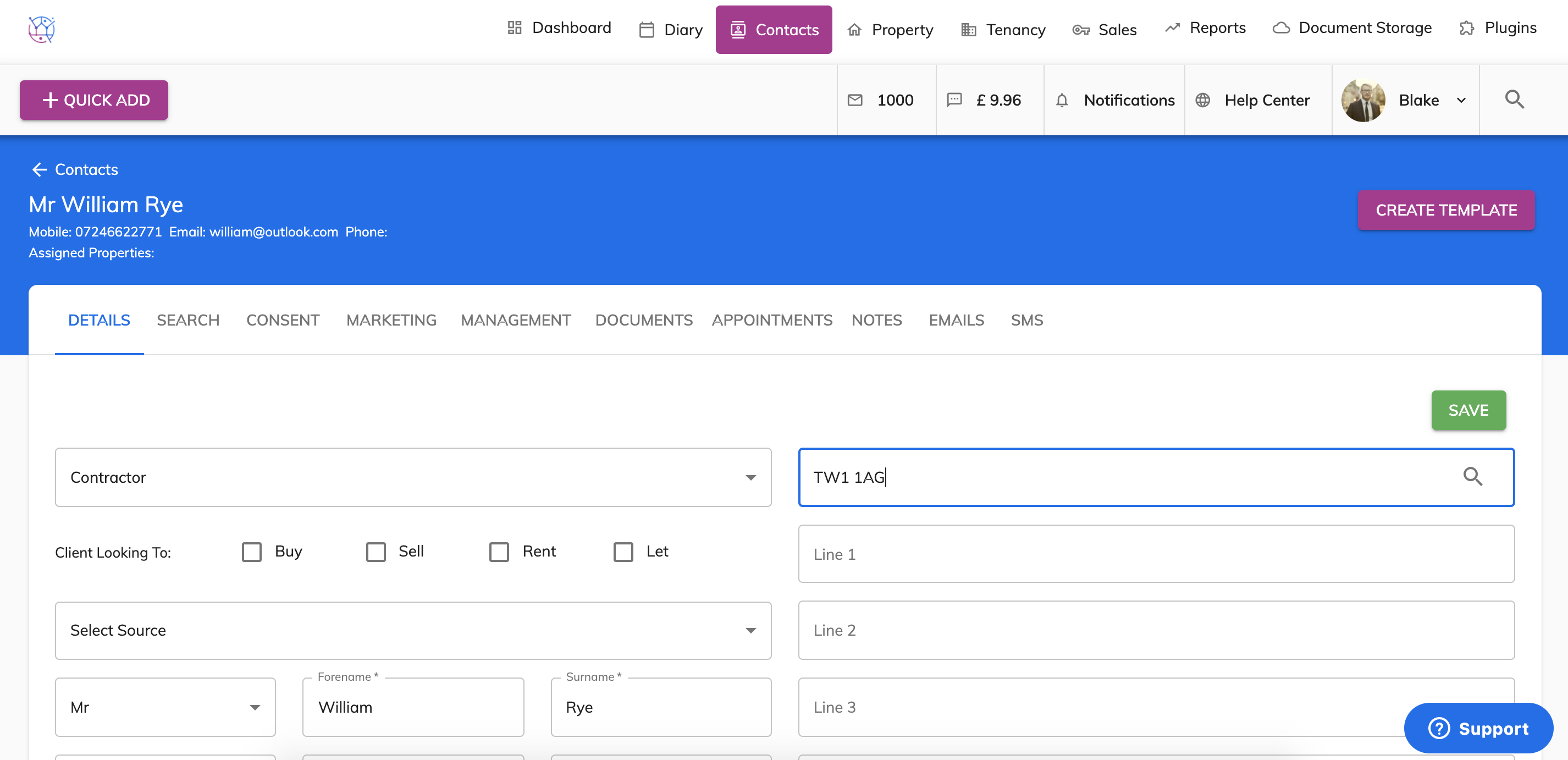
1) Whilst on the contact details page, locate the postcode look up field. Enter the postcode and press the search icon on the right hand side of the box.
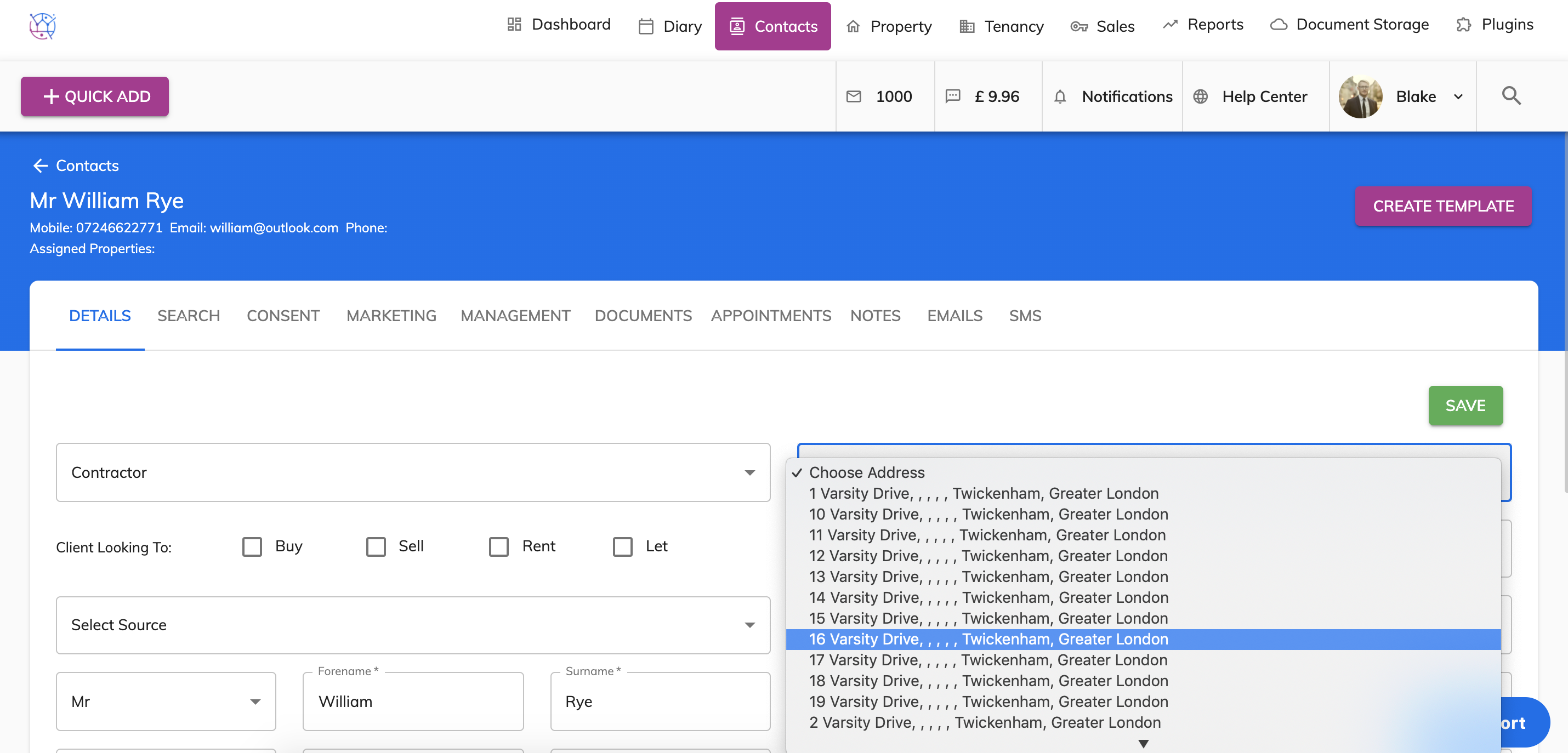
2) Click on the dropdown box with a list of address's select the correct one from the dropdown.
If there are no address's in dropdown, please double check the postcode is correct. If there are no address's linked to that postcode there is a chance it is a new build and not yet on the postcode look up service. In this case manually enter the address details in address line 1, town, county and the postcode fields.
 3) The address will now auto populate including line 1, town, county and postcode. Continue with the rest of the contact form. Press save once complete.
