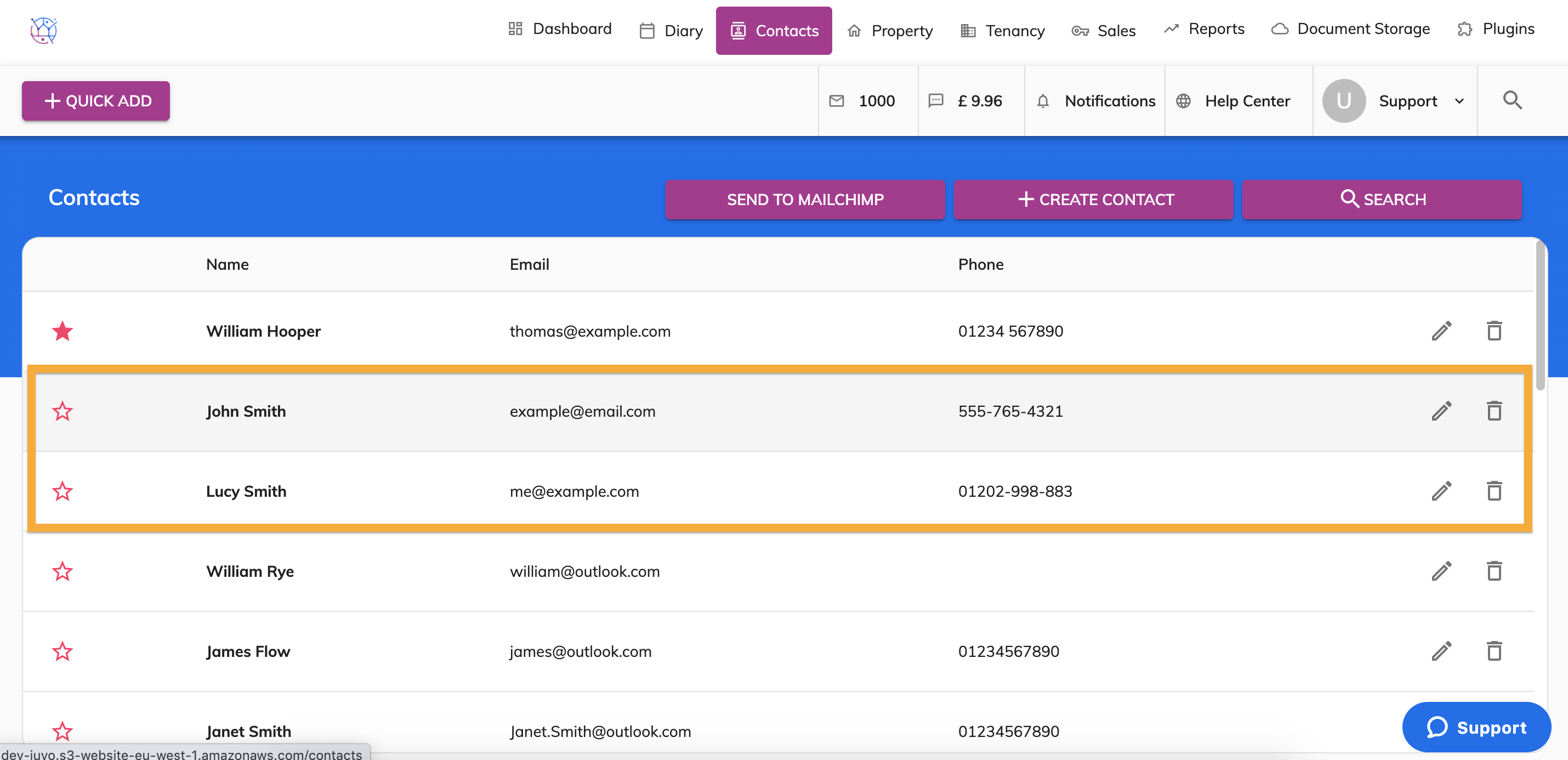
To bulk import contacts into your Juvo account please use the steps below:
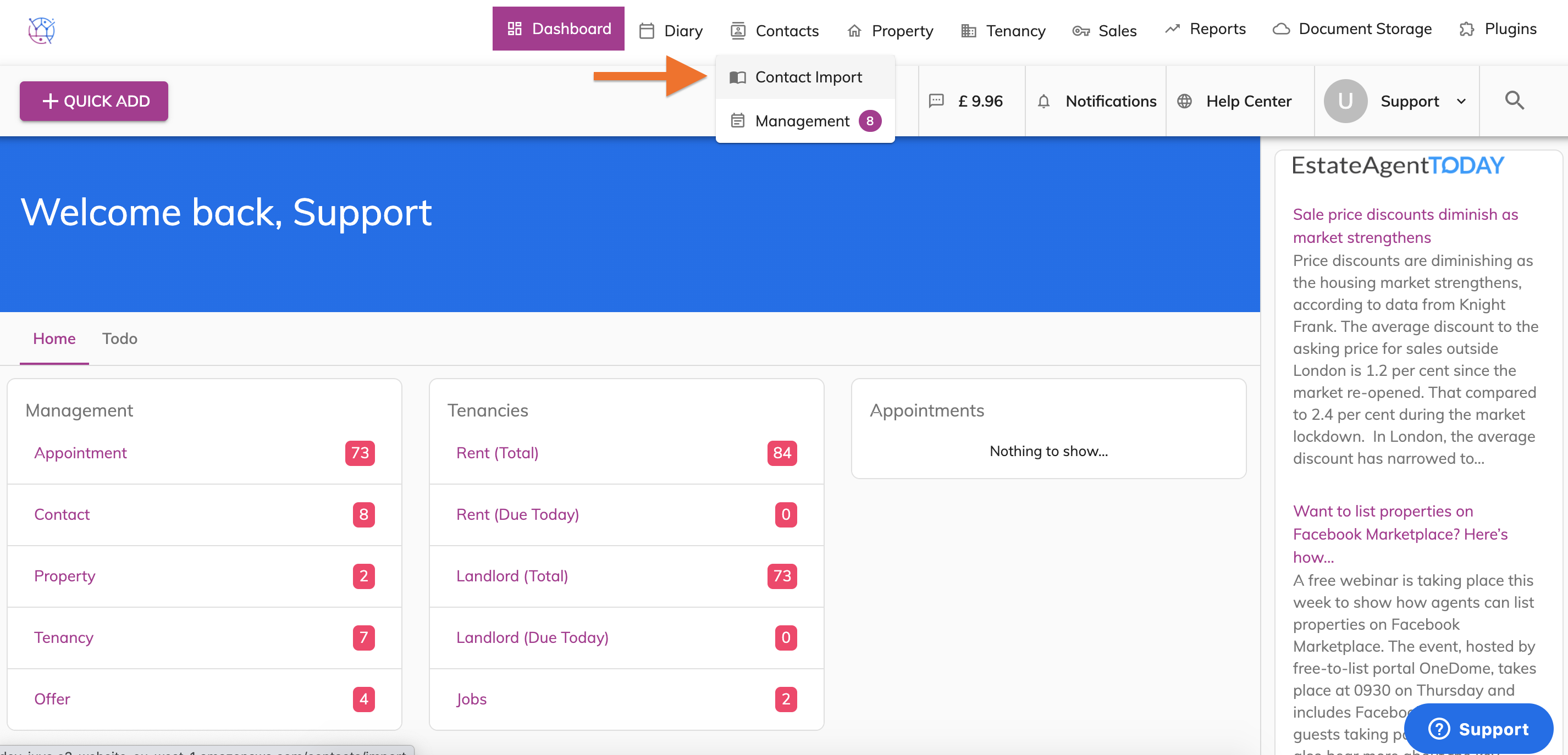
1) Hover over the Contacts tab and select Contact Import from the dropdown.
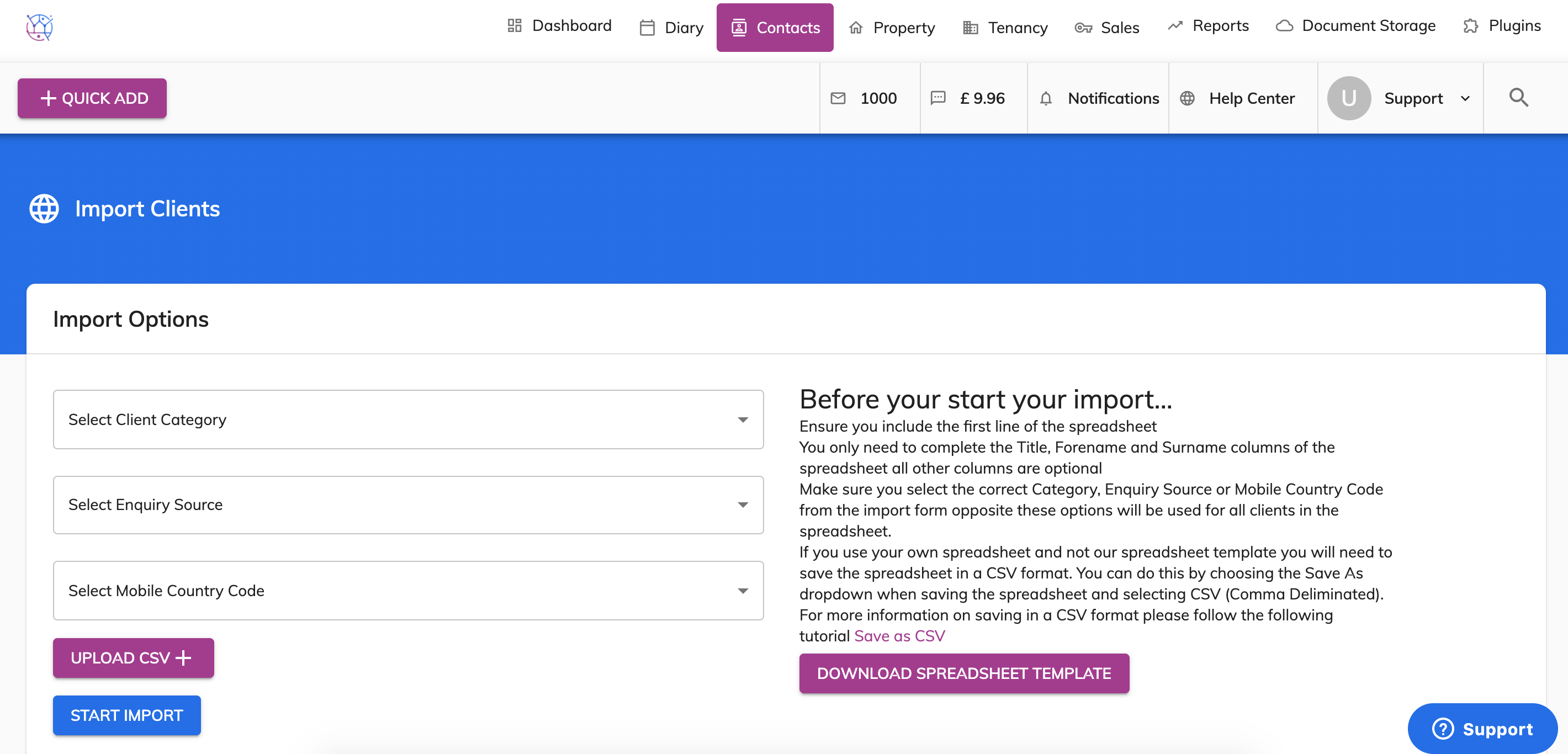
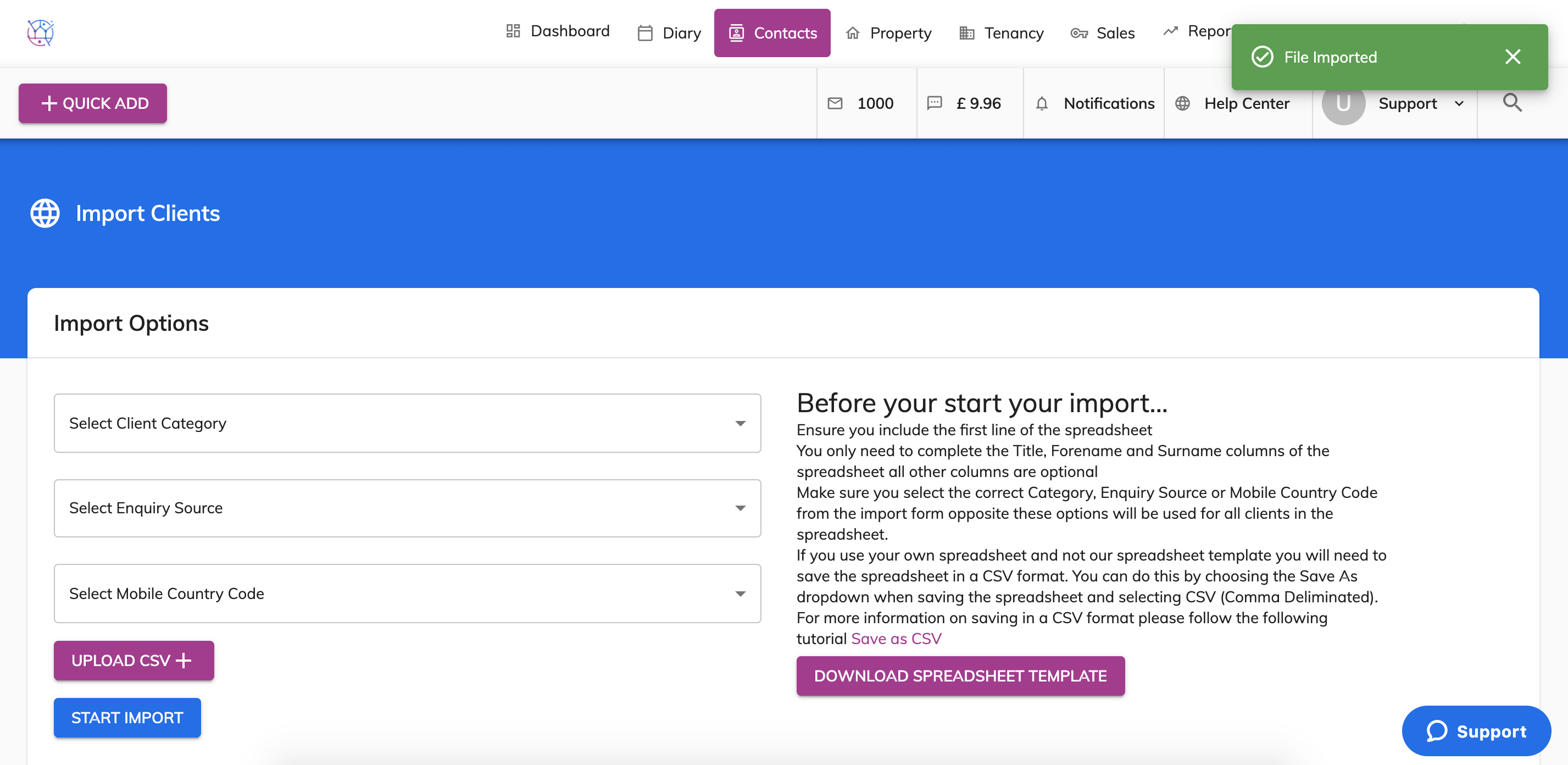
2) Download the Spreadsheet template and read the text 'Before you start your import'...
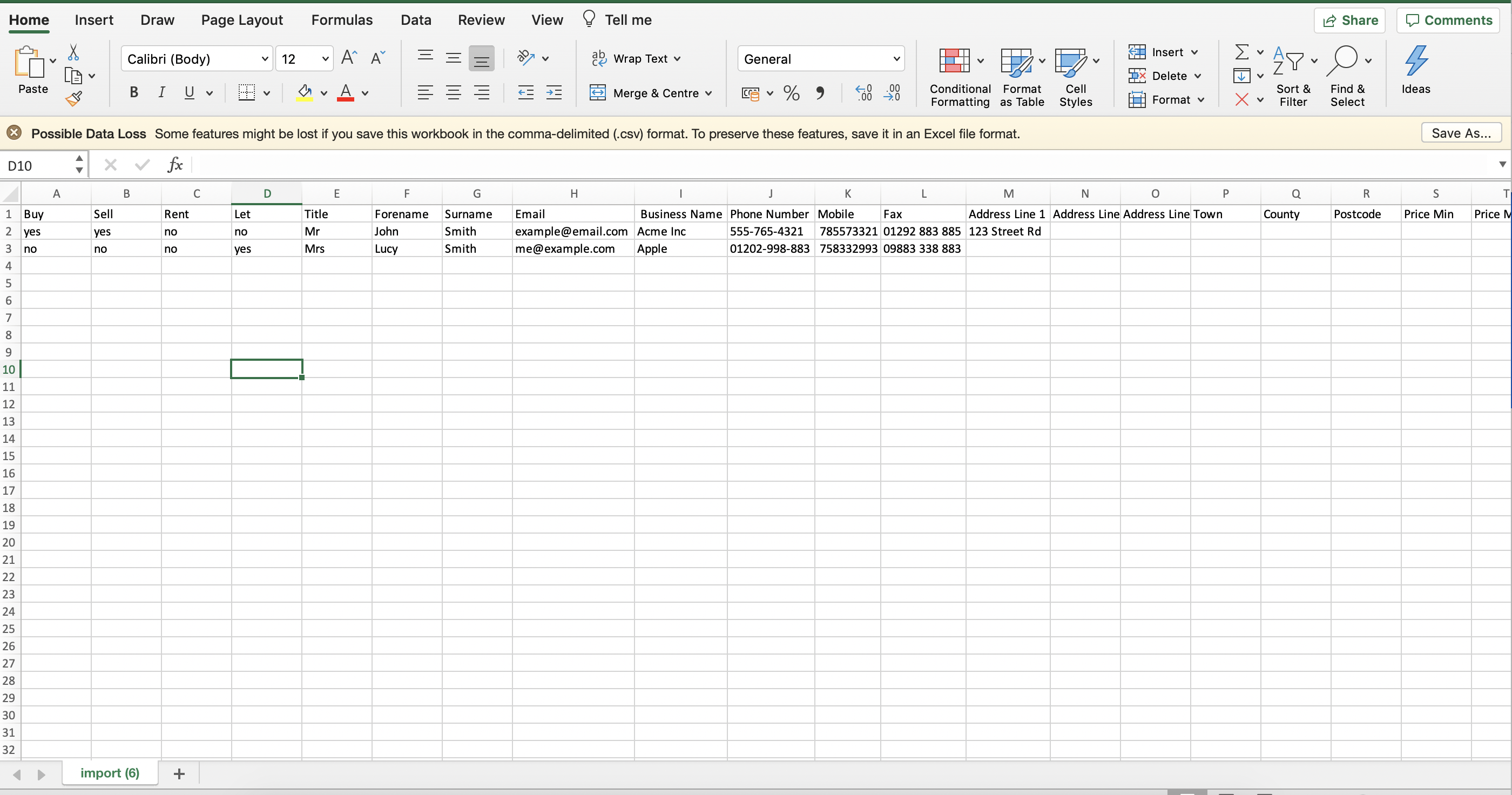
3) Add your data into the formatted spreadsheet and save on your computer. A separate spreadsheet should be used for contacts, solicitor, contractor.
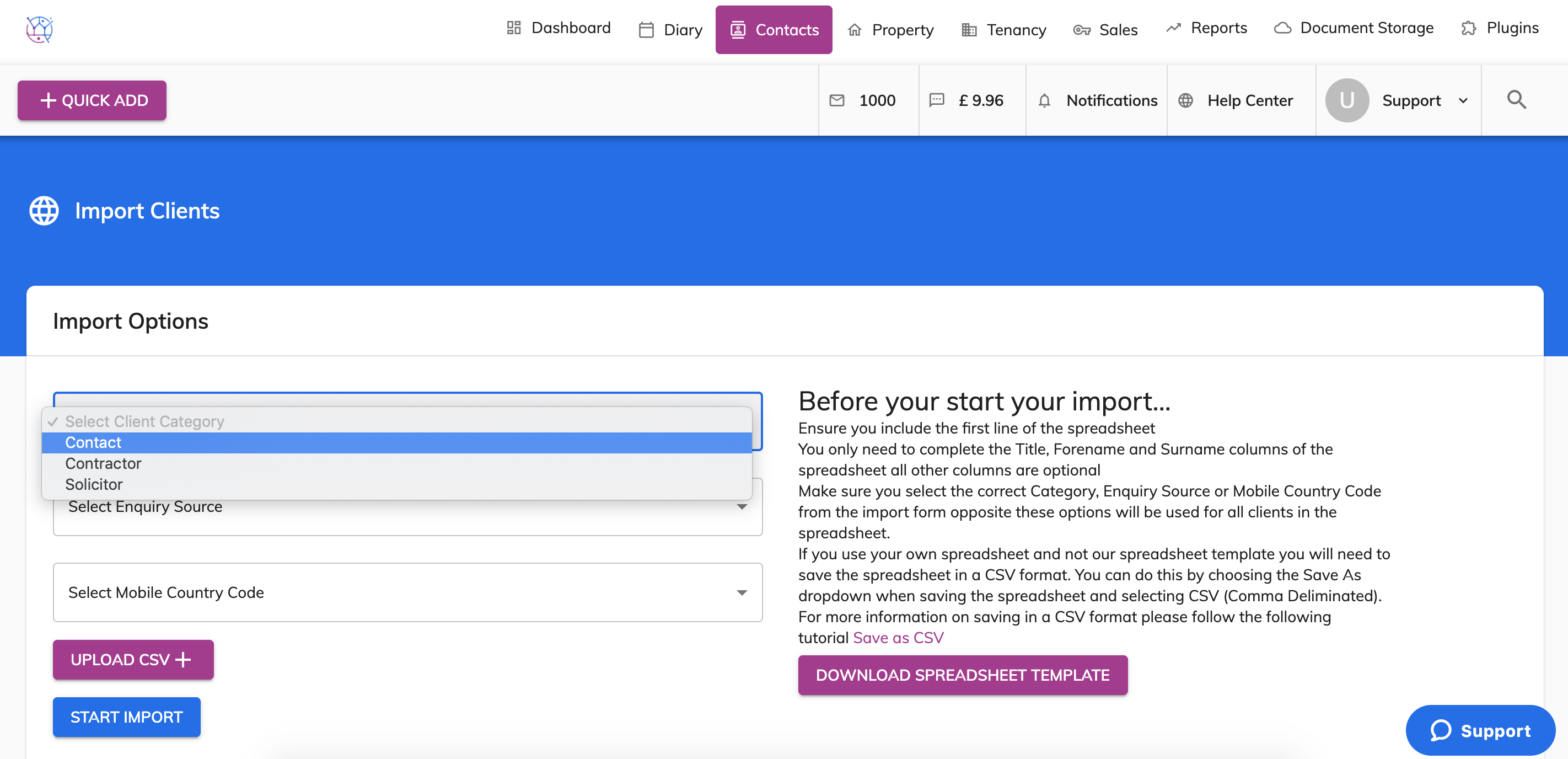
4) Go back to your Juvo tab and select the Client Category.
5) Then select the enquiry source.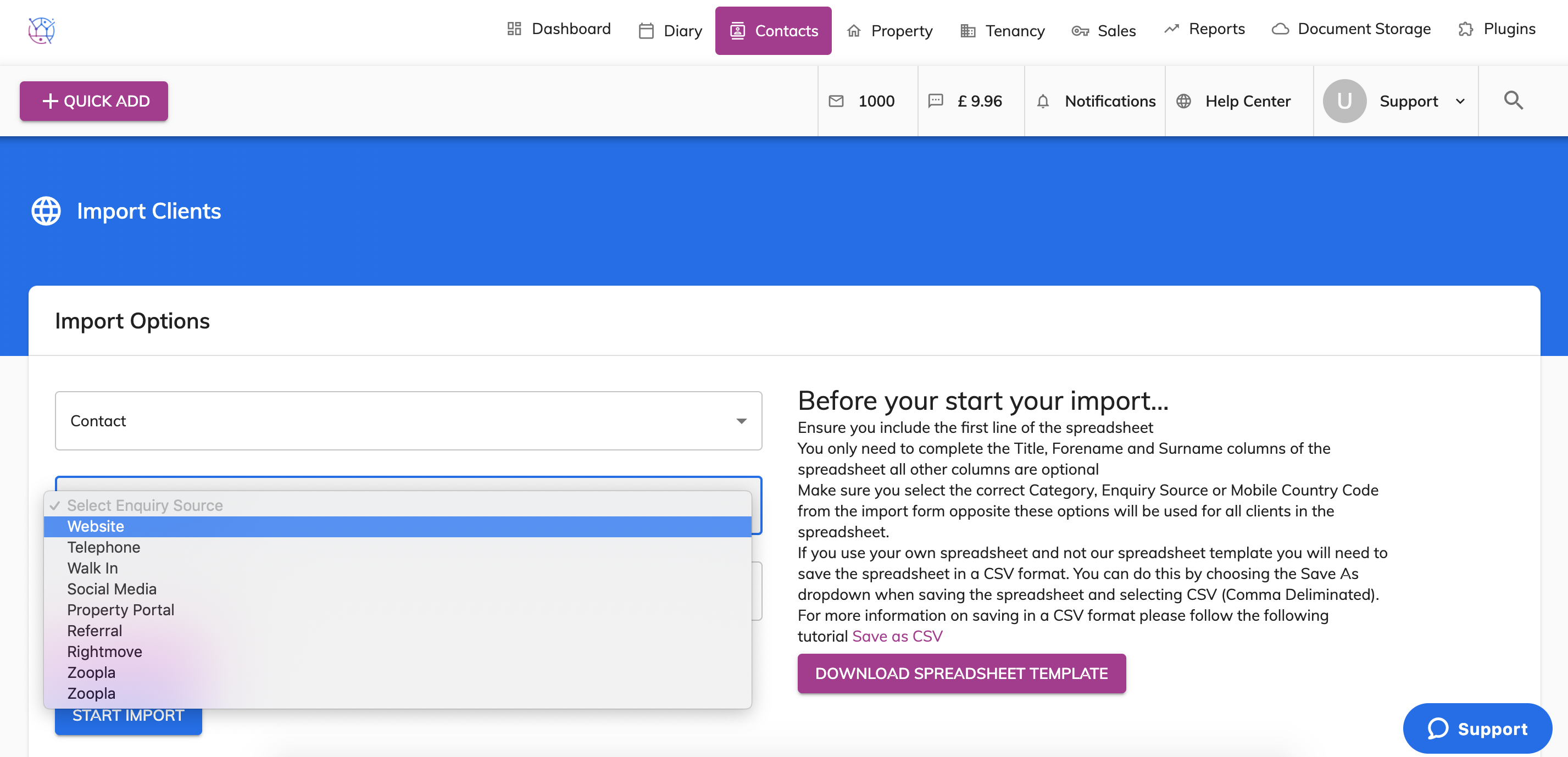
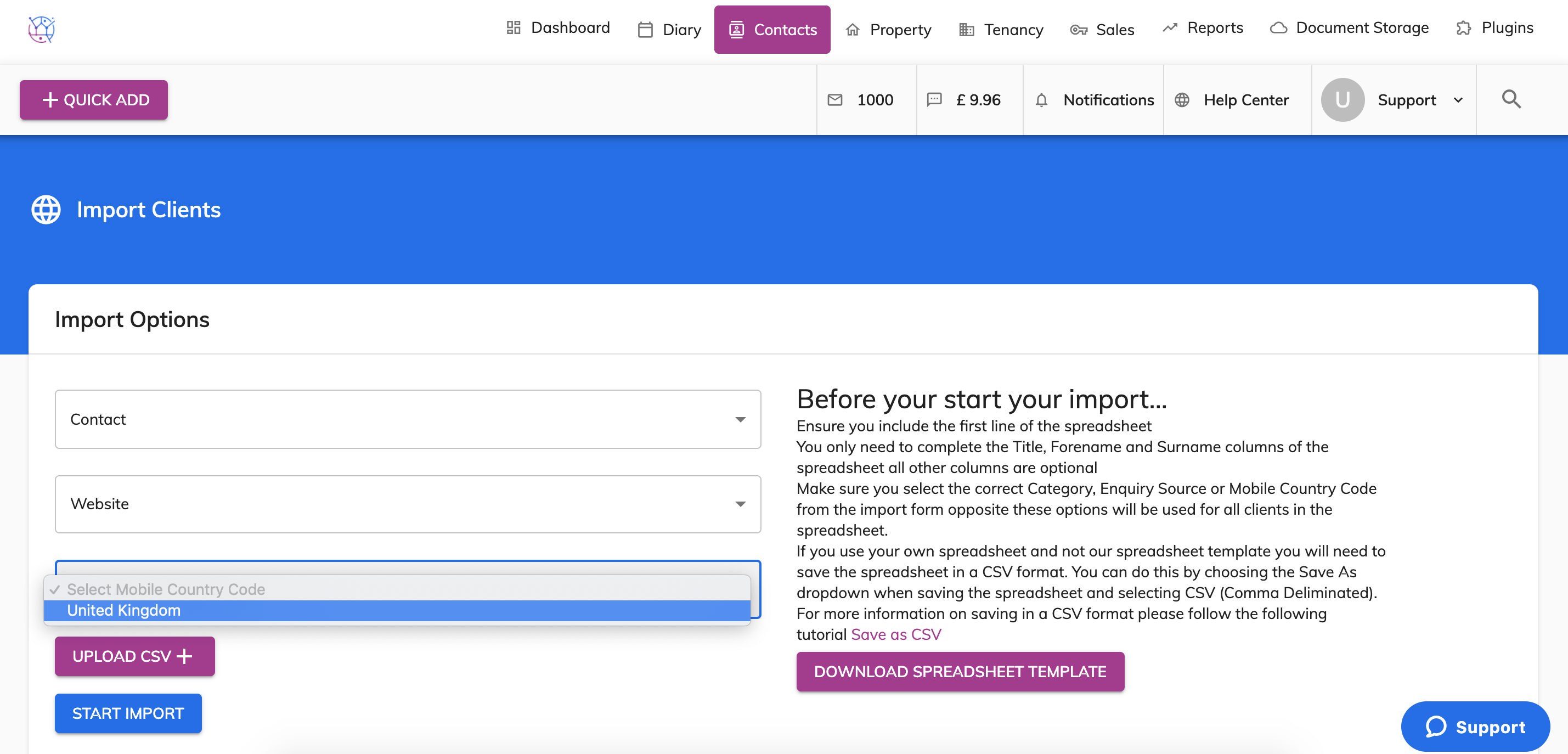
6) Lastly select the mobile country code.
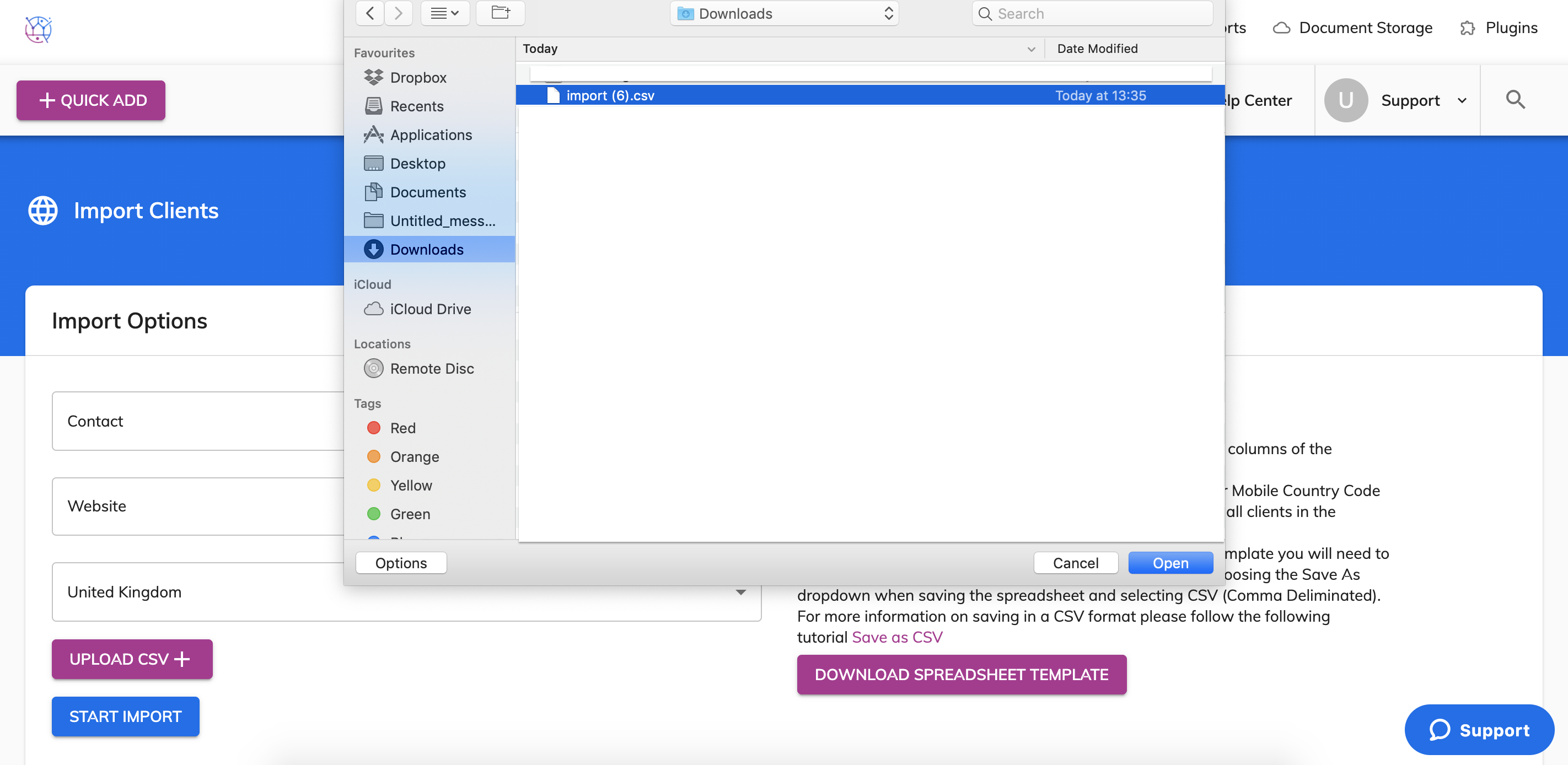
7) Press the upload CSV button and choose the spreadsheet from your computer and press Open.
8) Press the Start Import button, once complete you will see a green confirmation message appear.
When you then go to contacts you will be able to see these new clients added.