
The Tasks section is an electronic version of giving someone a post it note on their desk.
Use Tasks section to add reminders for yourself or other staff. These tasks are not set to specific timeframe. These can also be made private so that you are the only one who can see the task
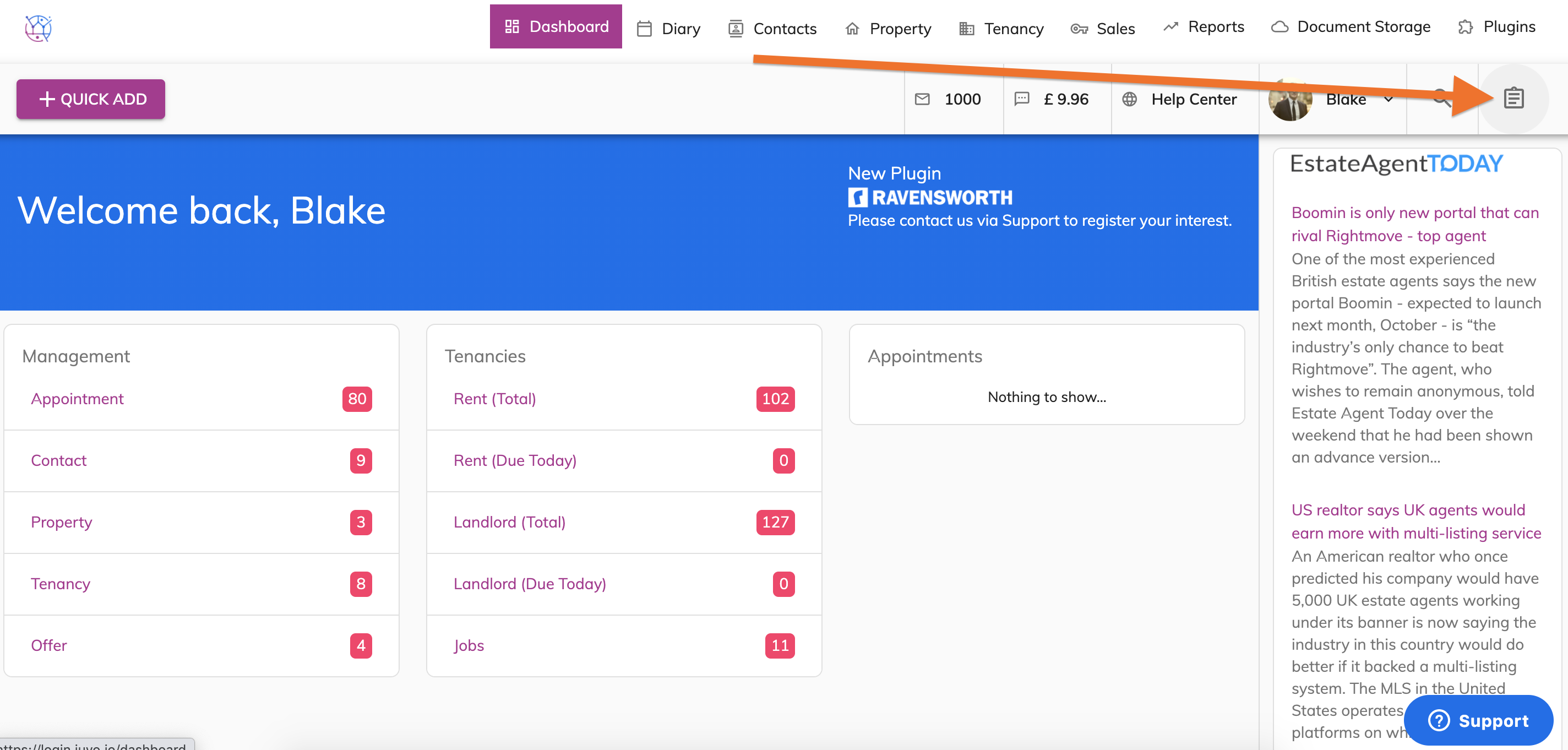
1) Click on Task icon (clipboard) on the top right hand corner.
2) You will now be able to see the Task checklist on the righthand side of the screen.
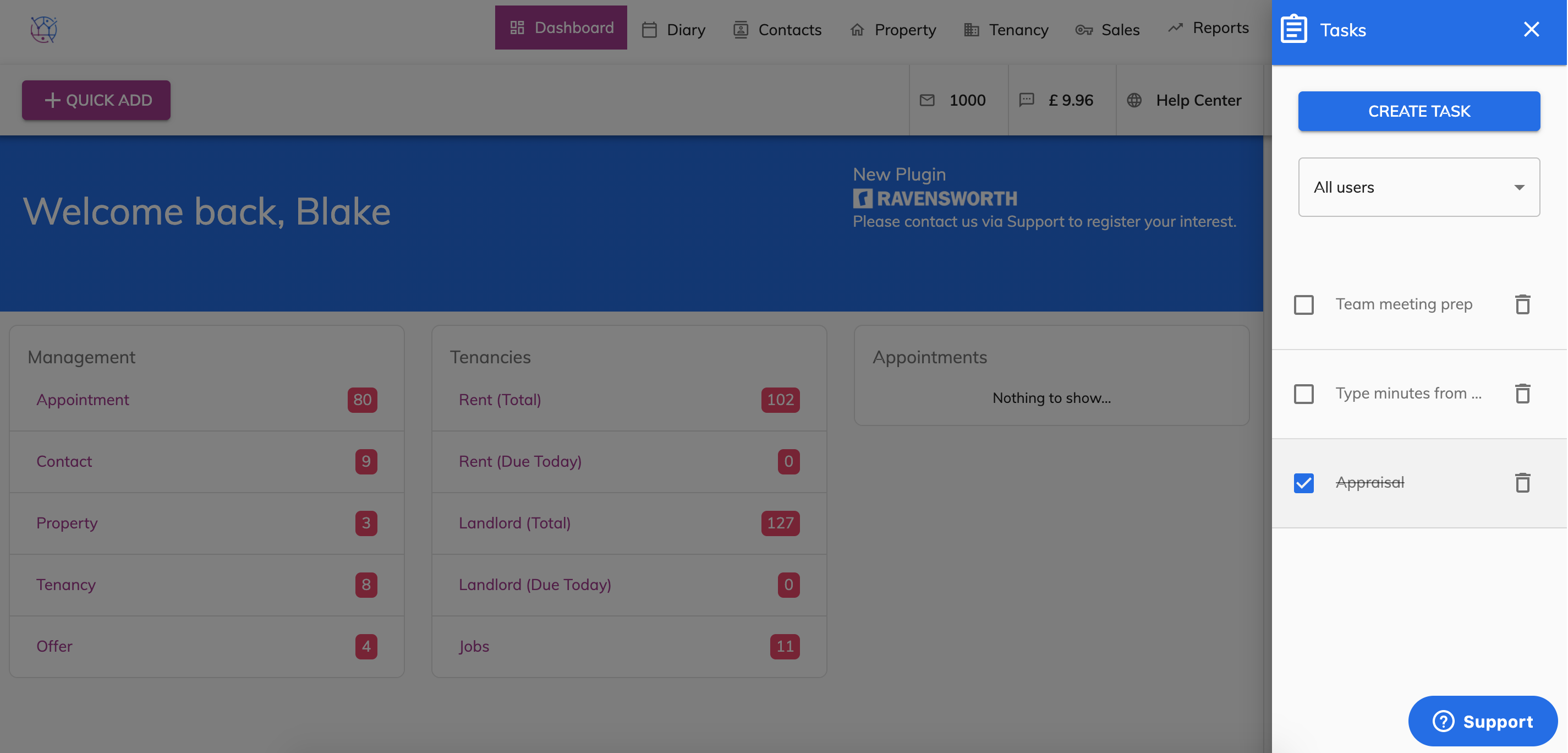
3) To add a new Task, click on the Create Task button.
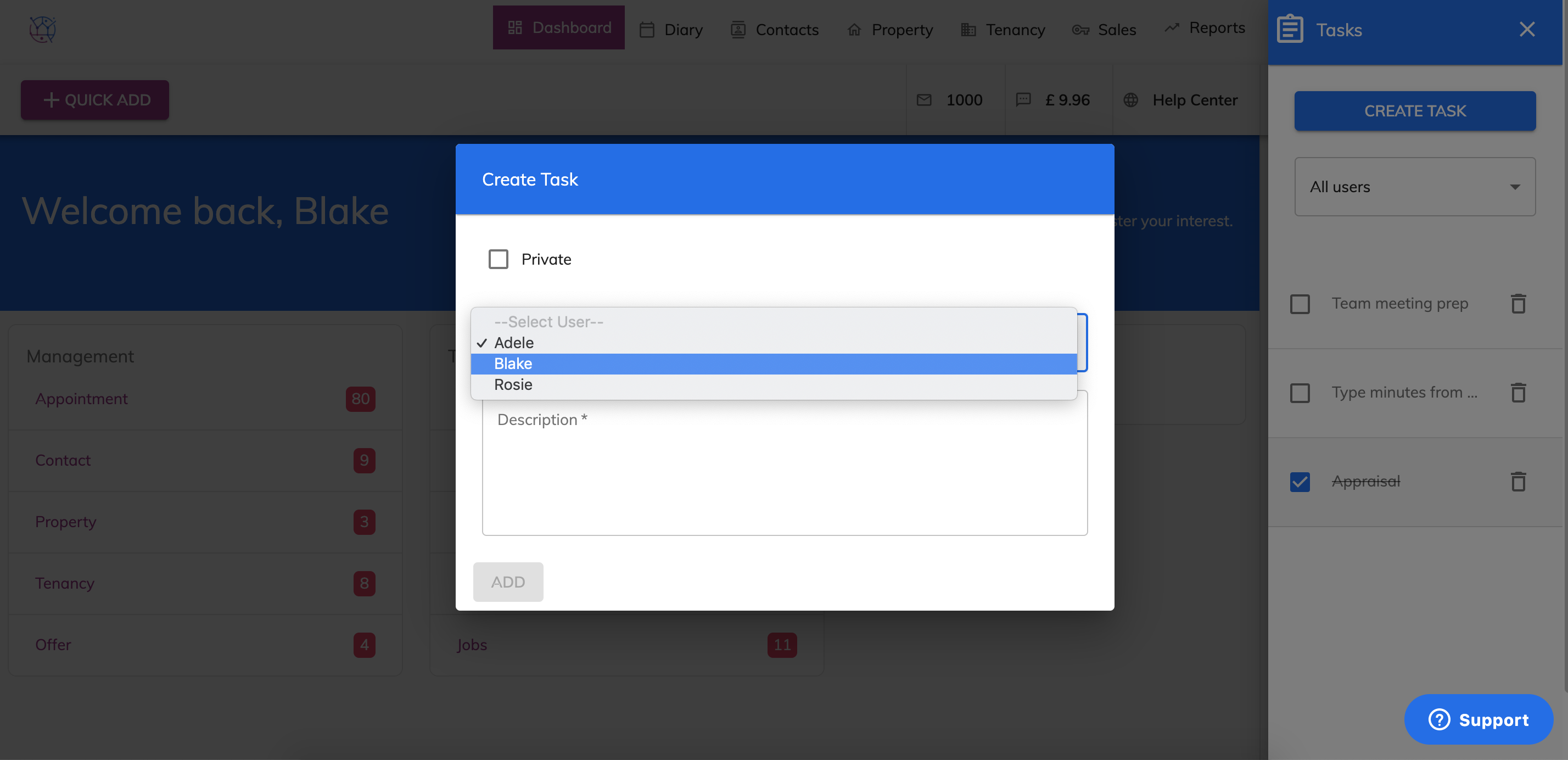
4) Select the user from the dropdown and add a description for the task.
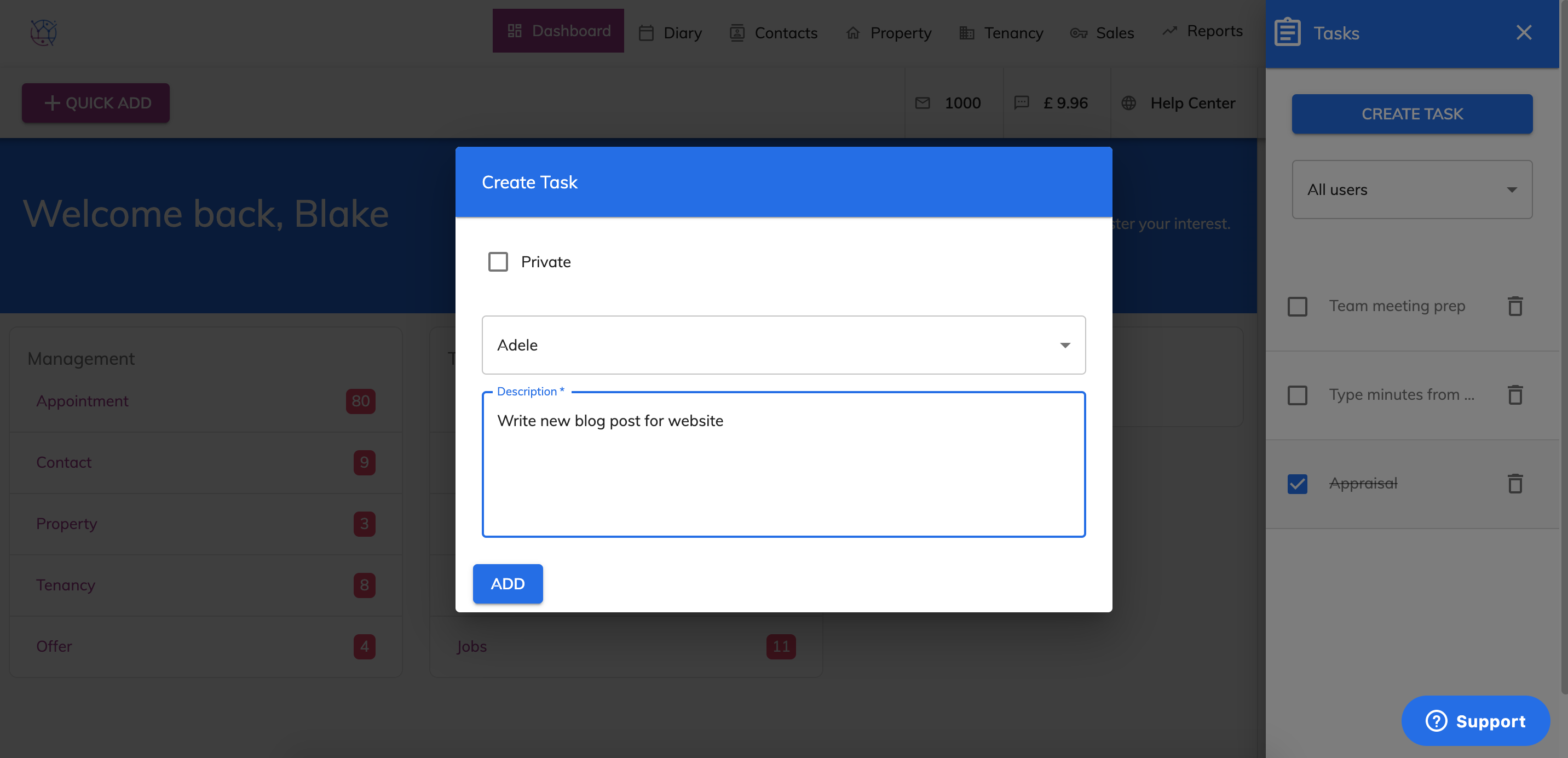
5) Tick the Private box, if you want to be the only one in your Juvo account to see this Task.
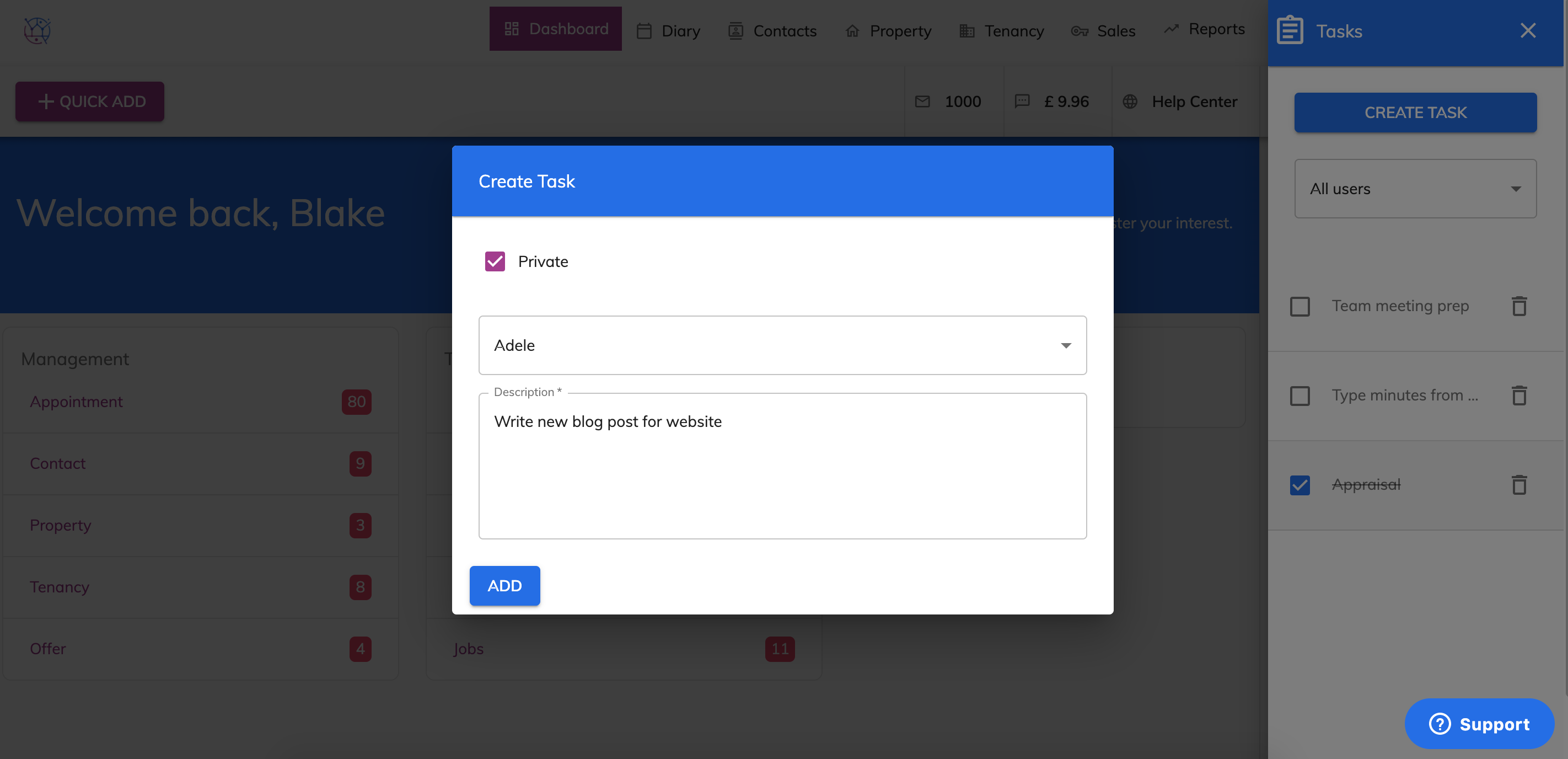
6) Press the Add button. This new task will be added to the checklist.
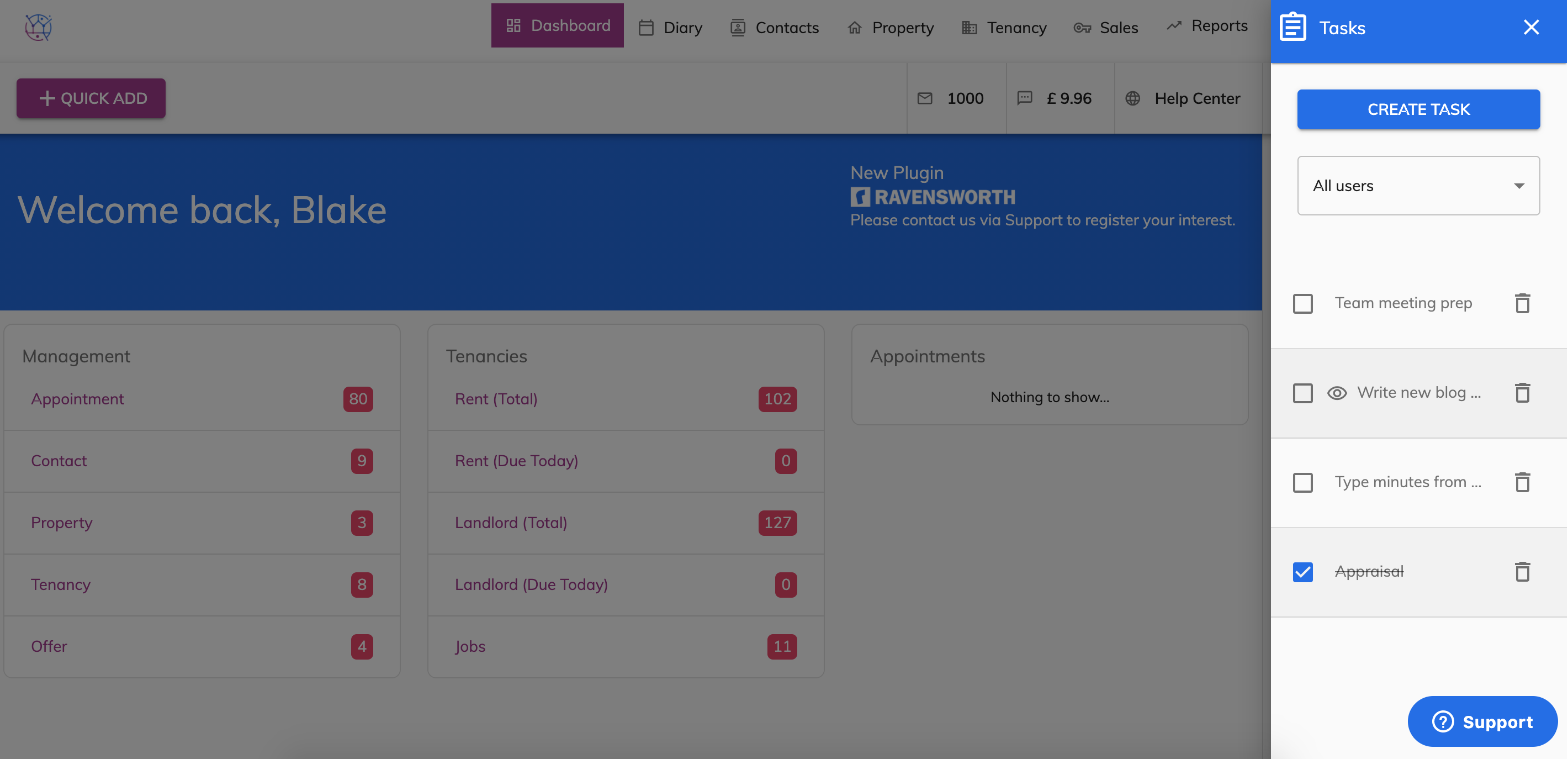
7) Once you have completed the Task, add a tick in the checkbox.
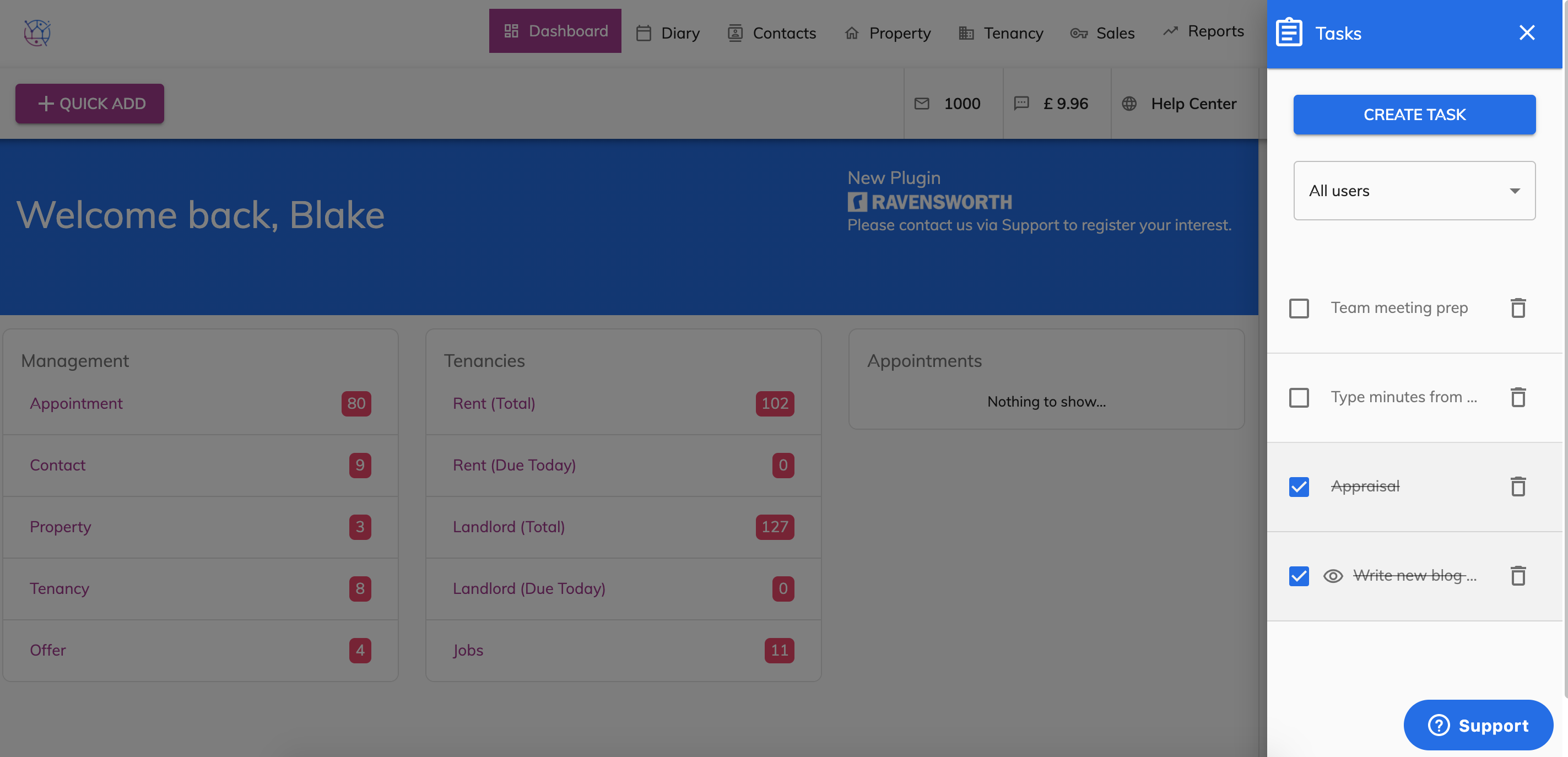
The Tasks checklist can be opened, added to and completed from any screen within your Juvo account.