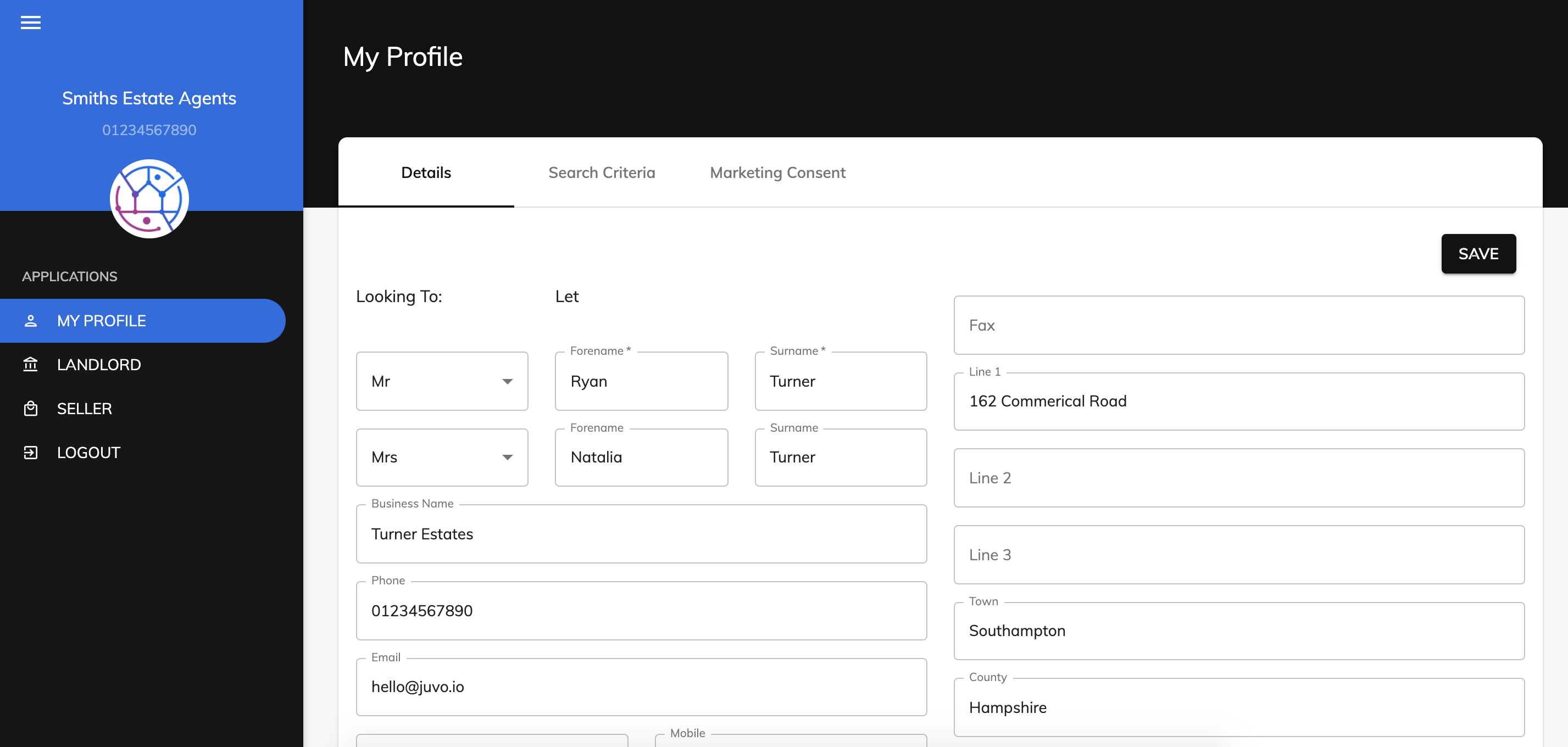
The colour shown in the client portal is from the colour chosen within Admin in your Juvo account.
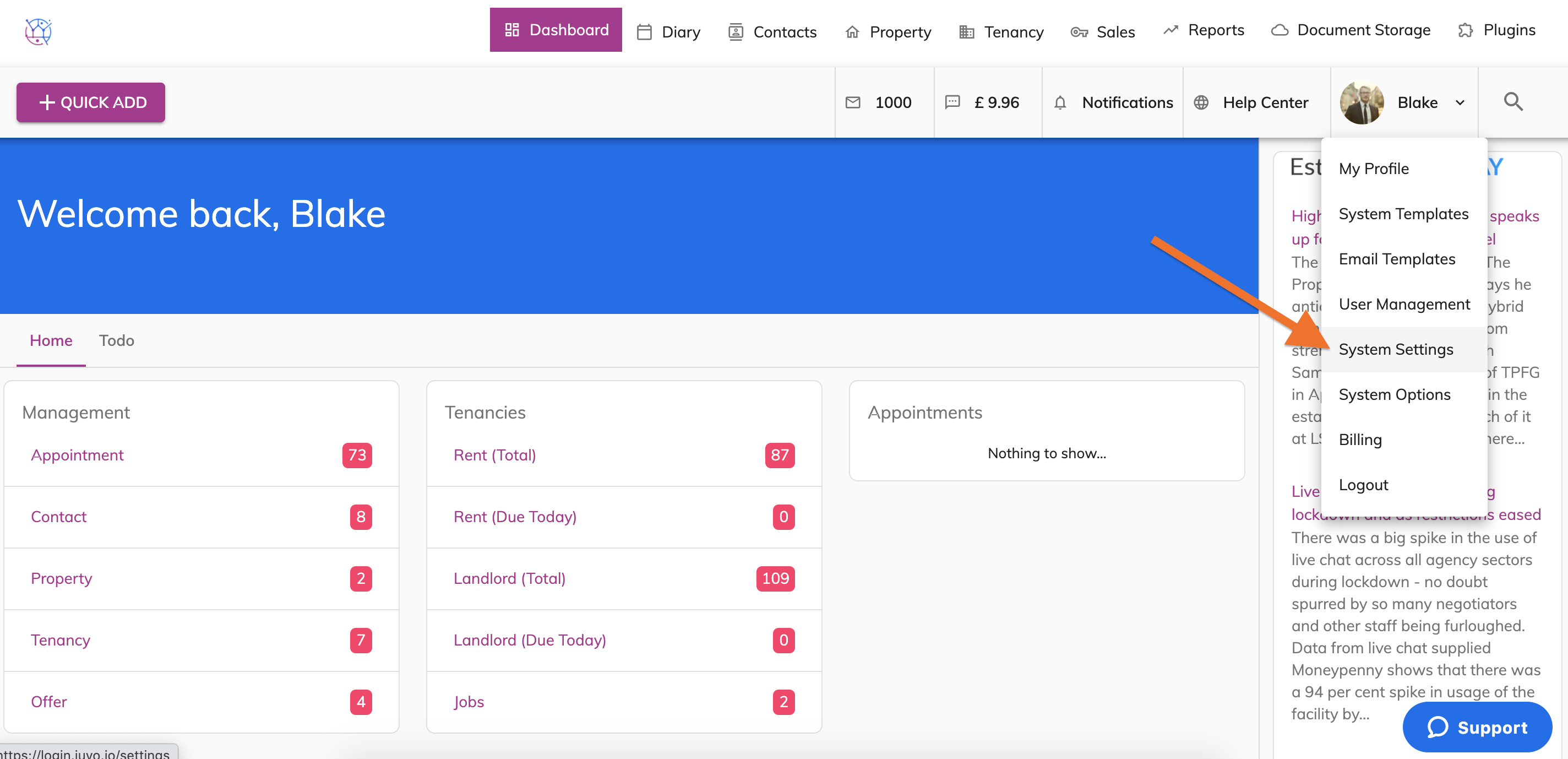
1) Go to Admin by clicking on the User name and Icon. Select System Settings from the dropdown.
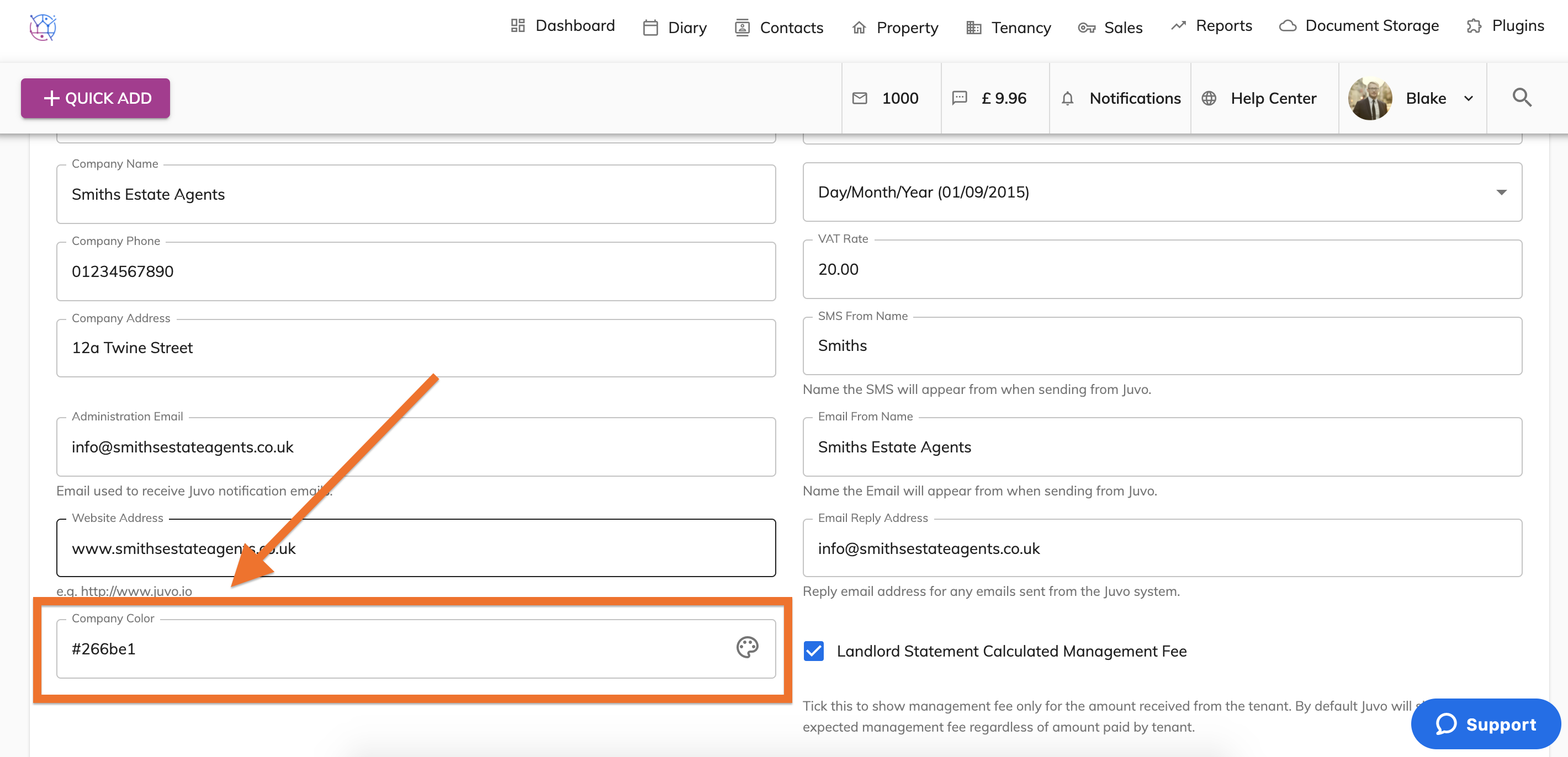
2) Locate the Company Colour field - bottom left hand corner.
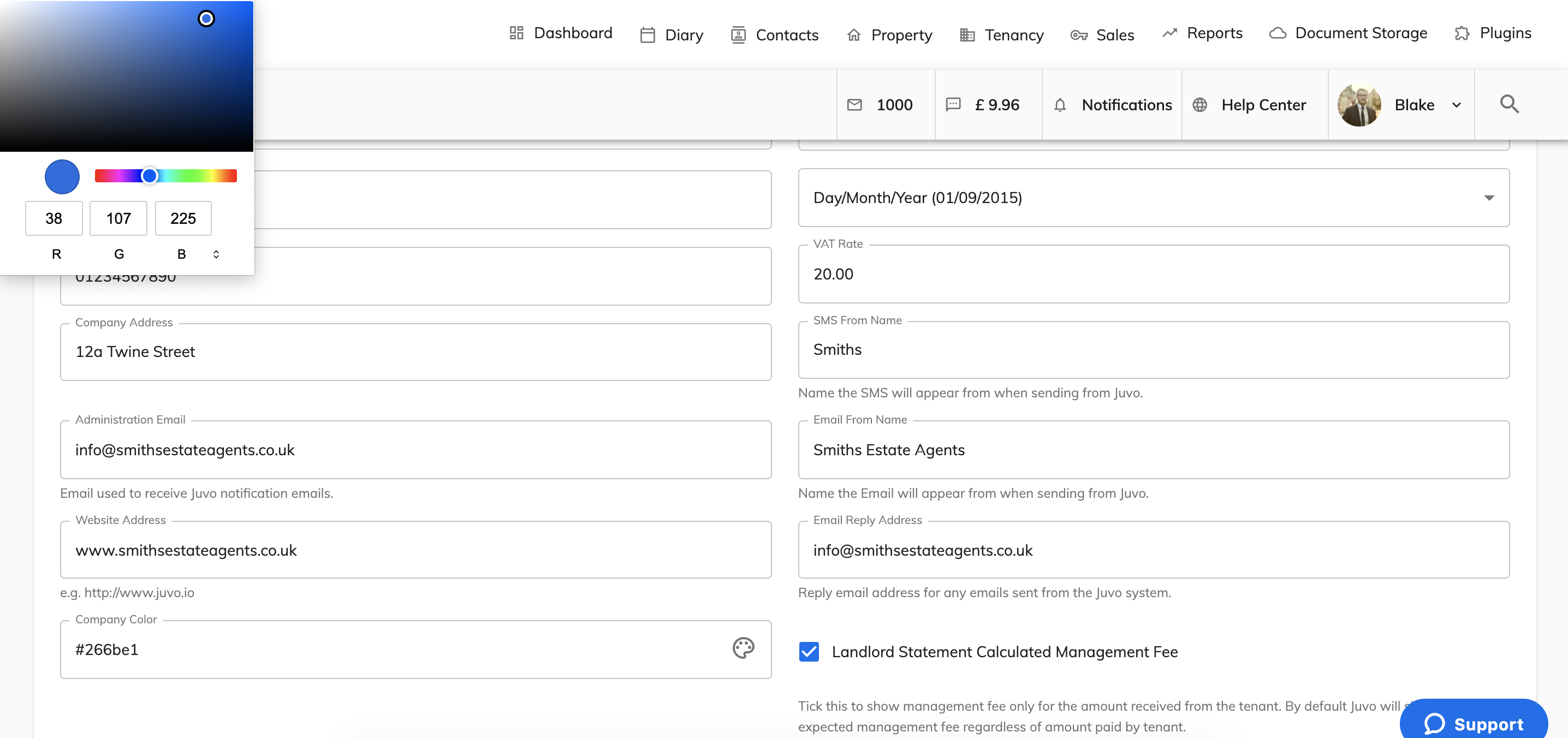
3) Select the colour from the colour picker or enter in the colour code.
4) This will then show when a client logins into the client portal.