
To remove a property from ftp portals and your website, follow the steps below:
1) Click on the property tab.
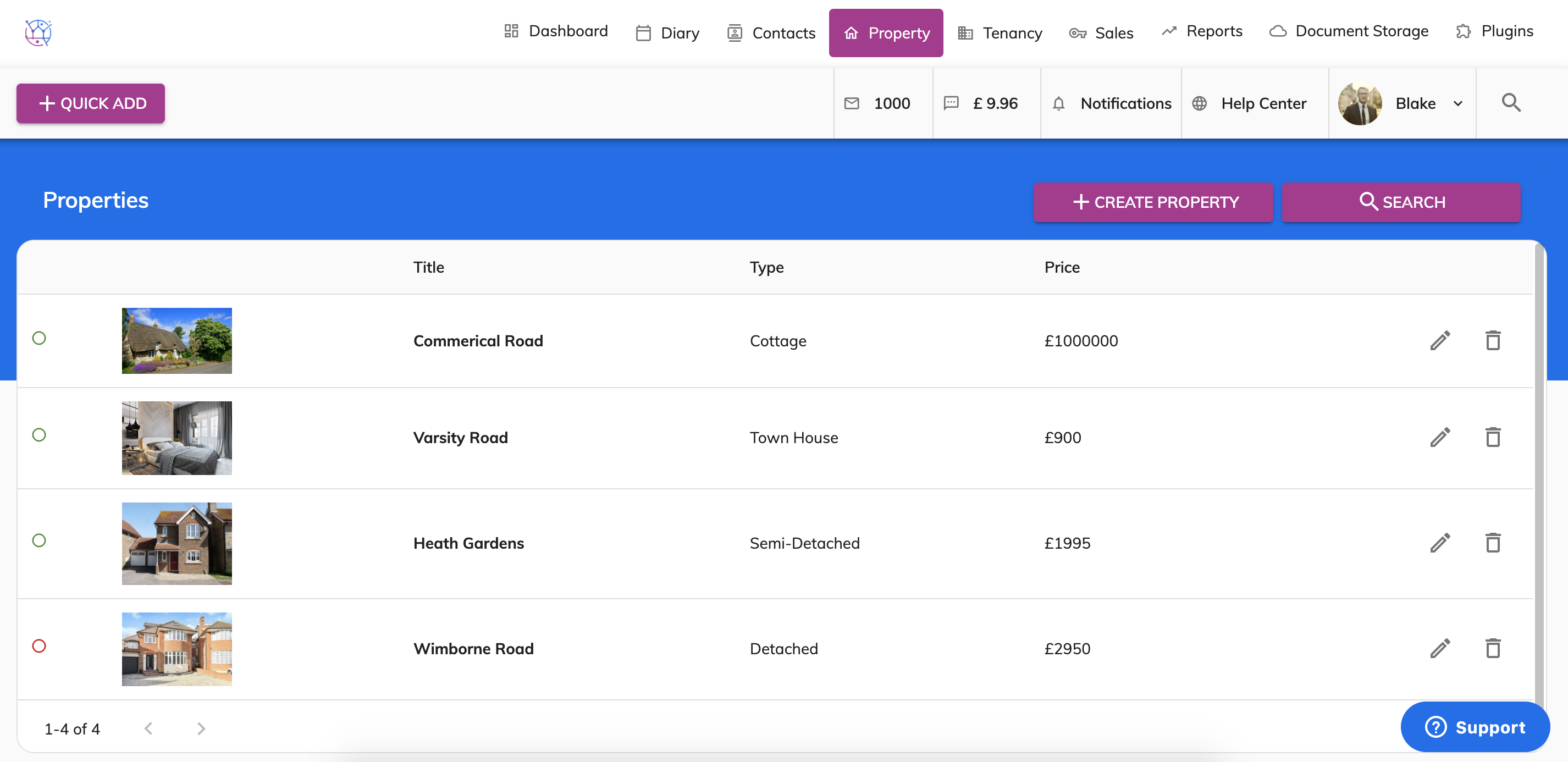
2) Click on the pencil icon to edit the property.
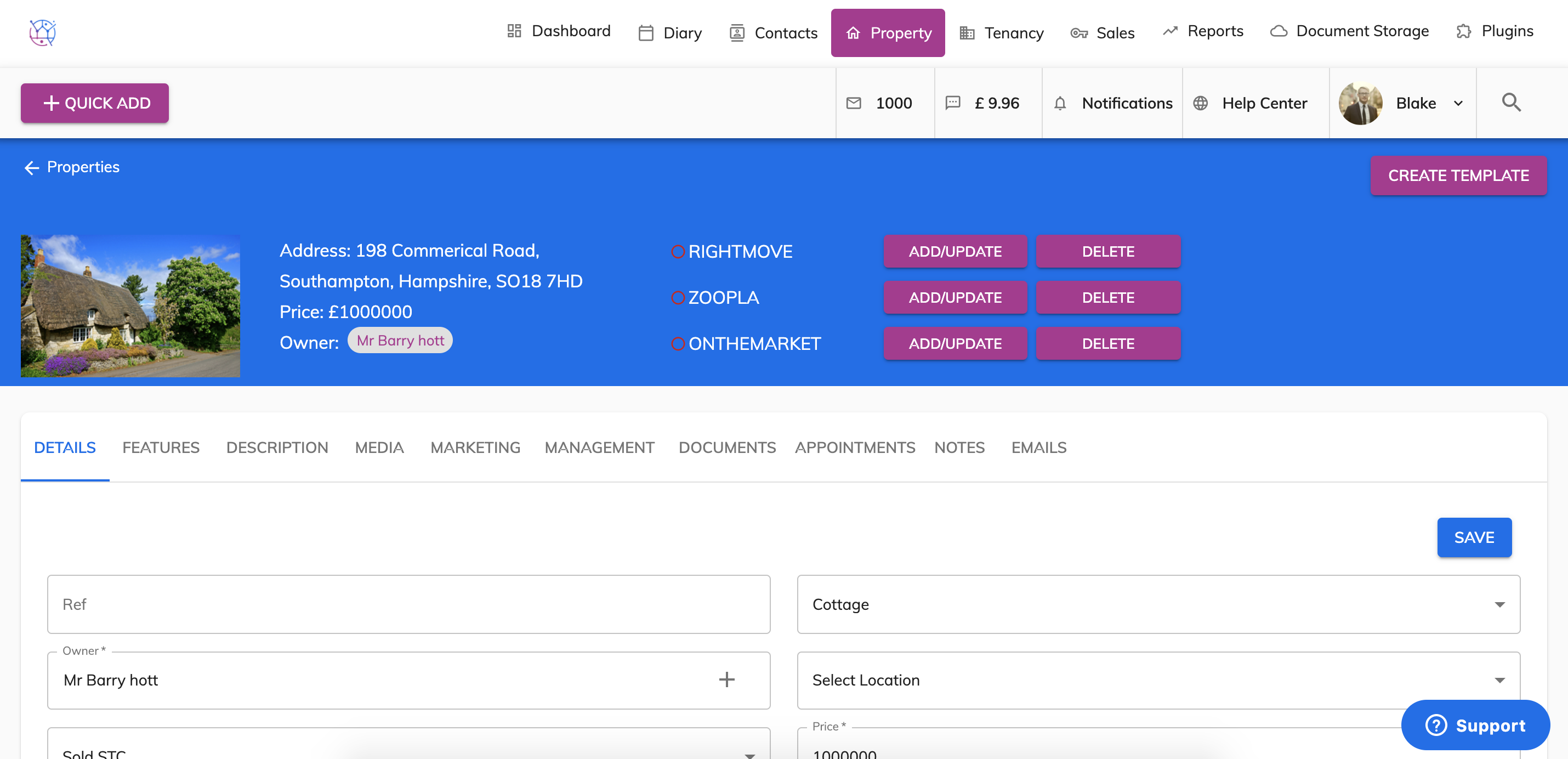
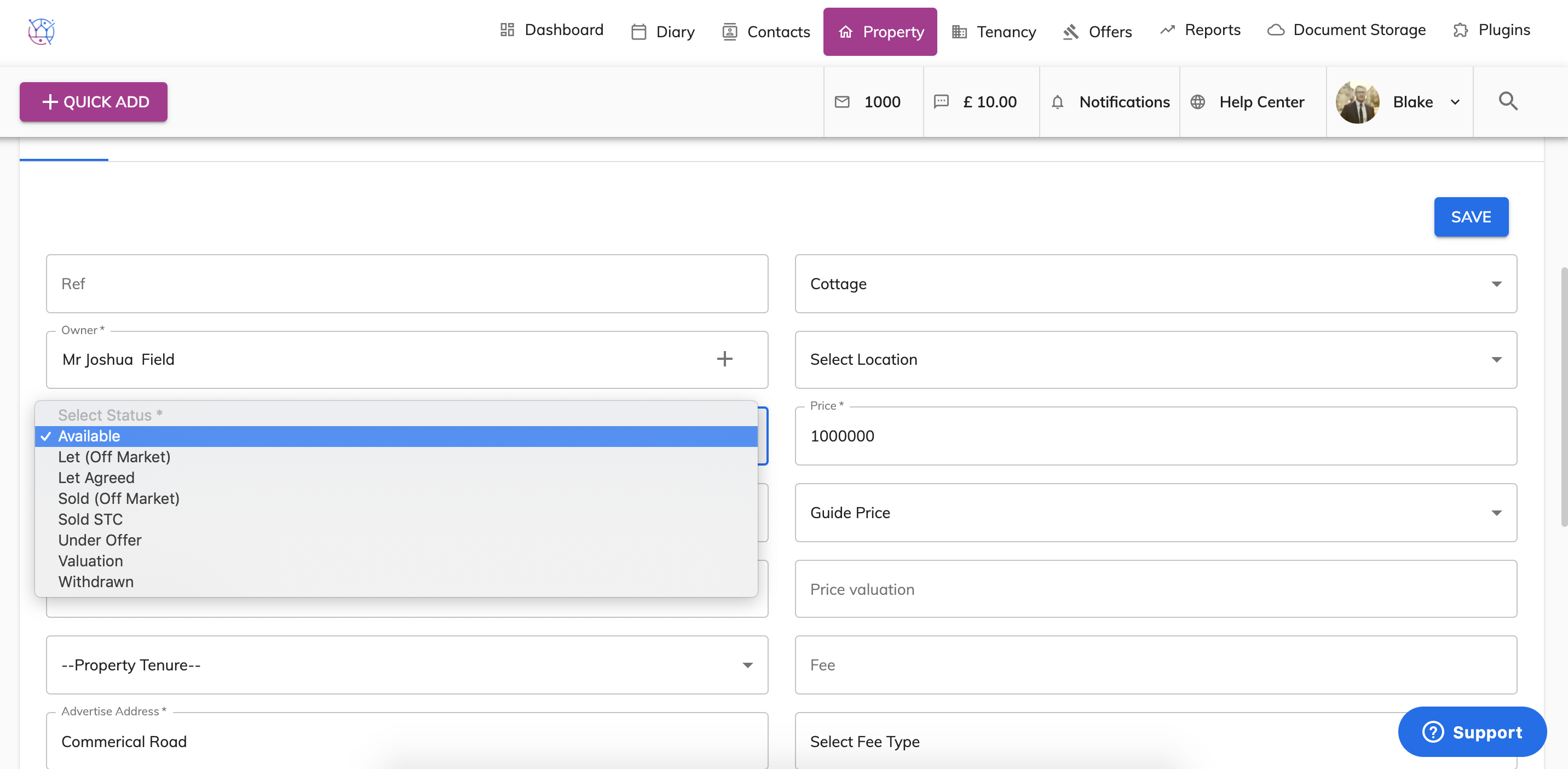
3) Locate the Status field, which can be found in the left hand column third row down.
Change the property status to any of the following:
Let Agreed (Off Market)
Sold (Off Market)
Valuation
Withdrawn
4) Press save.
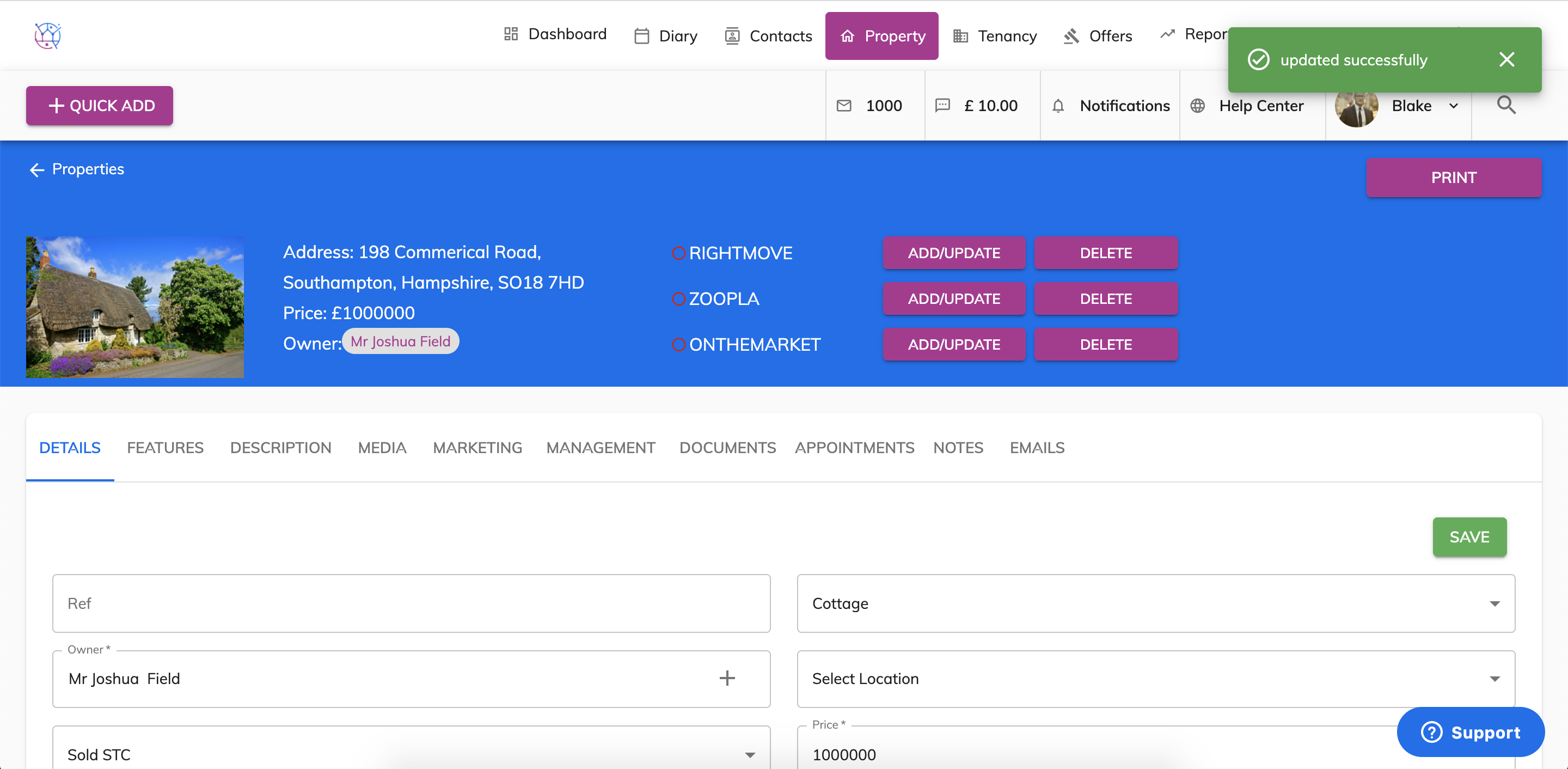
Please note the ftp portals are updated on a nightly basis. Your website will update every few hours.