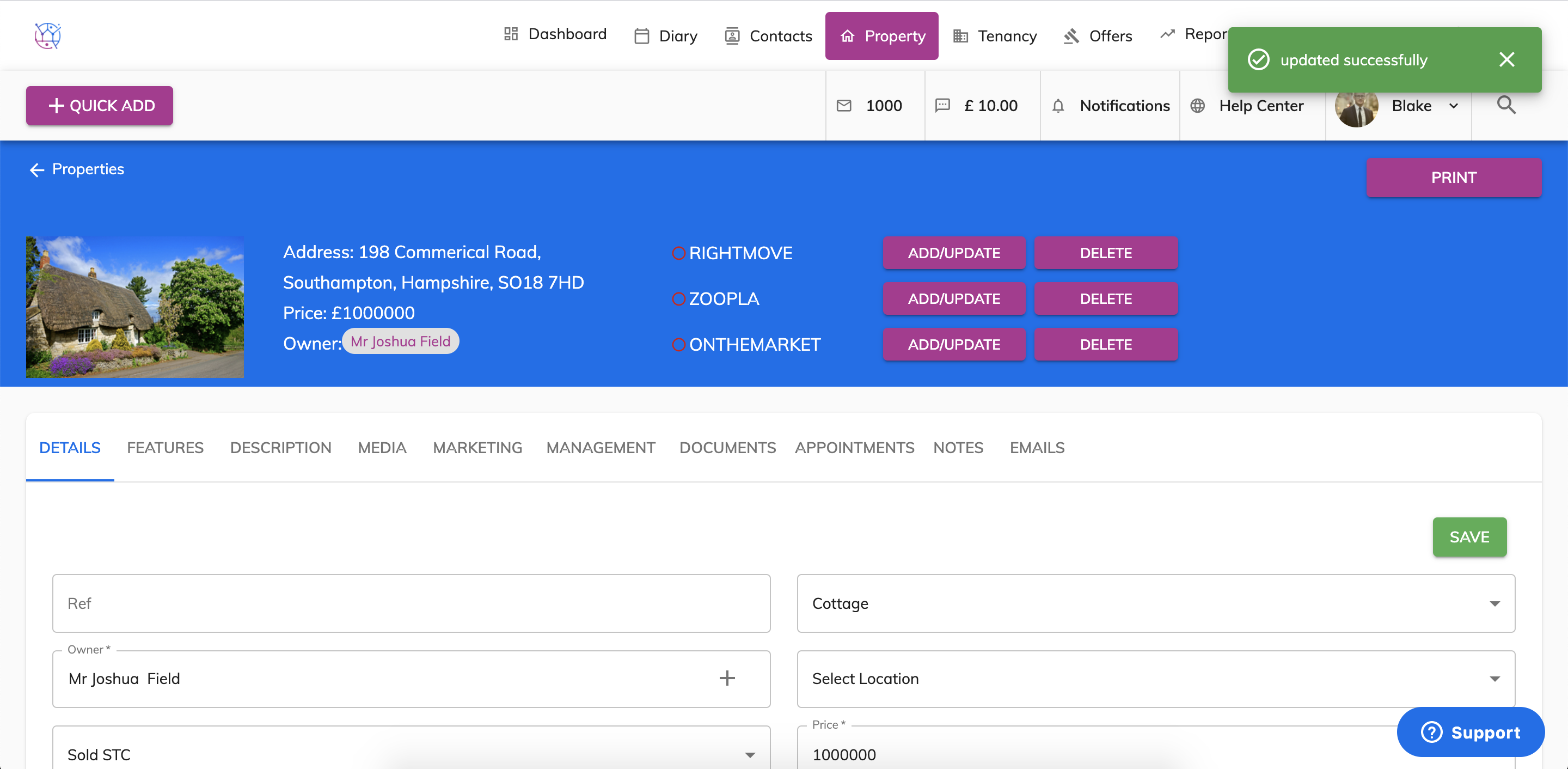
To edit a property, follow the steps below:
1) Click the Property tab.
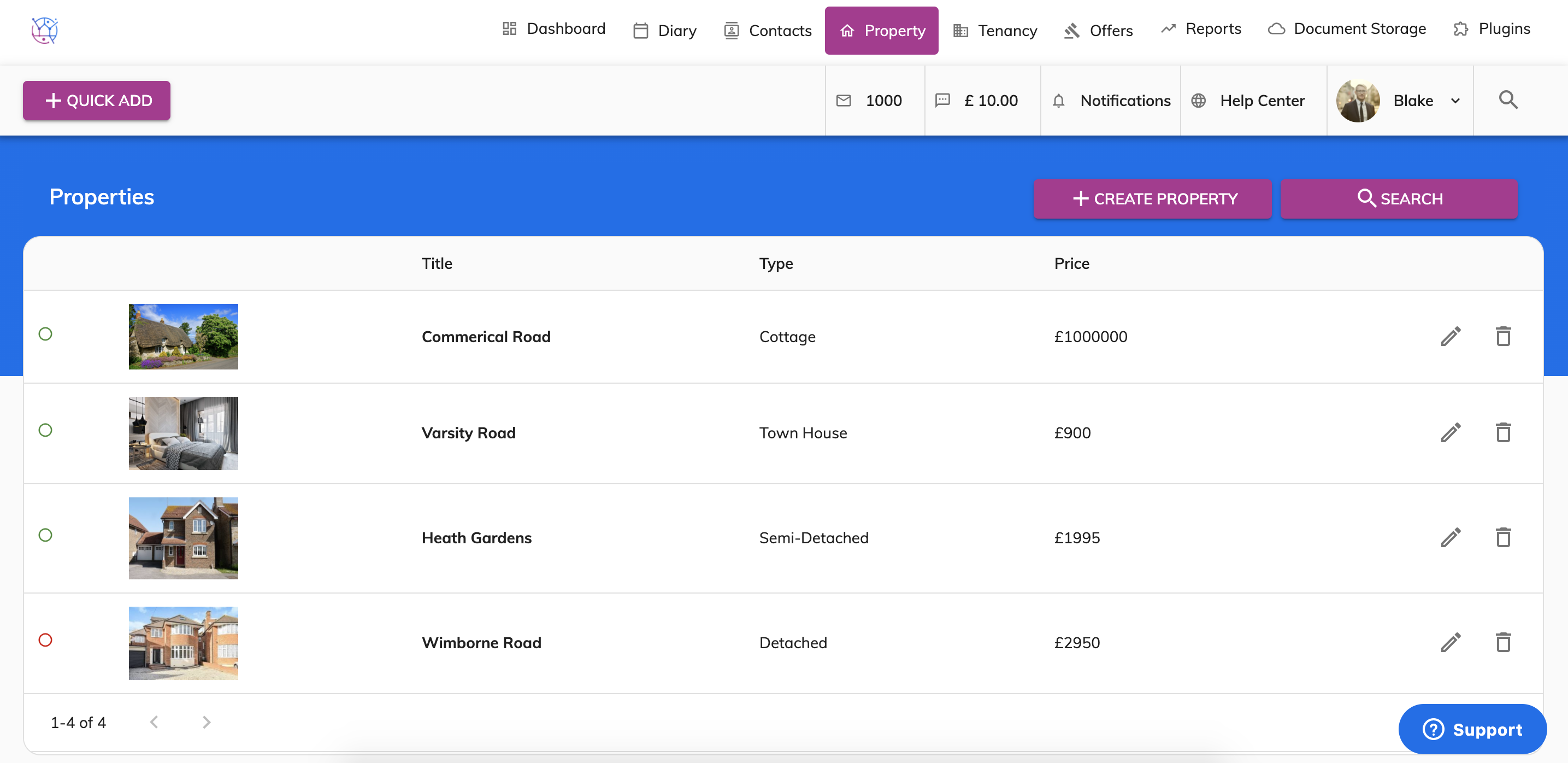
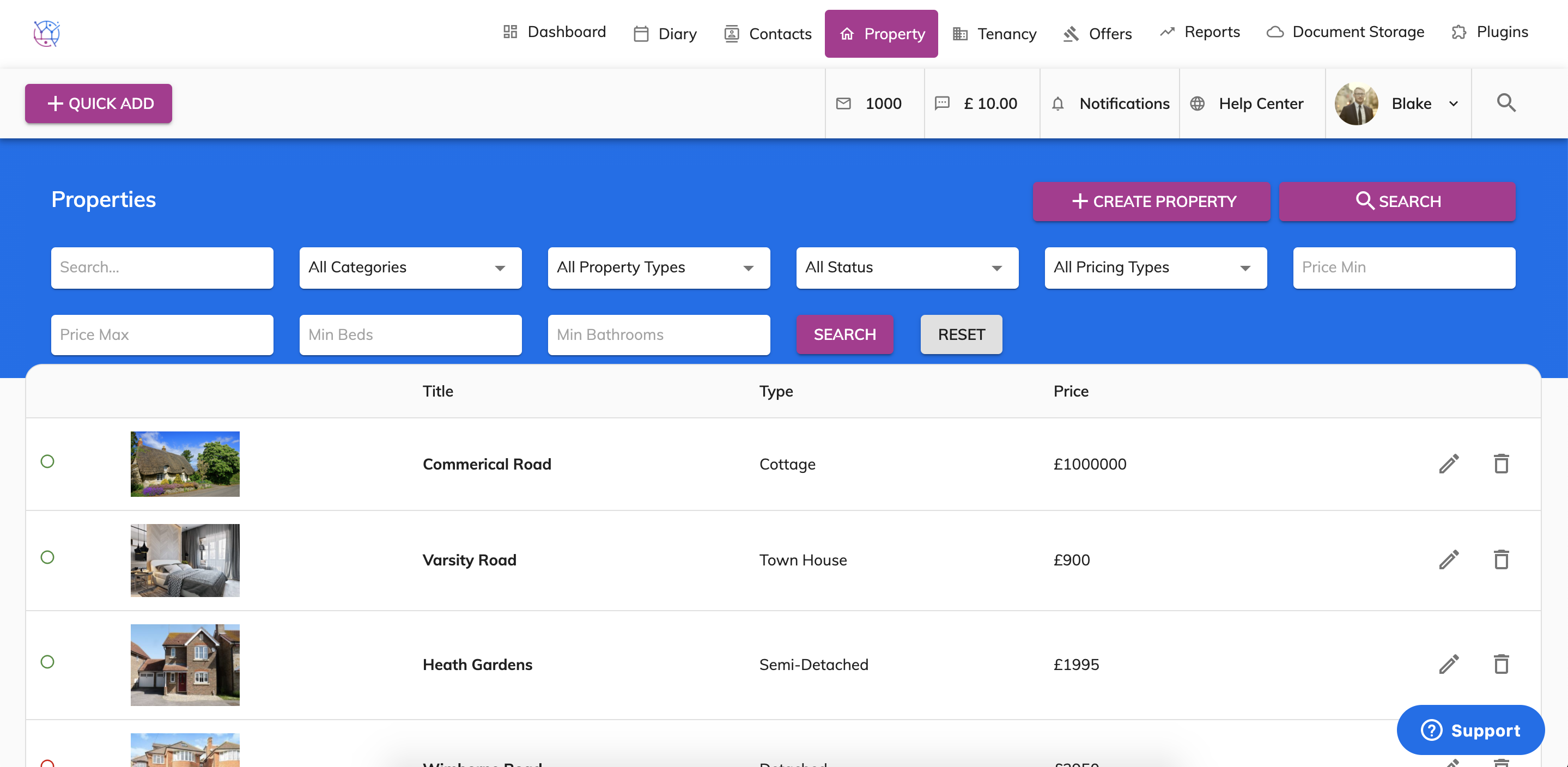
2) Using the property search, add in the name of the property and any other search criteria relevant. Then press search.
3) Click on the pencil icon on the right hand side of the property.
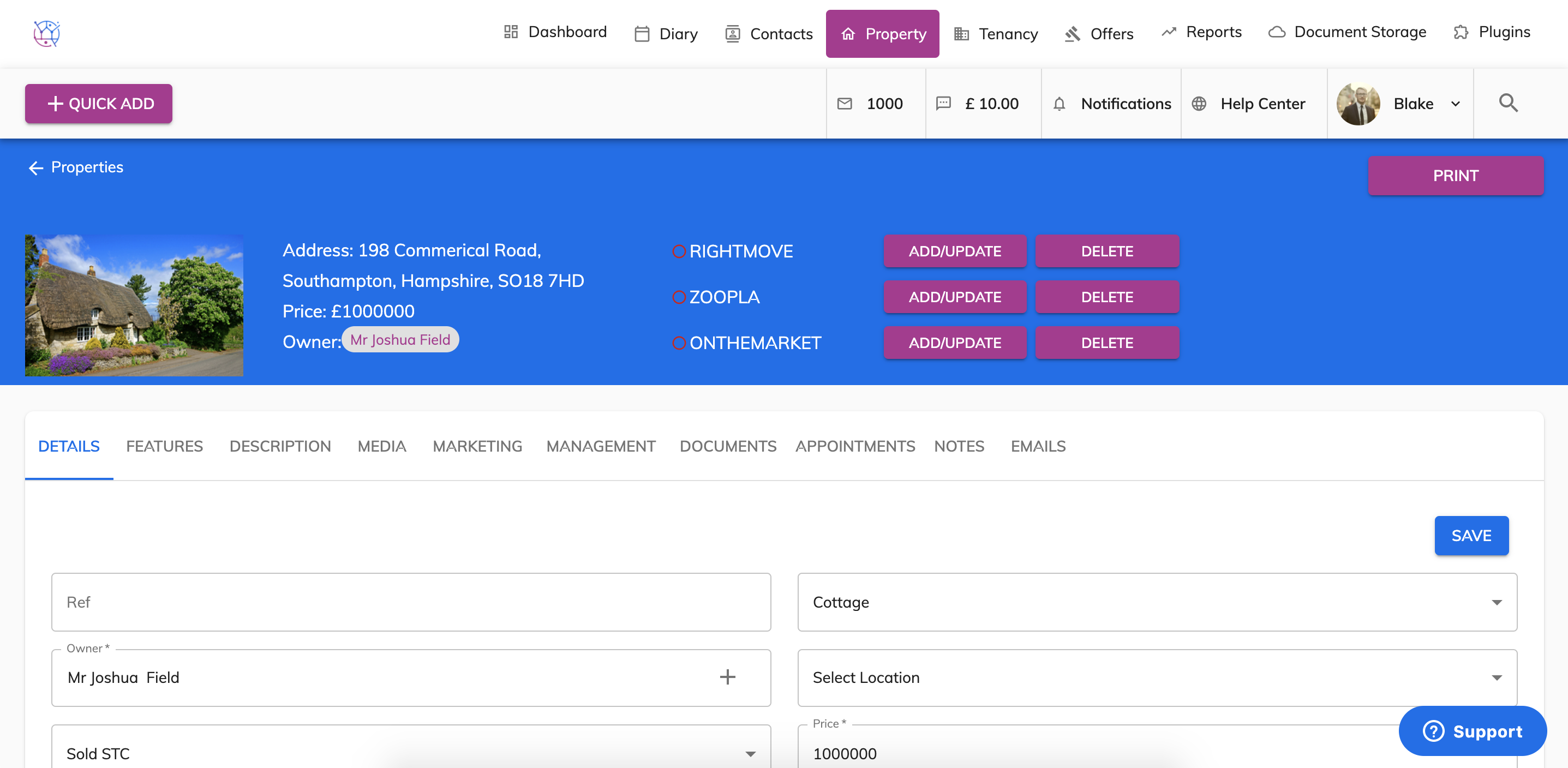
4) Make the necessary changes to the property details, images, floorplans, epc's as required. Press save. You will have a green confirmation saved bubble appear, to confirm this updated save.