
1) Click on the Property tab from the menu at the top.
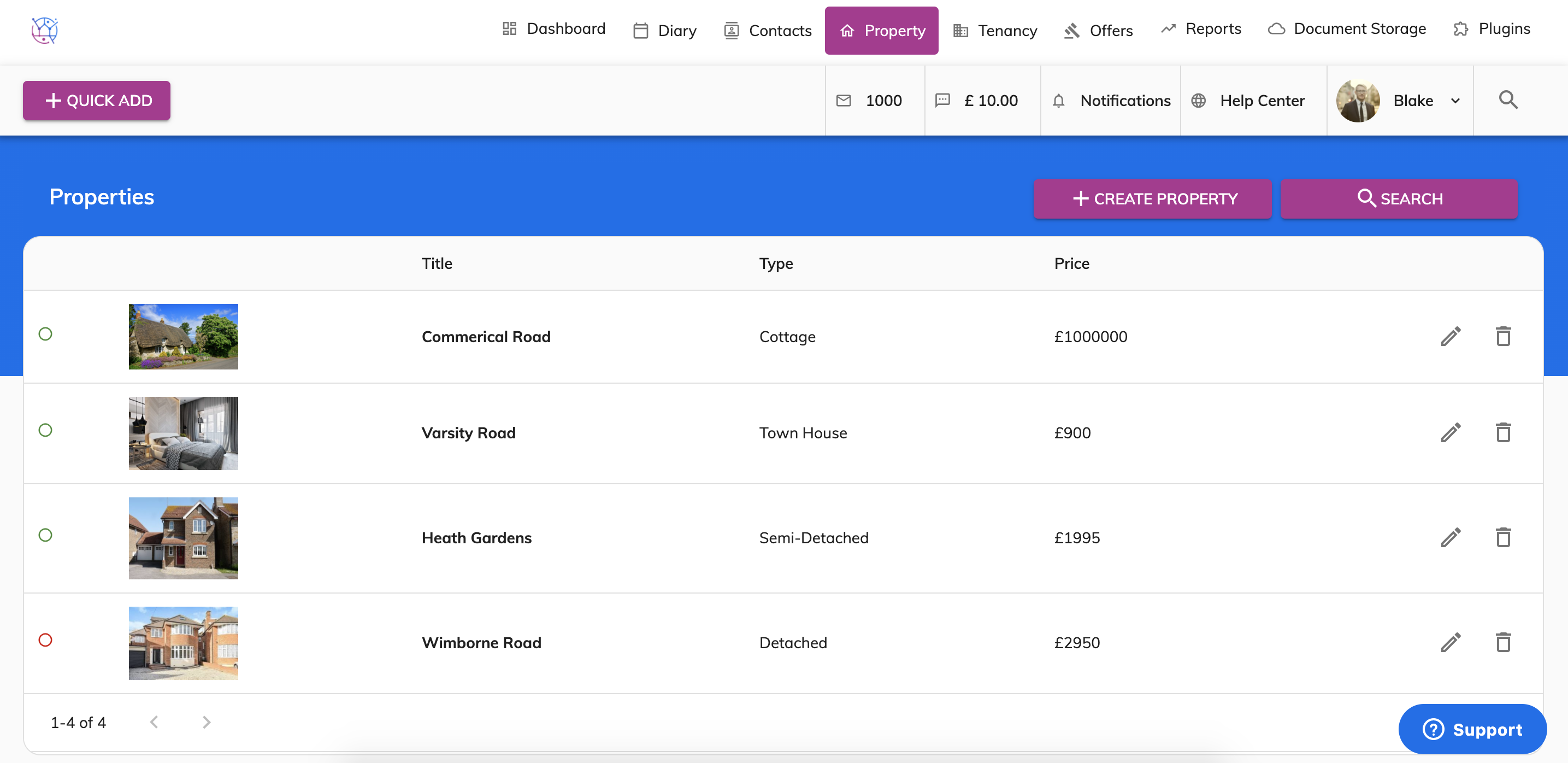
2) Press the pencil icon to edit the property. This will show the property details page.
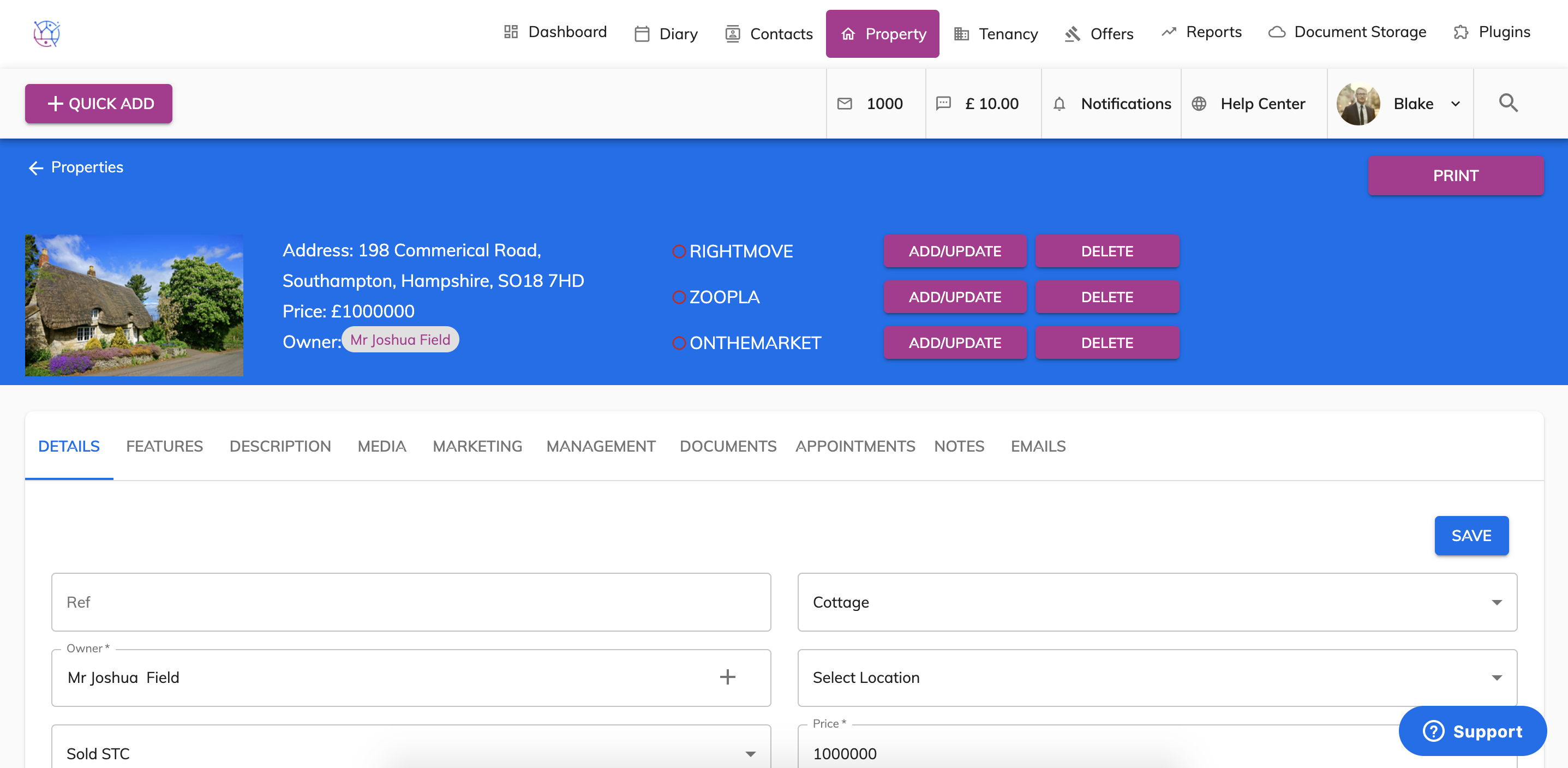
3) Select the Management tab from the menu.
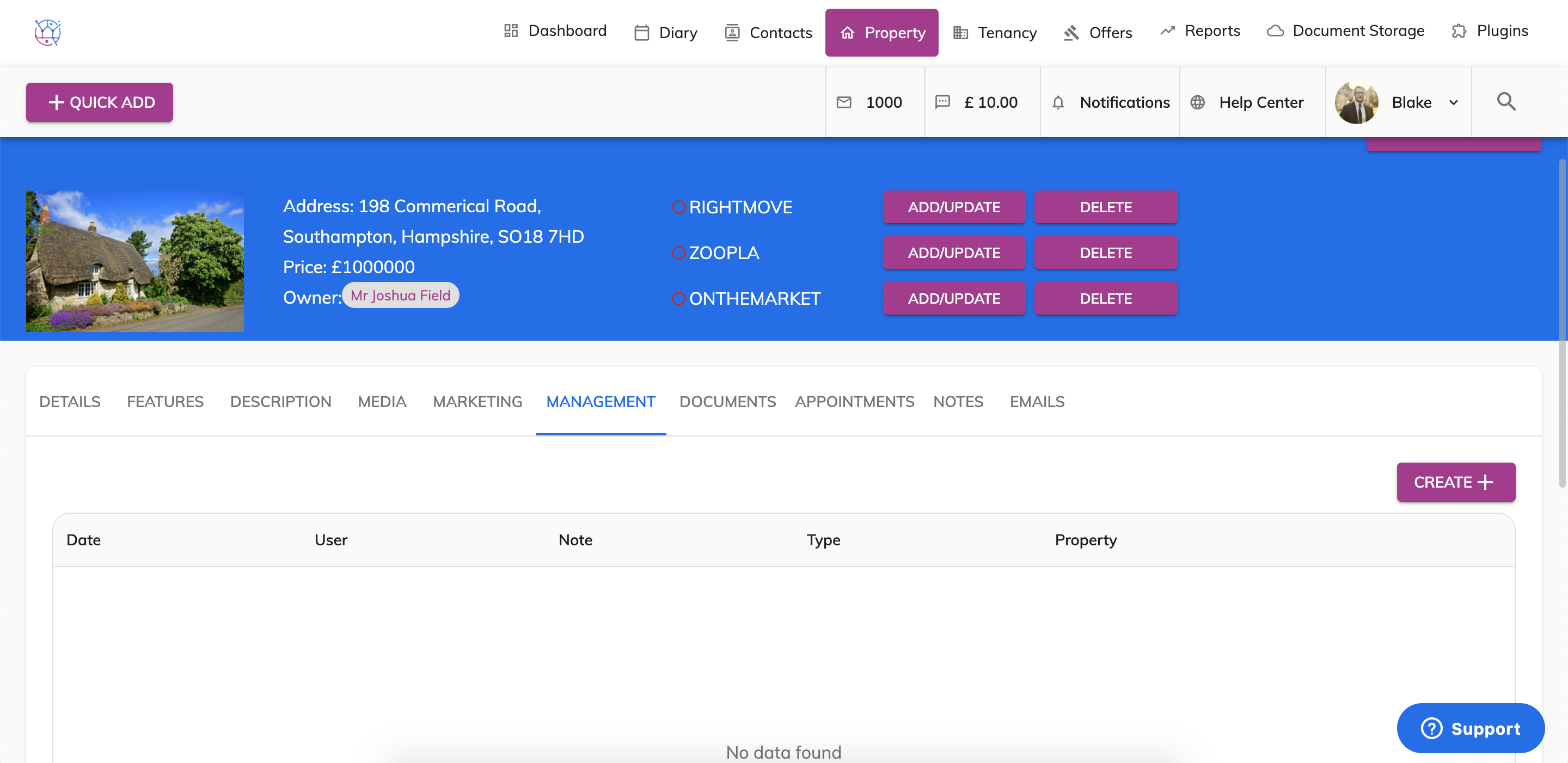
4) Press the create button.
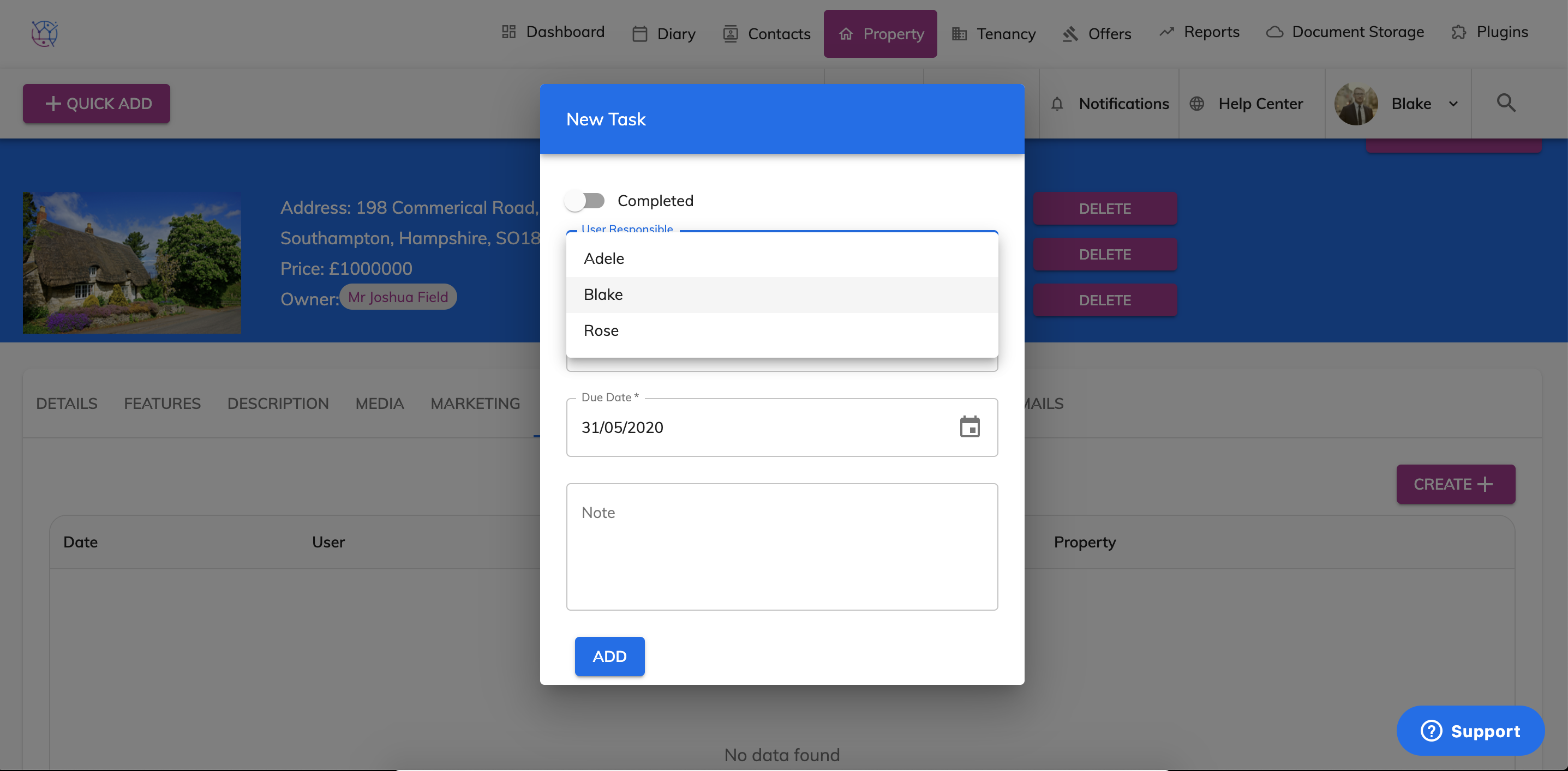
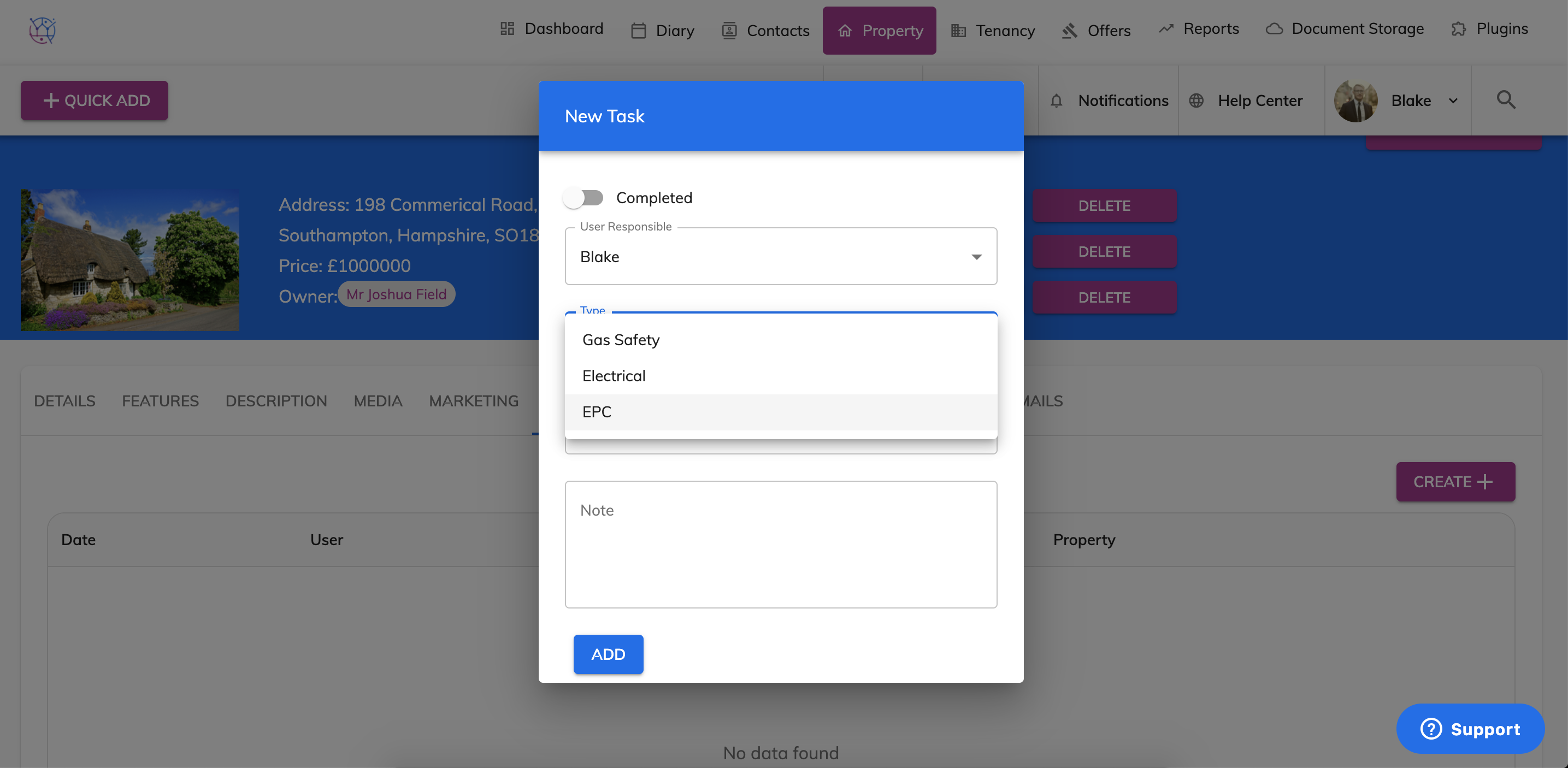
5) Select the user responsibility and the type eg Gas Safety, Electrical, EPC.
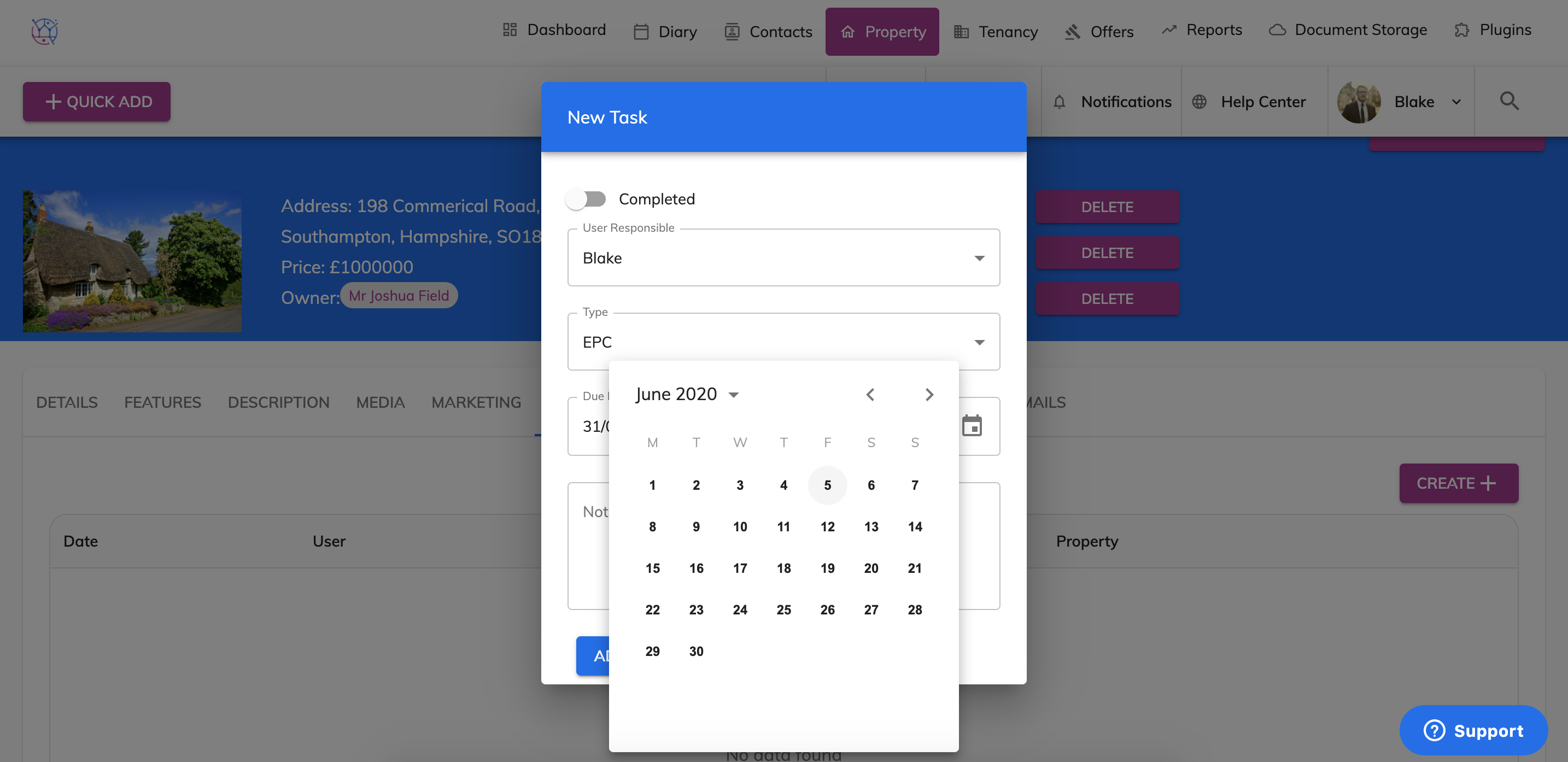
6) Select the date you want to be reminded and any additional notes relating to the task for example the expiry date of the Gas Safety.
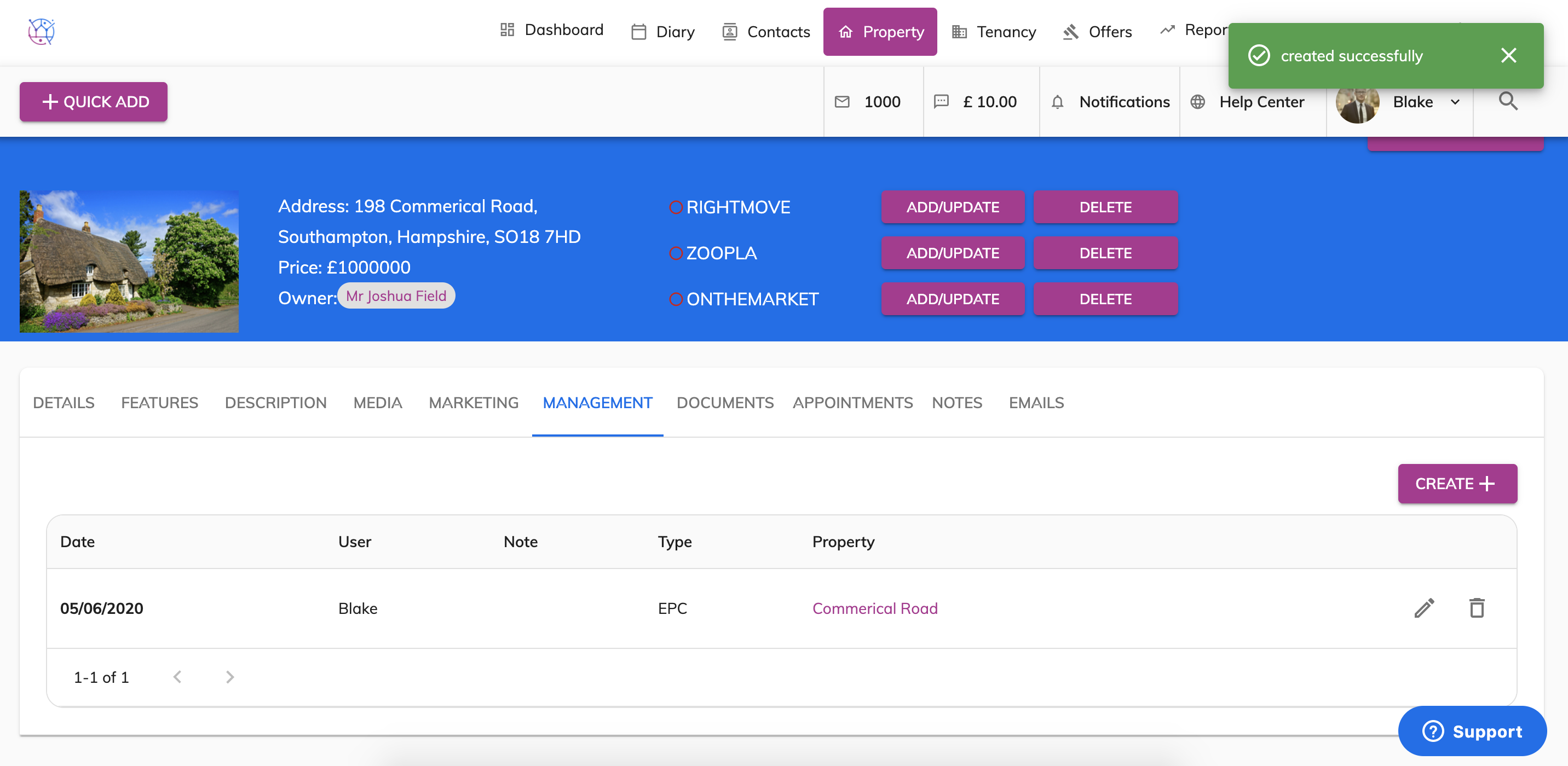
7) Press Add. This will then add the management task on to the property.
8) When this management task is due it will show on the dashboard
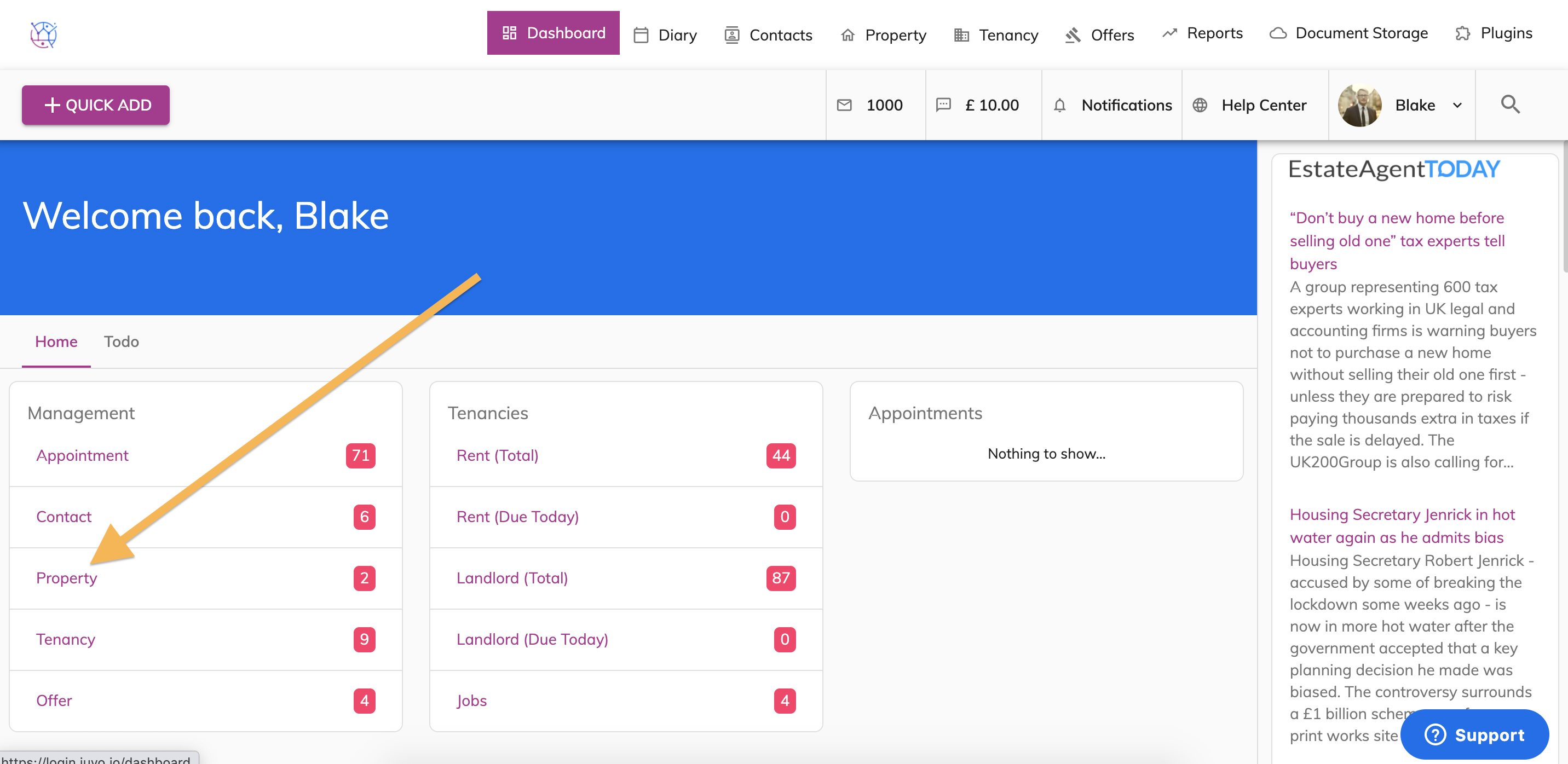
As well as on on the property section in the management dropdown.
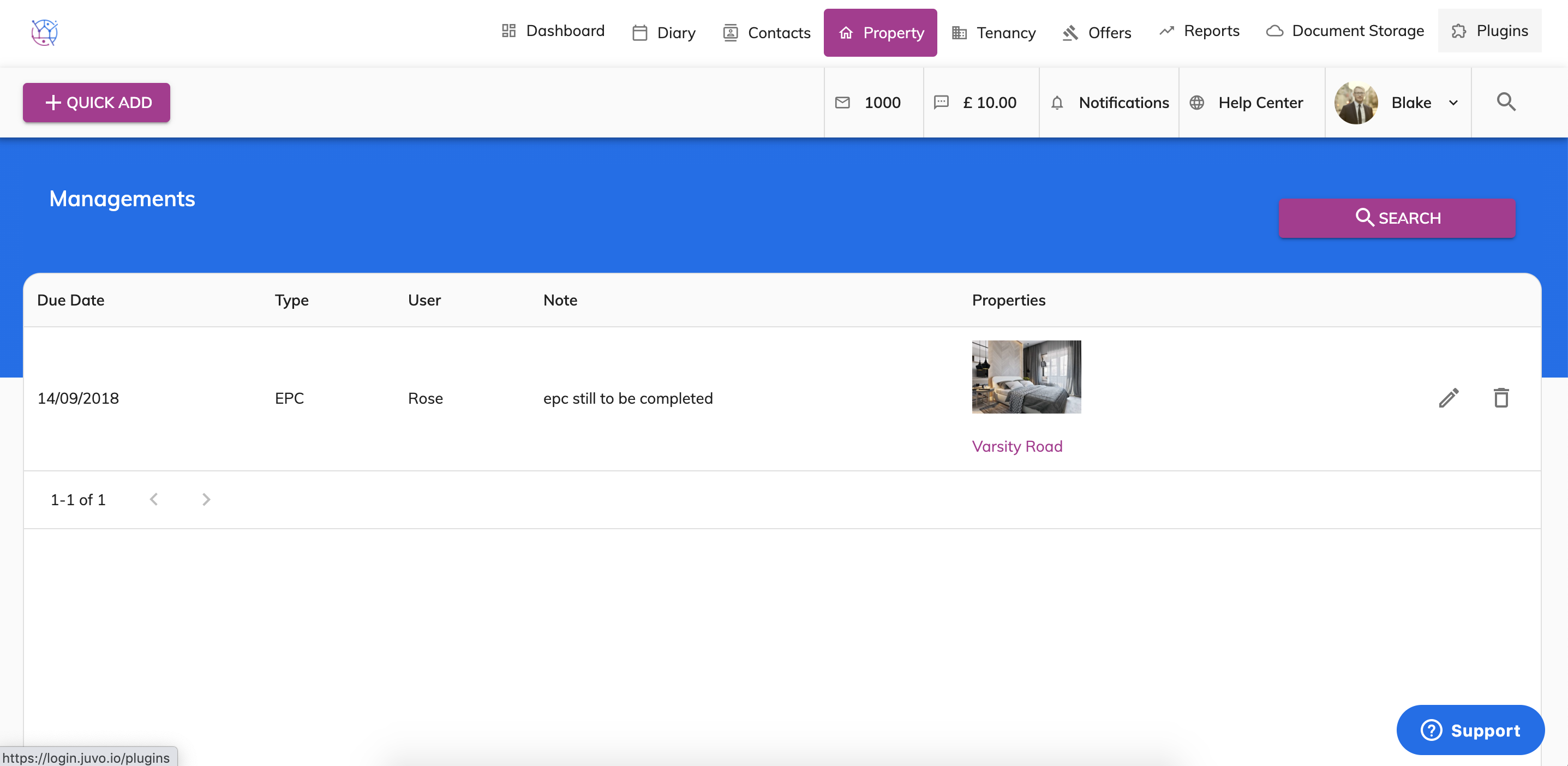
The management task will stay as a reminder in both of these places until the task has been completed.