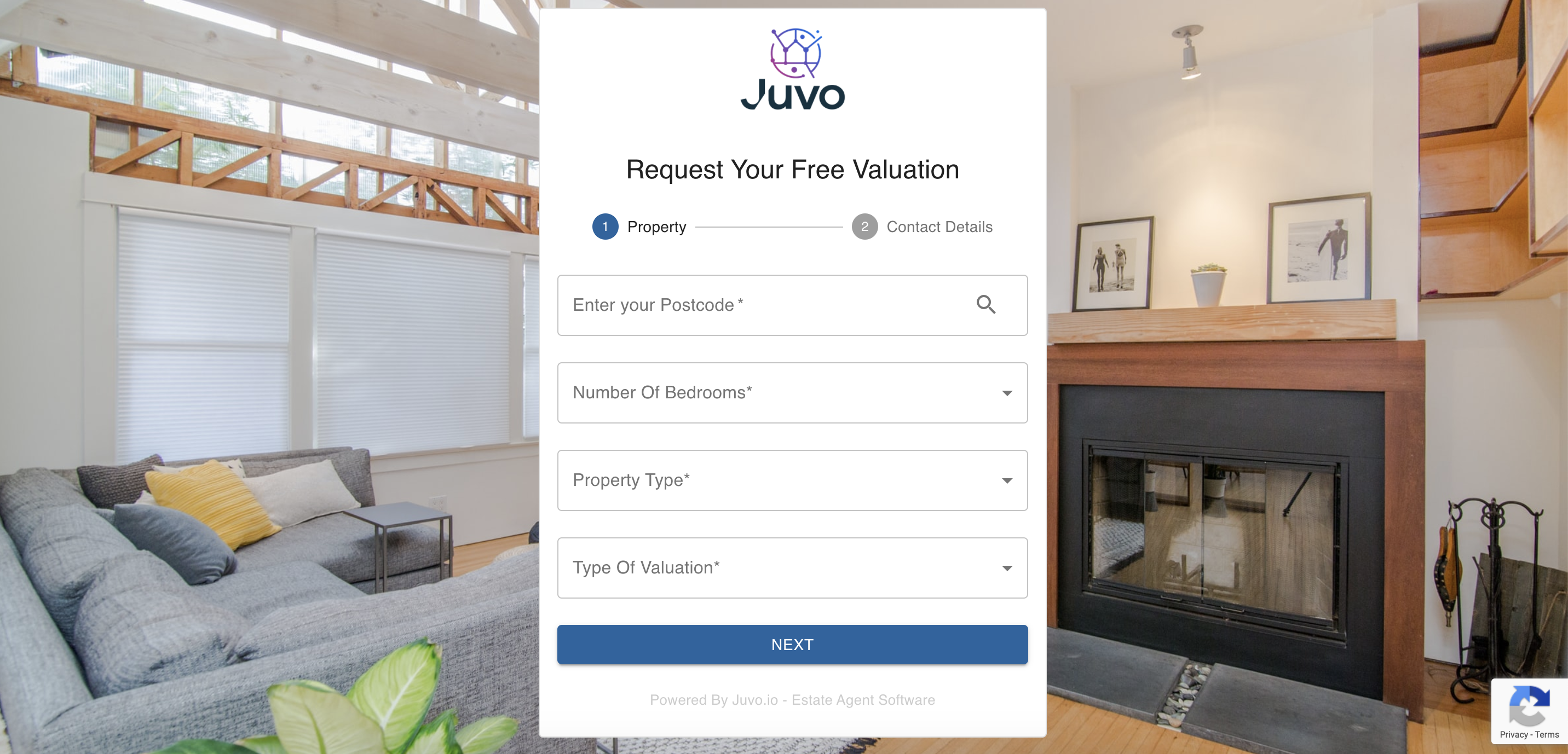
To start using the Online Valuation Tool on your website, you first need to activate the plugin within Juvo.
1) Go to Plugins.

2) Locate the Online Valuation Plugin.
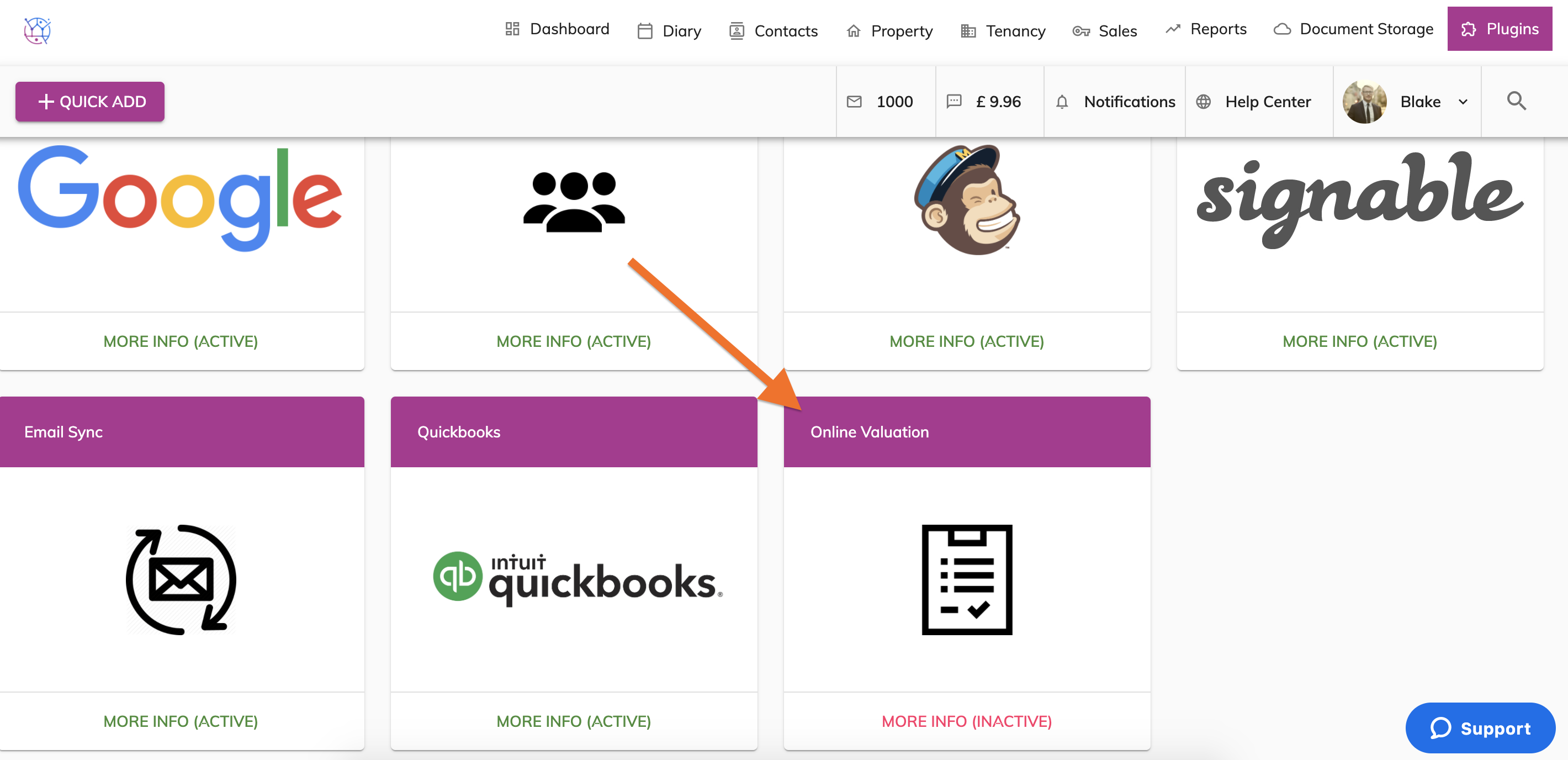
3) Click on the More Info button located within the Online Valuation plugin box.
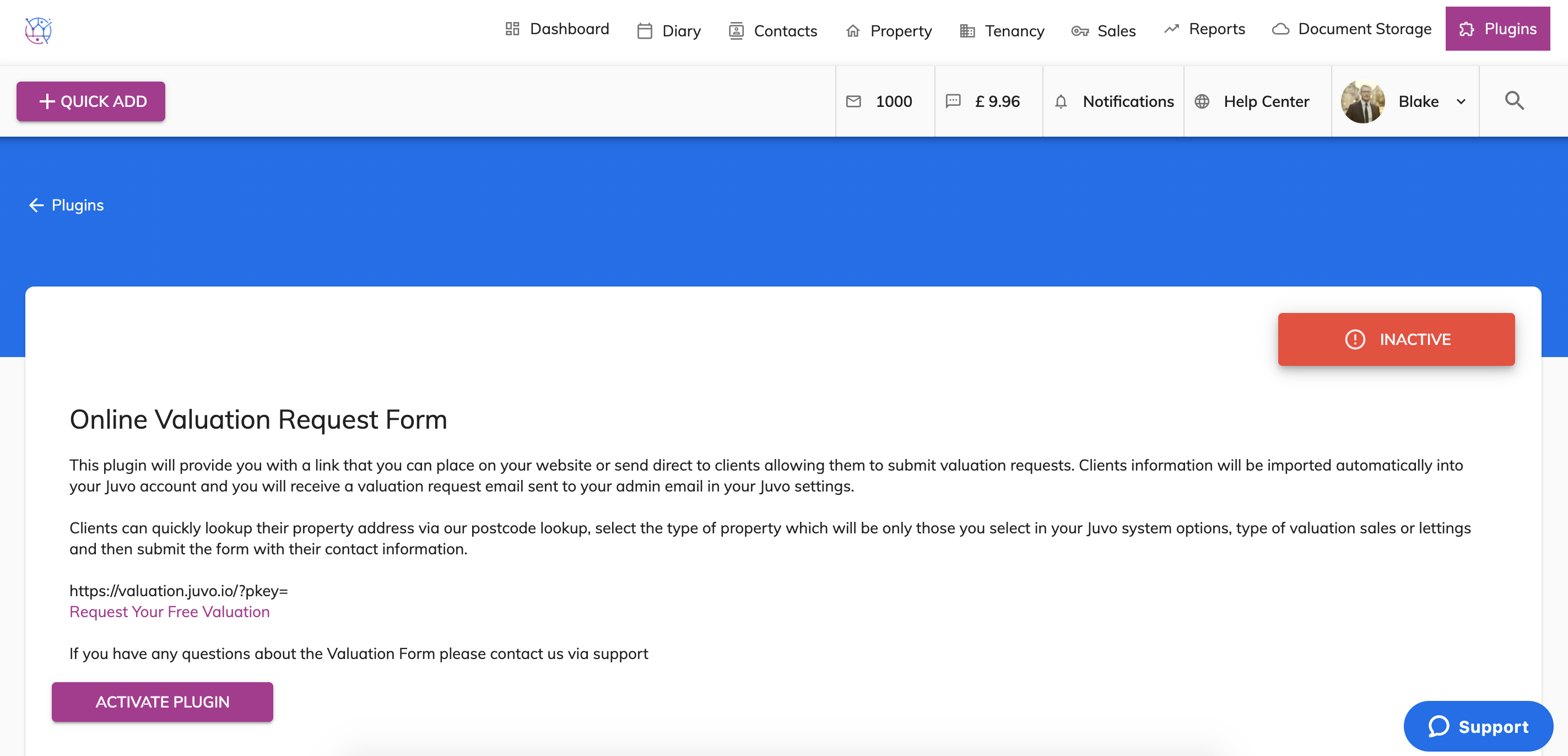
4) If the Online Valuation tool has not previously been activated it will be showing as Inactive. Press the Activate Plugin to make the plugin active.
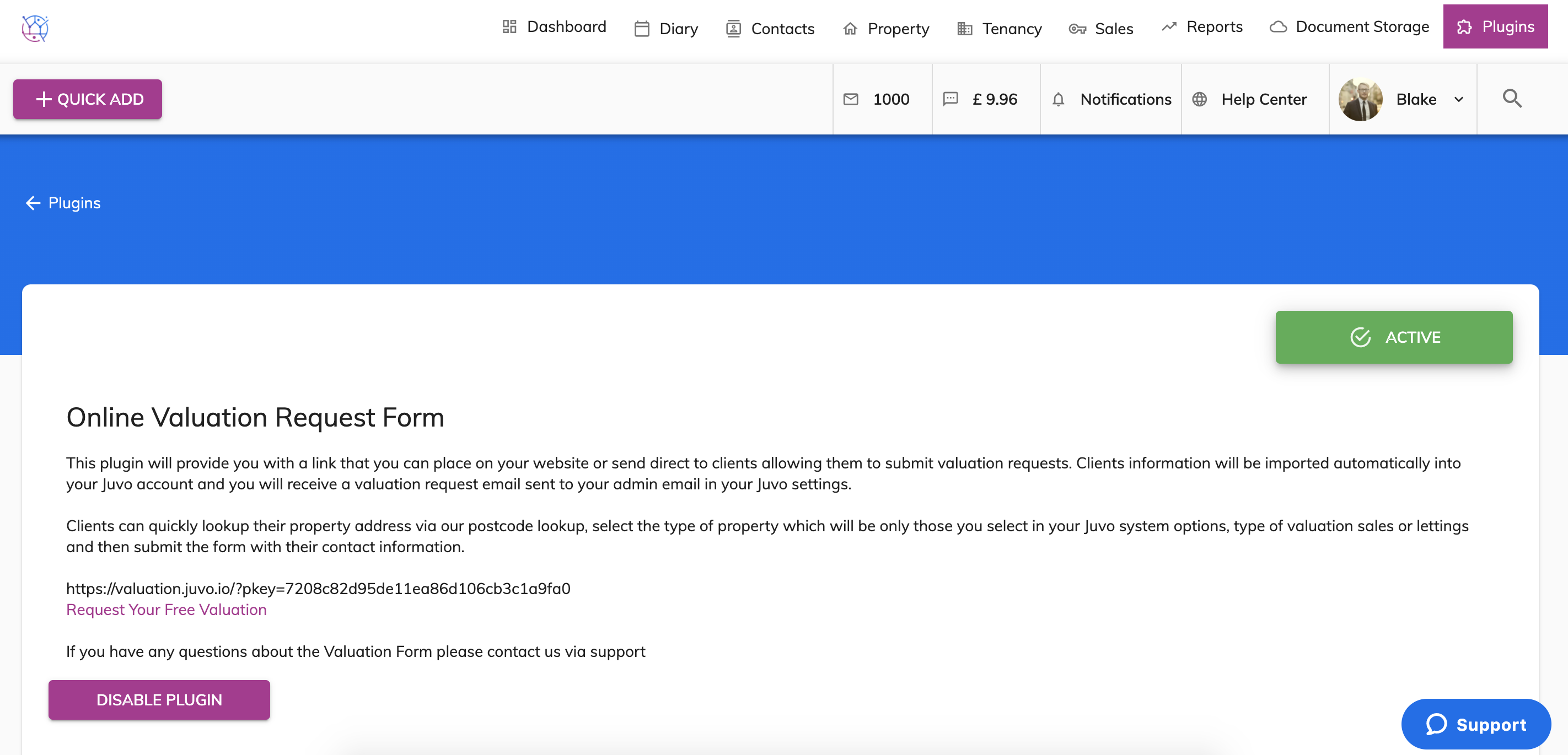
5) The plugin is now Active and ready to be used. Copy the link and add this as a button to your website.
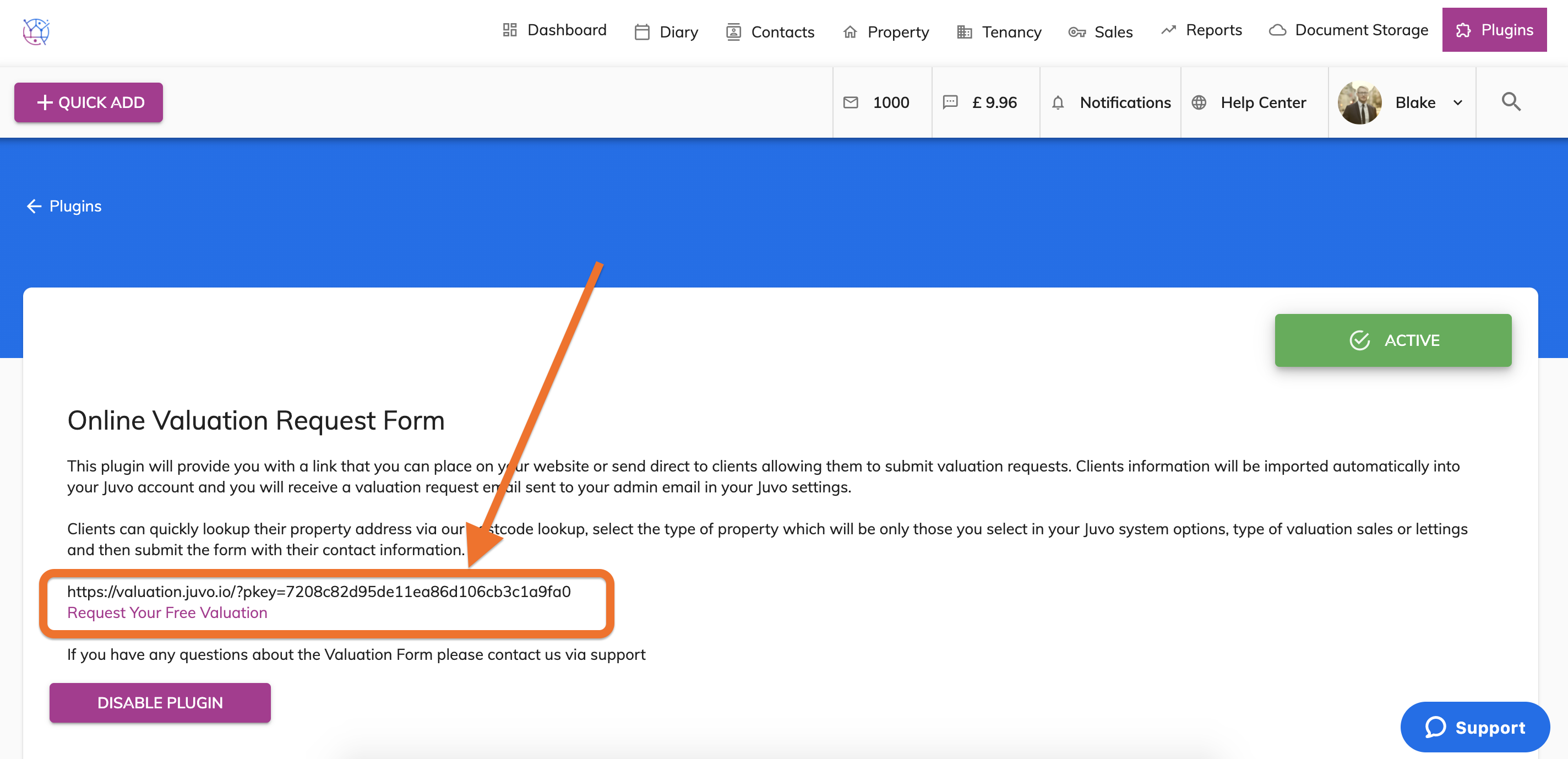
6) Your clients can Request their free Valuation straight away directly from your website. Once the form has been submitted, their details will be added automatically as a contact into your Juvo account and you will be notified via email of the new Valuation request.