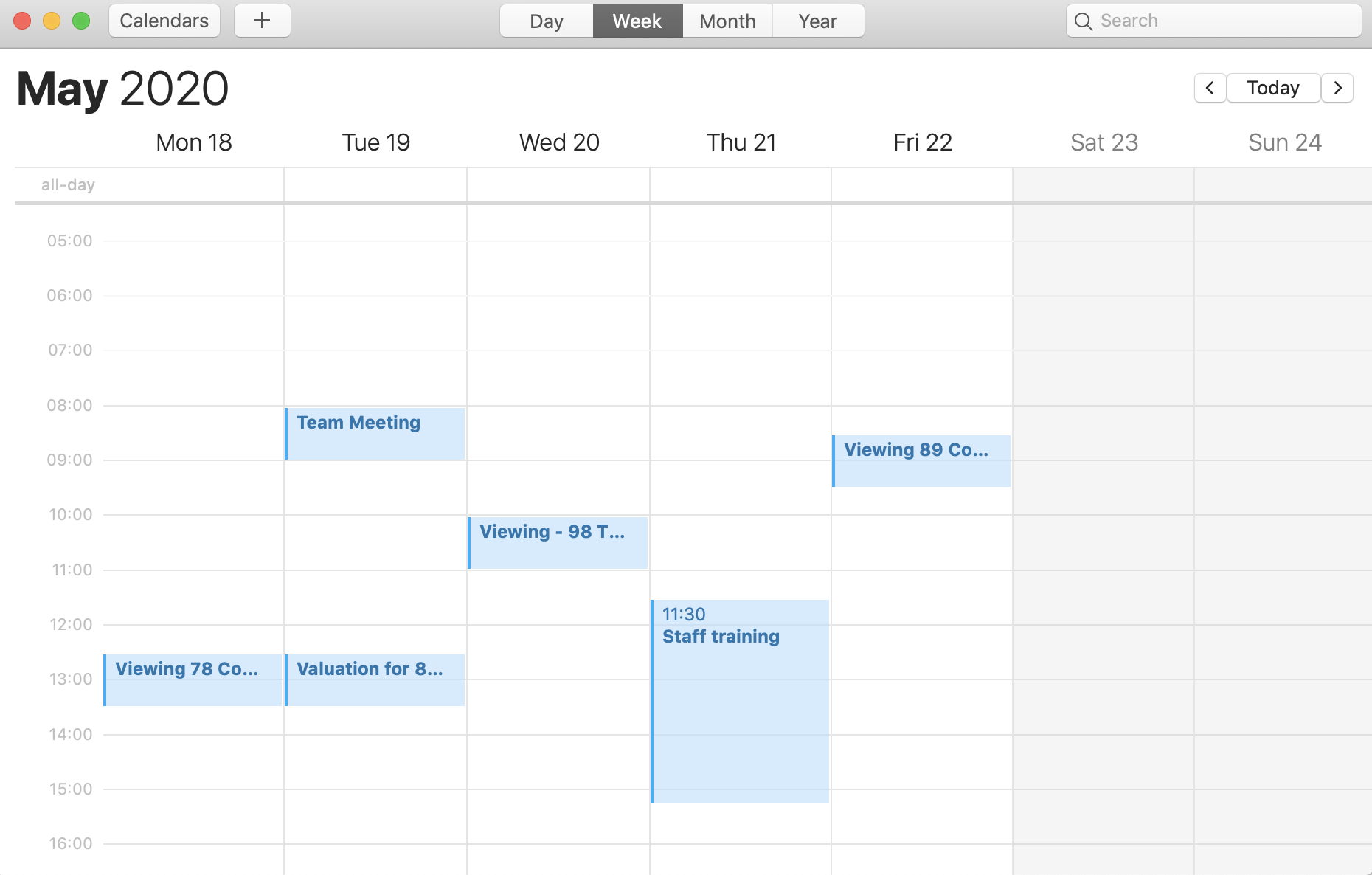
The Juvo calendar sync allows you to automatically sync appointments from your Juvo diary directly with third party calendar apps such as Google, ICal and many others.
Simply just set up the feed before once and then your diary will continue to sync in the background.
1) Open your third party calendar app.
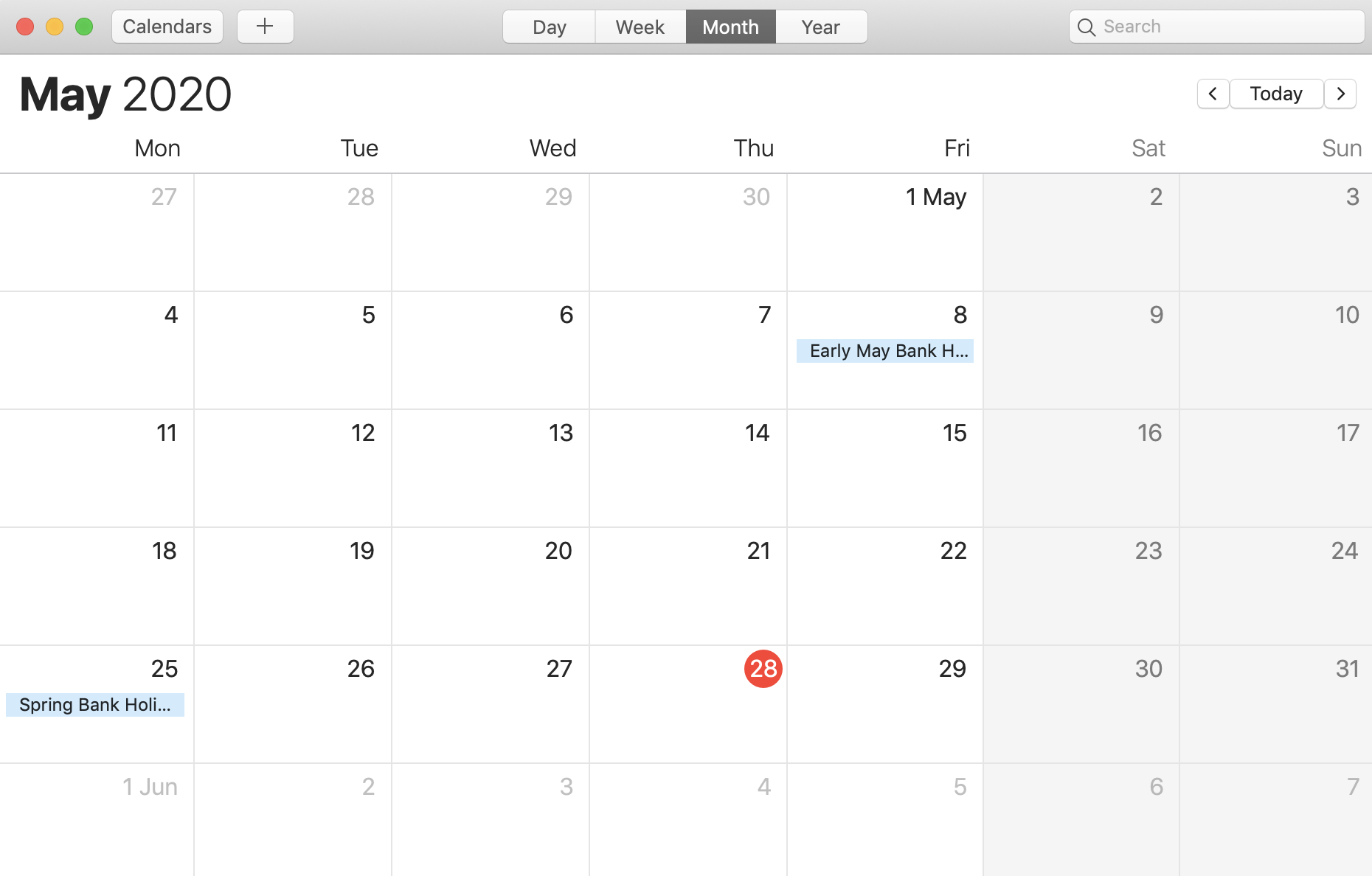
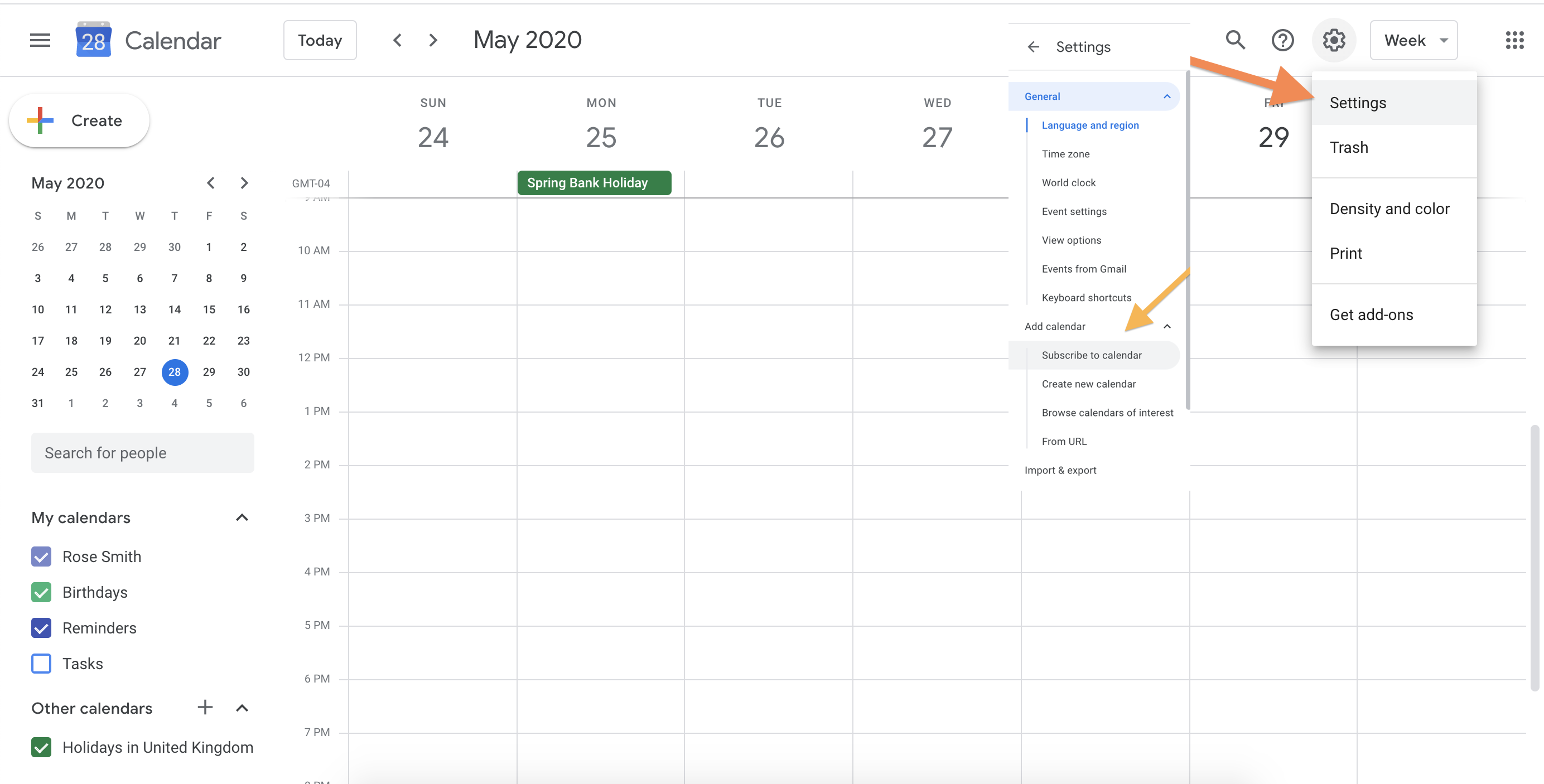
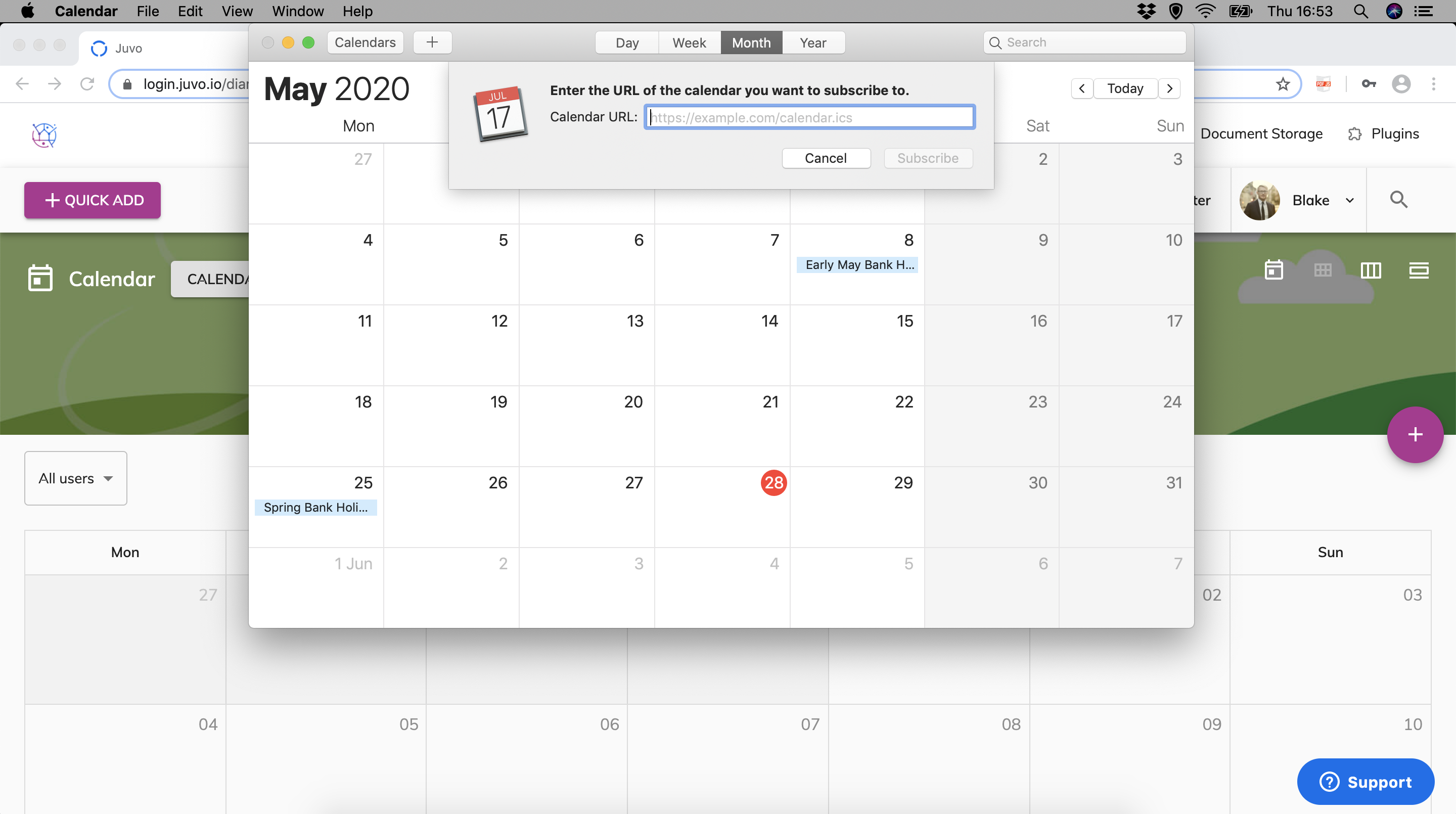
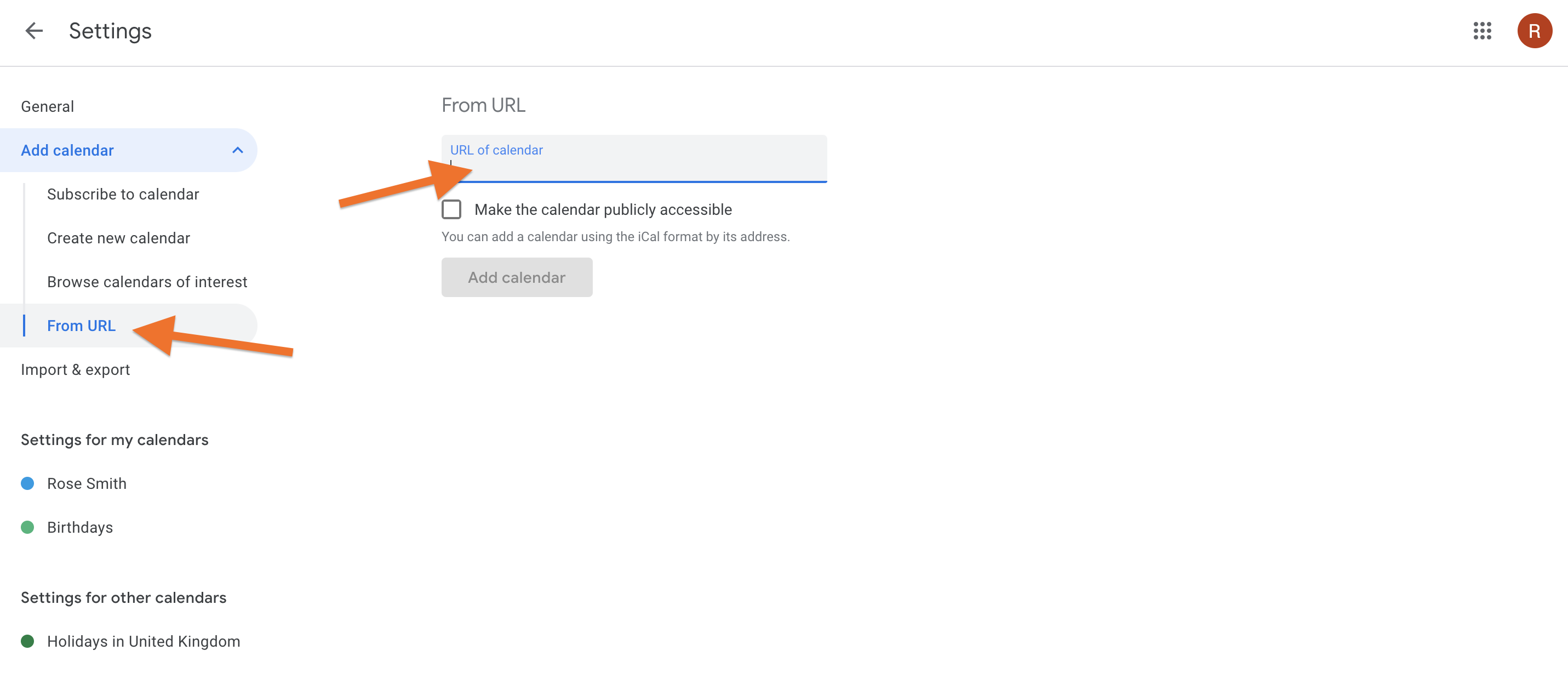
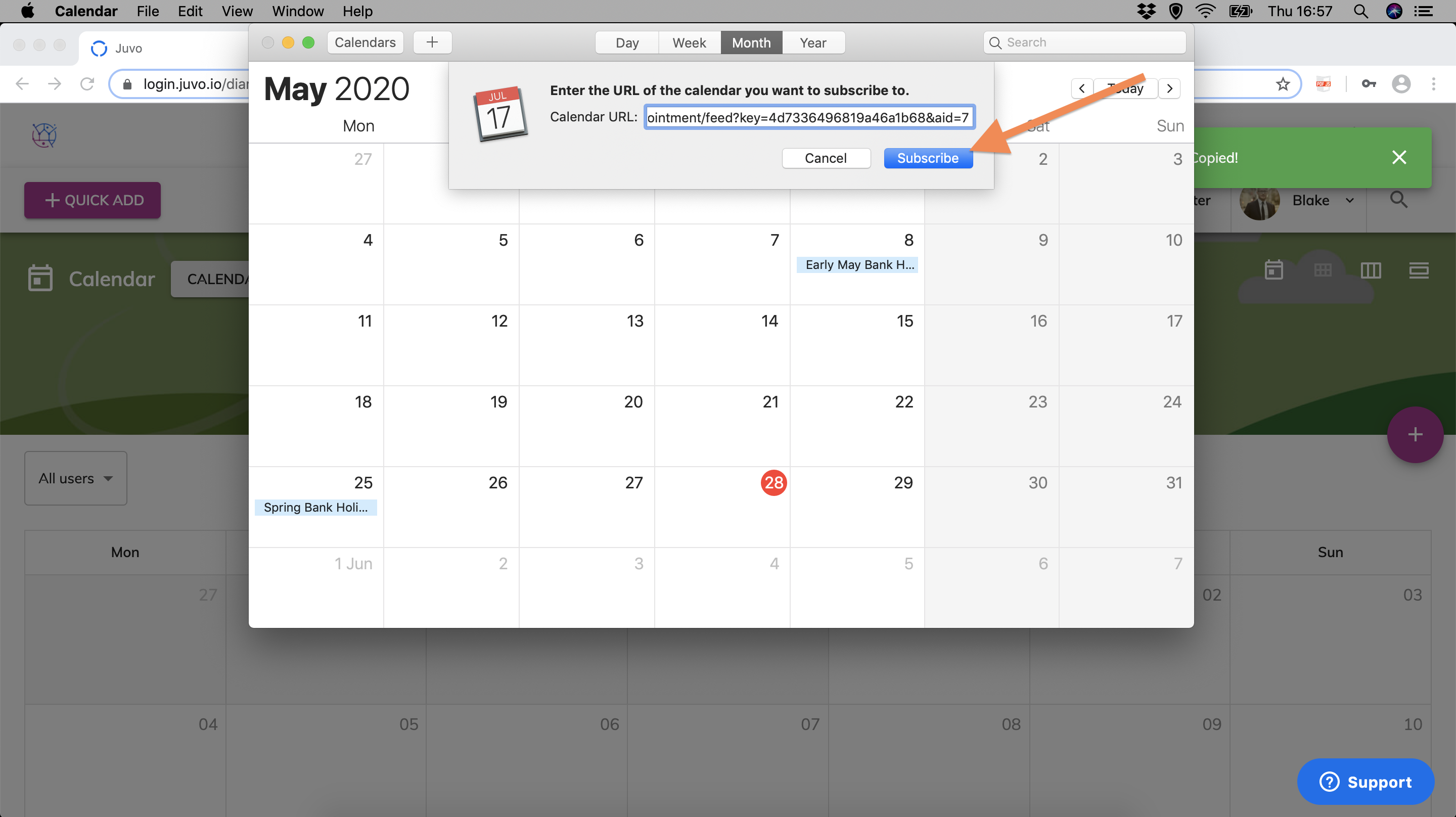
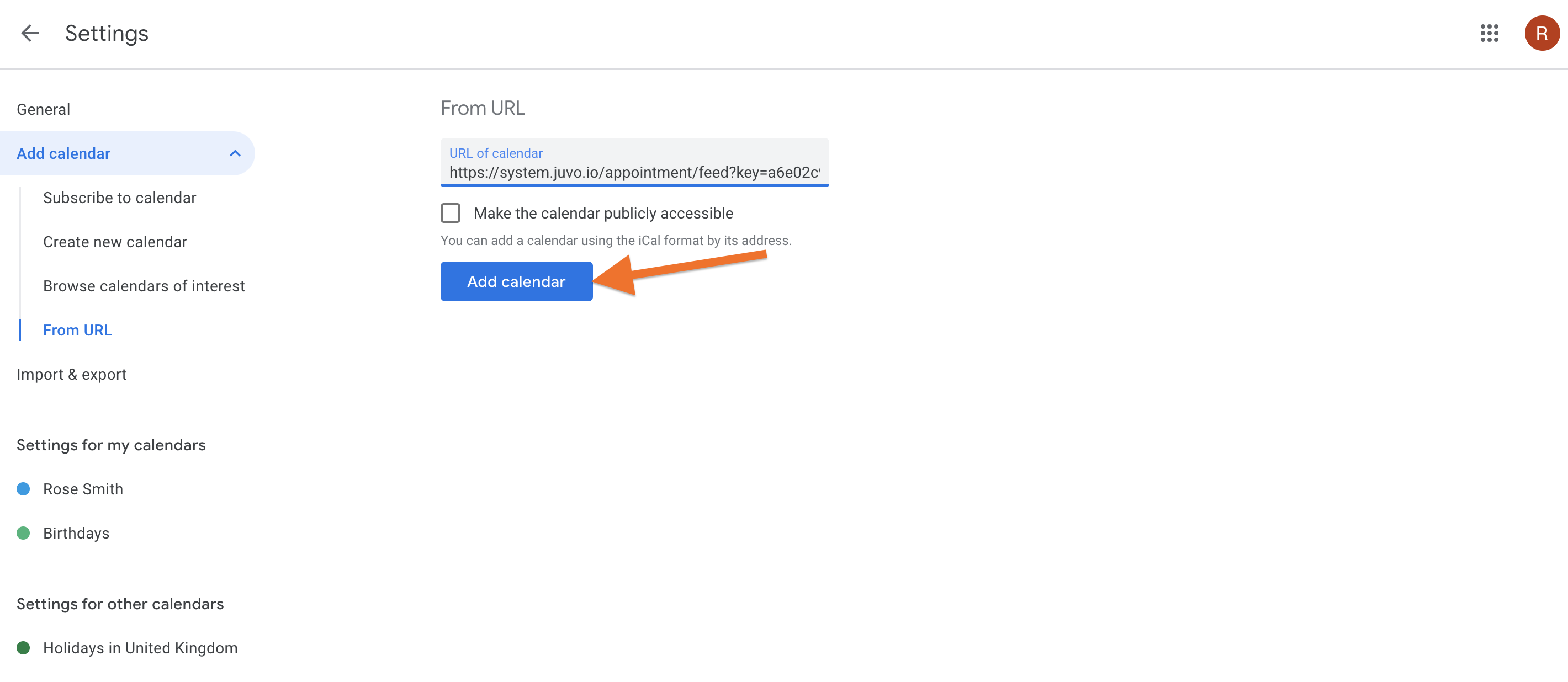
2) Locate the New Calendar Subscription button. In Ical this can be found in the File menu and for Google Calendar this can be found in settings.
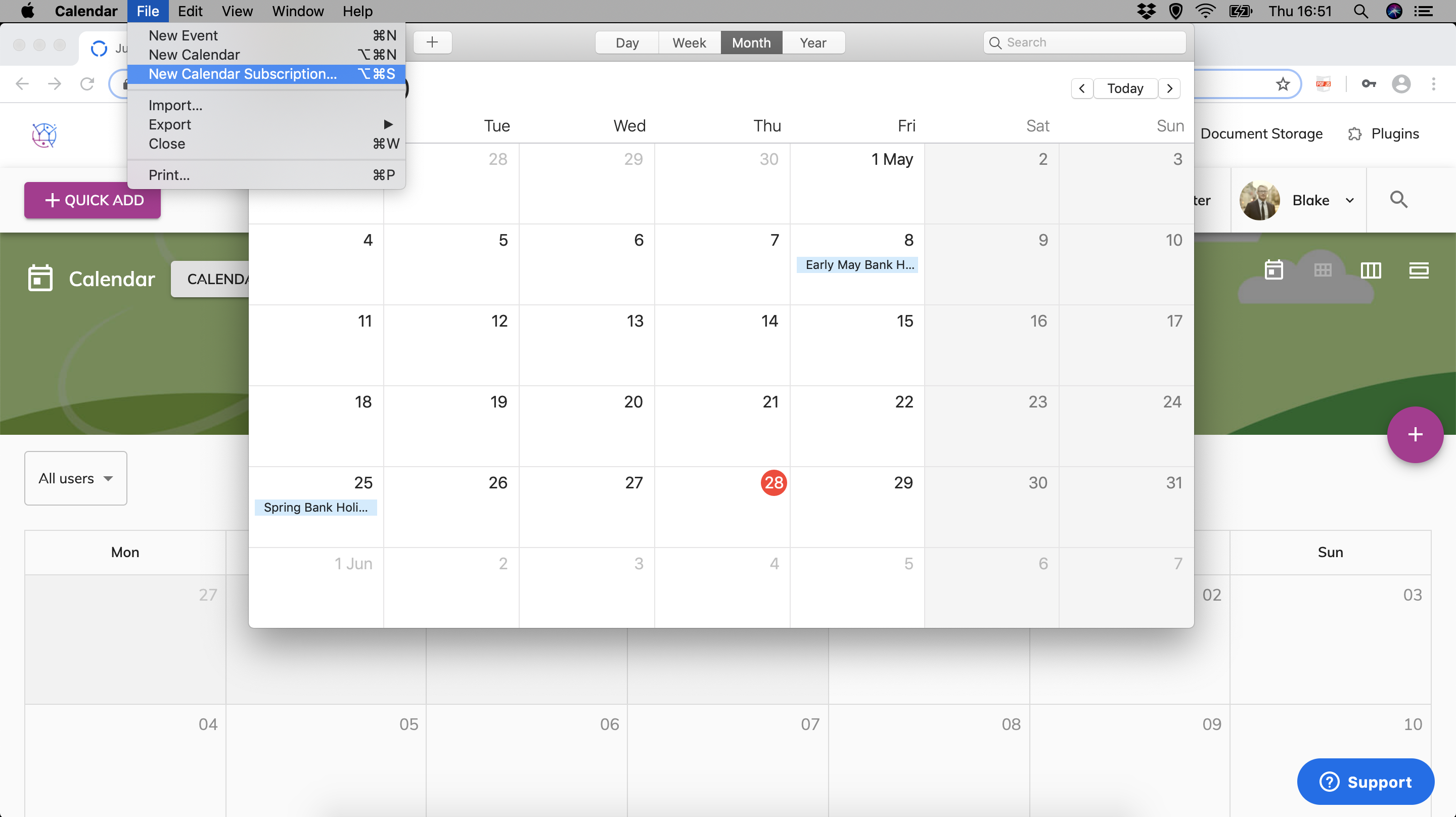
3) Your third party calendar will now ask for a Calendar Url.
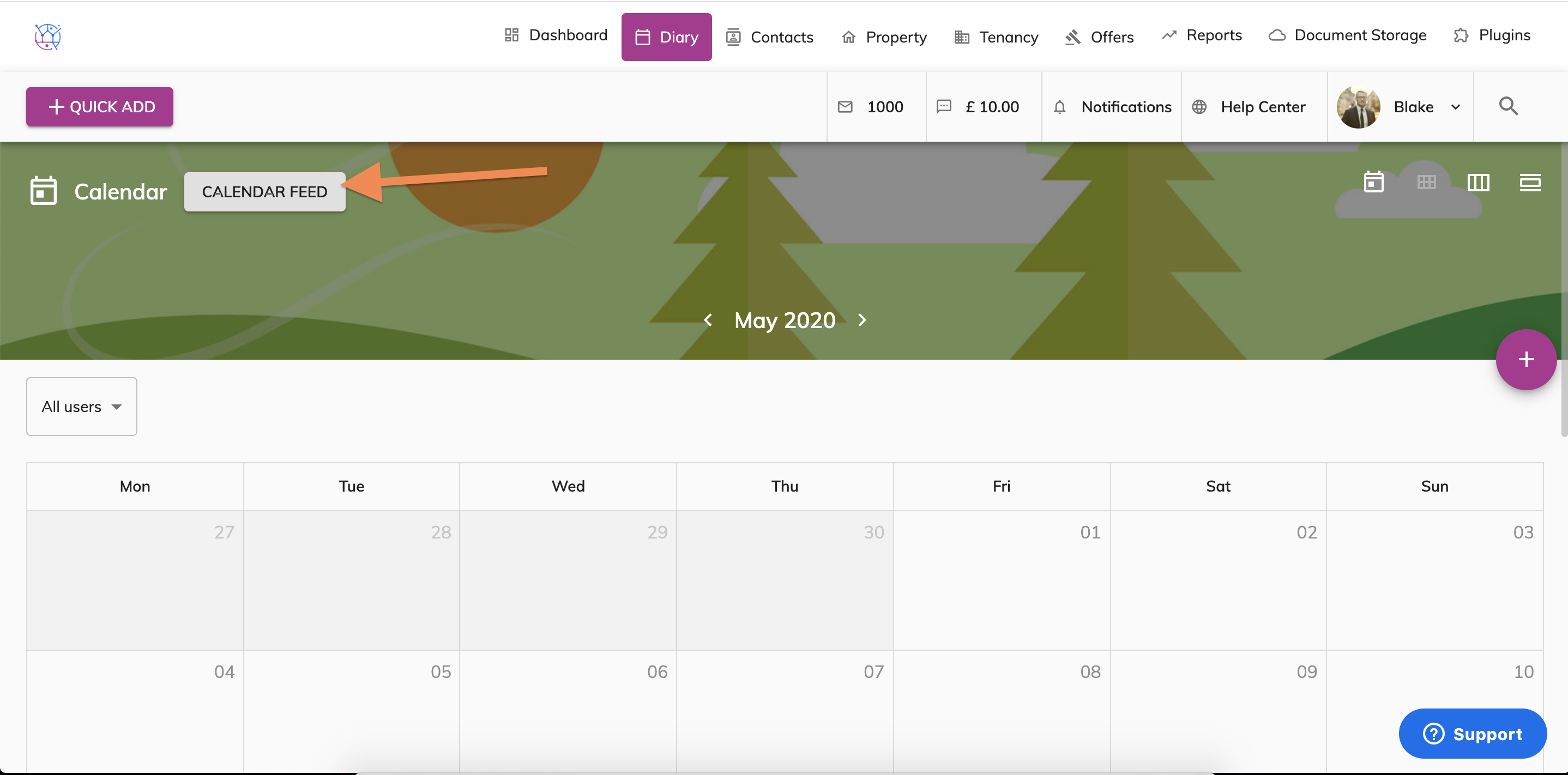
4) Open the diary within your Juvo account and click on the Calendar Feed button.
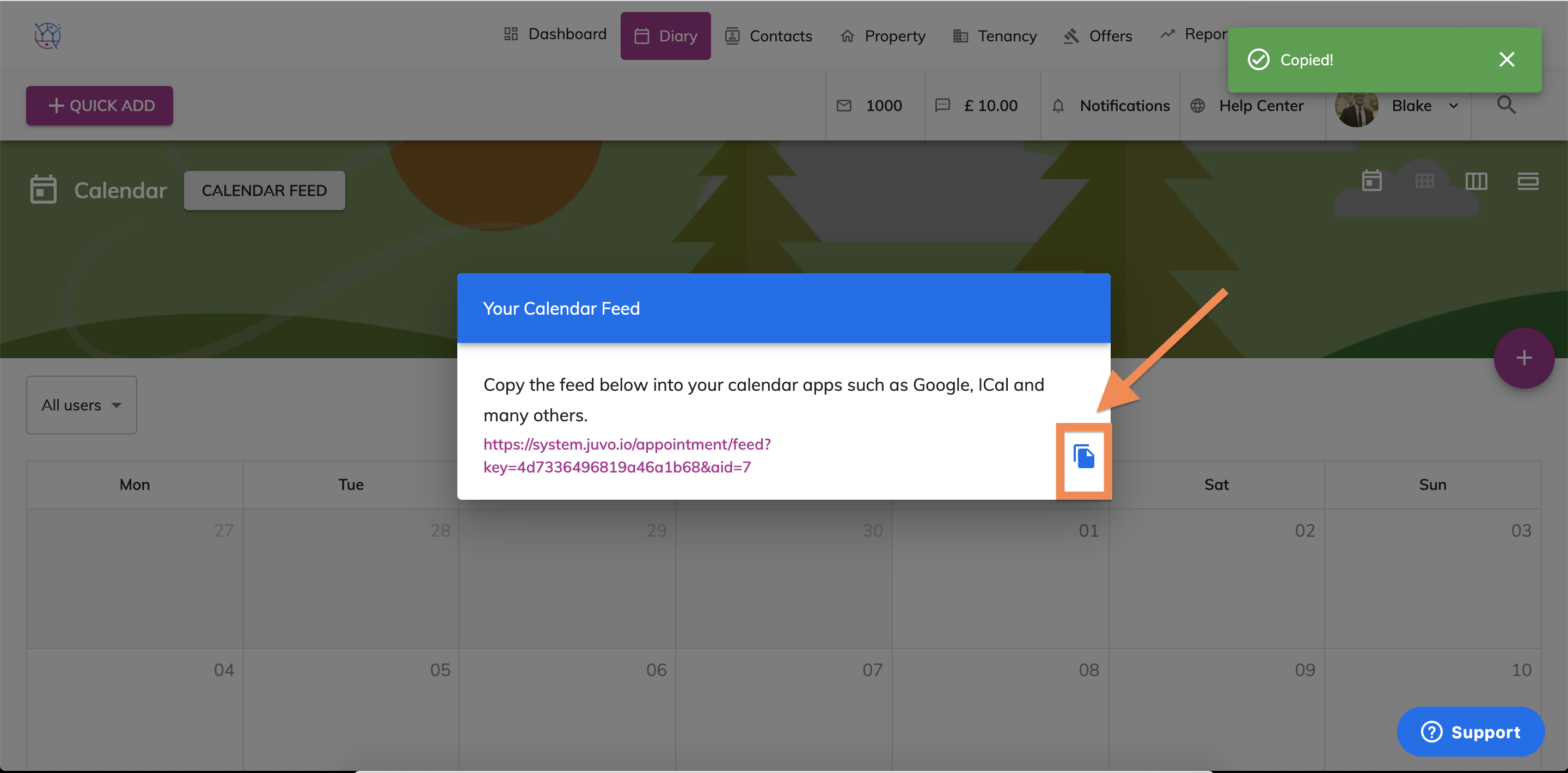
5) Use the copy button to copy the Url to your clipboard.
6) Open up your third party calendar app and paste the Url into the box, then press subscribe.
7) Your Juvo diary is now connected with your third party calendar app and will automatically sync your appointments.